


How do you collect SaaS invoices from every tool?
To collect SaaS invoices from every tool, send them all to one place finance controls, give every tool an owner, and do a monthly round of vendor billing pages for the invoices that are never emailed. Then match each invoice to its payment before month-end. Most of the work is set-up: once billing emails point to finance, most invoices arrive without anyone forwarding them.
Finance teams rarely struggle to pay for software. They struggle to get the invoices. Across 989 companies on Cledara, the median company paid for 32 software tools between October 2025 and September 2026, and 90% of software transactions are monthly subscriptions. That can mean dozens of SaaS invoices every month, each from a different vendor, sent to a different person, or not sent at all.
This guide covers why SaaS invoices go missing, what finance needs from each one (including why the card statement isn't a VAT invoice), where invoices live and how to get them, a step-by-step manual method, a month-end checklist and how to automate the whole job.
Key takeaways
- A card statement isn't a VAT invoice. HMRC says statements from ordinary purchasing, charge and credit cards “are not acceptable for VAT purposes”.
- Missing SaaS invoices usually sit in one of five places: someone's personal inbox, behind the vendor's login, in a marketplace account, with a reseller or in an expense claim.
- Point the billing email in every tool to a shared billing mailbox, so invoices stop going to personal inboxes.
- Give every tool an owner, so you know whose door to knock on when an invoice is missing.
- Do a billing-page round each month for the tools that never email an invoice.
- Check that each invoice names the entity that paid, especially if you have several companies or currencies.
- Automate it: capture invoices from email, and use an agent for the ones behind vendor logins.
Why do SaaS invoices go missing?
SaaS invoices go missing because vendors send them to whoever signed up, not to finance, and many keep the invoice in the account's billing page instead of emailing it. Add monthly billing across dozens of tools, several entities and several currencies, and month-end turns into a hunt for paperwork rather than a review of the numbers.
It went to someone's personal inbox
Whoever creates the account usually becomes the billing contact. So the invoice goes to the marketing manager who signed up for the design tool, or the engineer who started paying for an AI coding assistant. If they don't forward it, finance has a payment with nothing behind it. When that person leaves, the invoices go to a mailbox nobody checks, or one that has been closed.
The invoice is behind the vendor's login
Many SaaS and AI tools email a payment receipt, or nothing at all, and keep the full invoice in the billing section of the account. To get the invoice, someone with admin access has to sign in, find the billing page and download it: every month, for every tool. If the only admin has left, nobody can.
Monthly billing across dozens of tools
An annual contract produces one invoice a year. A monthly subscription produces twelve, and 90% of software transactions on Cledara are monthly. Each vendor bills on a different day, in a different format, from a different email address. Even a small miss rate leaves several gaps every month, and each gap means someone has to chase receipts.
Multiple entities and currencies
Groups with more than one company have another problem: the invoice must name the entity that paid. For UK VAT, HMRC lists “the name and address of the person to whom the goods or services are supplied” among the details a VAT invoice must show (VAT Notice 700/21). A tool paid for by the UK company but invoiced to the US one, or to the person who signed up, needs a corrected invoice. Vendors billing in dollars or euros add currency differences between the invoice, the payment and the books.
What does finance need from every SaaS invoice?
For every SaaS payment, finance needs the supplier's invoice, not just proof that you paid. It should show who supplied the service, which of your entities bought it, what was supplied and for which period, the amount and the VAT. In the UK, HMRC treats the VAT invoices you receive as the primary evidence for reclaiming VAT.
Check that each invoice shows:
- the supplier's name, address and VAT registration number;
- your entity's name and address (the entity that paid);
- a unique invoice number and the date;
- a description of the service, ideally with the billing period and number of seats;
- the amount excluding VAT, the VAT rate and the VAT amount;
- the currency, so it can be matched to the payment.
Those VAT details follow HMRC's list in Record keeping (VAT Notice 700/21), which allows the amount excluding VAT to be shown in any currency but requires the total VAT in sterling. For supplies of £250 or less including VAT, a supplier may issue a simplified invoice with fewer details.
Why the card statement isn't a VAT invoice
A card statement proves you paid. It doesn't replace the supplier's invoice. HMRC's guidance on purchasing cards (VAT Notice 701/48) says that ordinary purchasing, charge and credit cards don't have a VAT invoicing capability, and that “statements or reports from such cards are not acceptable for VAT purposes”.
HMRC's internal guidance on input tax (VIT31200) is just as clear. To reclaim VAT, a business “must hold acceptable evidence such as a VAT invoice”, and alternative evidence is allowed “only in exceptional circumstances”. Where a business doesn't hold a VAT invoice, “they must go back to the supplier and request one”. In other words: get the invoice.
Note: many SaaS vendors are based outside the UK. When a UK business buys services from a supplier that belongs outside the UK, the reverse charge usually applies: HMRC says it covers “almost all B2B supplies of services except exempt supplies”, and you account for the VAT yourself (VAT Notice 741A). The amount you pay excludes UK VAT, but the invoice is still a purchase invoice, which HMRC counts among the business records you must keep. Ask your accountant how to treat each overseas vendor.
Keep invoices where you can find them. HMRC says that, generally, you “must keep all your business records for VAT purposes for at least 6 years”, and that you should keep the VAT invoices you receive “in a way that allows you to find them easily when asked”. If you reclaim VAT outside the UK, check the local rules with your accountant.
Where do SaaS invoices live, and how do you get them?
SaaS invoices live in five places: email, the vendor's billing page, a marketplace or app store account, a reseller's system and, for tools bought on personal cards, an expense claim. Each needs its own fix: redirect the emails, add billing pages to a monthly round, download marketplace invoices in one go, and ask resellers to send everything to finance.
Tip: when someone leaves, find out which tools send invoices to their inbox before the account is closed. Add “move billing contacts” to your SaaS offboarding checklist, so invoices don't start bouncing the month after.
How to collect SaaS invoices manually, step by step
You can collect SaaS invoices without new software if you do the set-up once and keep a monthly routine. Create a shared billing mailbox, point every tool at it, forward what you can't redirect, name an owner for each tool, sign in to the billing pages each month, then match every invoice to its payment and chase the gaps.
- Create a shared billing mailbox. Set up an address such as invoices@ or billing@ on your company domain, owned by finance rather than one person, so it survives holidays and leavers.
- Change the billing email in each tool. In each tool's billing or account settings, set the invoice recipient or billing contact to the shared mailbox. Where a tool only emails the account owner, see whether you can add a billing-only admin. Some tools charge for every user, so check before adding one.
- Add forwarding rules for the rest. Where the invoice must go to a person, ask them to set an email rule that forwards messages from the vendor's billing address to the shared mailbox.
- Give every tool an owner. The owner keeps the billing details correct and is the person finance asks when an invoice is missing. Keep the owner in the same list as the tool's cost and renewal date.
- Do a monthly billing-portal round. Keep a list of the tools whose invoices are only on their billing page. On the first working day after month-end, sign in to each one and download the invoice. Name every file the same way, for example “20261031 - £80.00 - 0076.pdf” (date, amount, invoice number), so it is easy to match.
- Match each invoice to its payment. Compare the card and bank transactions with the invoices you have. Check that the amount, currency, period and entity agree on each one.
- Chase the gaps, then fix the cause. For each payment without an invoice, ask the owner first, then the vendor. Once it arrives, change the billing email or add the tool to the portal round, so the same gap doesn't come back next month.
Note: the manual method is manageable for a short list of tools. It gets harder as the list grows, as people join and leave, and when billing pages need a two-factor code from someone's phone.
Month-end SaaS invoices checklist
Run this checklist before you close each month. It takes your SaaS invoices from “somewhere” to matched and filed, and it shows which tools keep causing gaps, so you can fix them at the source rather than chasing them again next month.
- ✓ Every software payment this month is in your list of tools, with an owner.
- ✓ Invoices in the shared billing mailbox are saved and named consistently.
- ✓ Invoices forwarded from personal inboxes are in.
- ✓ The billing-portal round is done for every tool that doesn't email invoices.
- ✓ Marketplace and reseller invoices are downloaded or received.
- ✓ Each invoice is matched to its payment, and the amount, currency and period agree.
- ✓ Each invoice shows the right entity's name and address.
- ✓ UK VAT invoices show the supplier's VAT number, the VAT rate and the VAT amount.
- ✓ Overseas vendors are flagged so the reverse charge can be checked.
- ✓ Missing invoices have been requested from the owner or the vendor, with a date to follow up.
- ✓ Invoices and payments are coded and in your accounting system.
- ✓ Any tool that caused a gap has had its billing email fixed or been added to the portal round.
How to automate SaaS invoice collection
Automating SaaS invoice collection means three jobs: capturing invoices that arrive by email without anyone forwarding them, collecting the ones that sit behind vendor logins, and matching each invoice to its payment in your accounting system. The first two get the invoices. The third is what gives finance the time back at month-end.
- Email capture reads invoices from the inboxes they land in and brings them into one place.
- A forwarding inbox gives everyone one address to send invoices to, so nobody needs to know what happens next.
- An agent for billing pages signs in to each vendor's account and downloads the invoice, for tools that never email one.
- Automatic matching pairs each invoice with its payment and sends both to your accounting system with the right codes.
When you compare tools, ask how each one handles invoices that are never emailed, whether it knows which payment belongs to which subscription, and how it controls access to vendor accounts. General accounts payable software is built for supplier bills more broadly; our guide to automated invoice processing covers that wider workflow.
How Cledara collects SaaS invoices for you
Cledara is software subscription management for finance teams, and it captures SaaS invoices three ways: email capture from Gmail or Microsoft 365 (on Premium and Pro), a forwarding inbox, and Cledara Agent for the invoices that are never emailed. On Premium and Pro, each invoice is matched to its payment automatically and synced to Xero, QuickBooks or NetSuite with its codes.
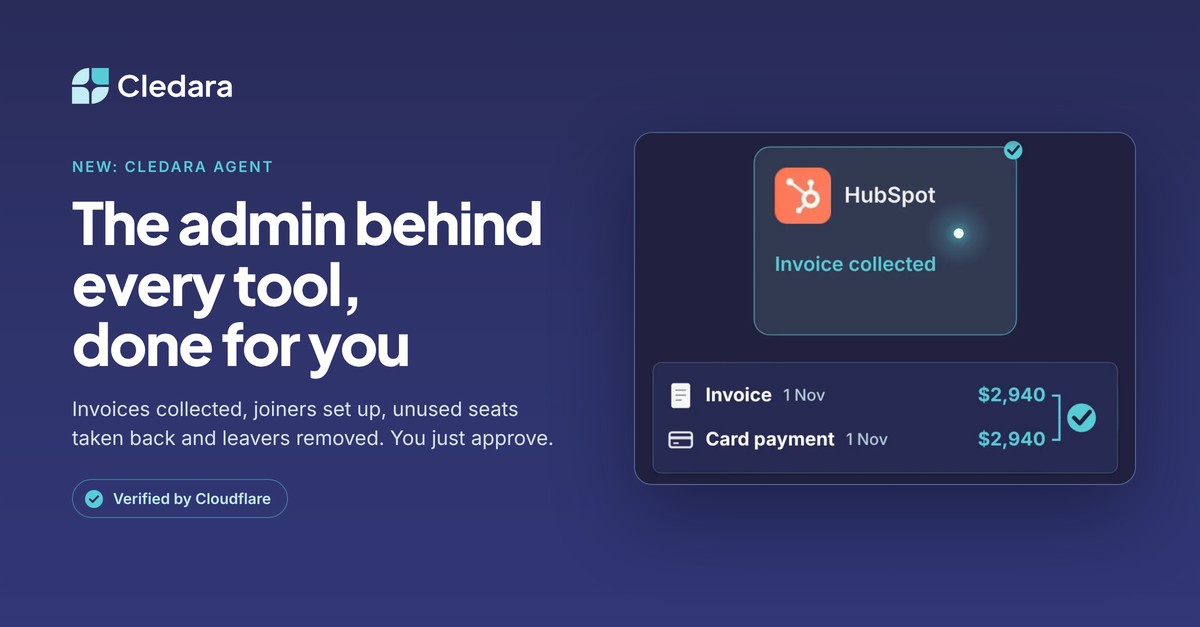
Cledara Agent's Invoice Collection, an add-on for any Cledara plan, does the job nobody wants. It signs in to each vendor's billing page, collects the invoice and matches it to the payment, ready to sync. It works overnight, so month-end starts with every invoice in place, and it works with 8,000+ SaaS and AI tools, whether or not they have an integration.
You approve its work, or set a standing approval for routine jobs such as collecting invoices. Sign-in details are stored encrypted in a separate vault for each company, AI never sees passwords, and it is the only SaaS management agent verified by Cloudflare. See how Cledara Agent collects invoices.
Jenny Liu, Head of Finance at Marshmallow, described the difference: “We used to waste 1-2 full days a month on just chasing and matching invoices. Now it's all automated and it's really helped with team culture not having to chase people every month.” A typical Cledara customer gets 30+ hours a month back.
Because every invoice sits next to its subscription, owner and renewal date, the same list helps with the next jobs too, from SaaS renewal management to everything else SaaS management covers. See how Cledara manages every software subscription, or compare Cledara plans and add-ons.