


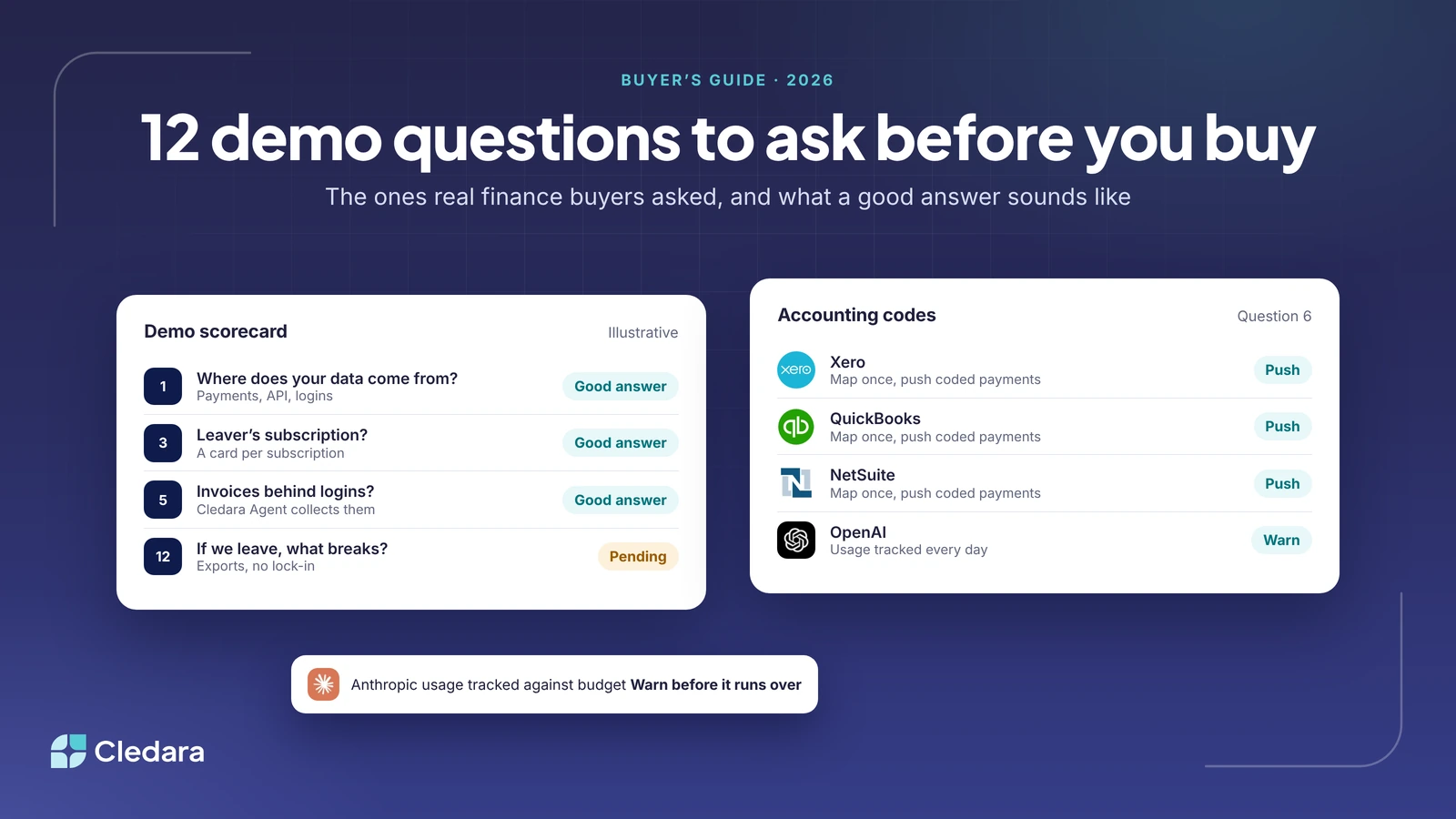
Why the demo questions you ask about software spend tools matter more than the feature list
We sit in a lot of demos. Over the last few months I've been reading through the notes from ours, and a pattern jumps out. The finance teams who end up happy with whatever they buy (us or someone else) ask a particular kind of question. Not "do you have renewals alerts?" (everyone says yes) but "show me what happens on the Tuesday the renewal fires and the owner left in March."
So this is a different list from our earlier post on 20 must-ask demo questions for SaaS management platforms, which is a good general checklist. These twelve software spend tool demo questions are the ones real buyers asked us in 2026, or told us afterwards they wished they had. Each one exposes a design decision that you'll live with for years.
Key takeaways
- Ask where the data comes from before you ask what the dashboard shows. Payments, API connections, logins and browser extensions each see different things.
- The leaver test is the single most revealing question: what happens to a subscription when the person who set it up leaves?
- Usage-based AI billing needs a clear answer on budgets and warnings, and you should know whether a limit means a declined payment.
- Invoices that live behind vendor logins are the hidden admin cost. Ask who downloads them.
- Pricing per user or per card quietly grows with headcount. Ask what the bill looks like at twice your size.
- Ask what you get back if you leave. A good vendor answers that one without flinching.
The 12 software spend tool demo questions, in the order to ask them
- Where does your data come from? Payments only, API connections to each vendor, login tracking, a browser extension, or some mix? A payments-only tool sees what was paid but not who uses it. A login-only tool sees usage but not cost. One operations lead told us his first question was whether the list "relies solely on purchases", and he was right to ask. Cledara builds the list from every payment made with a Cledara card plus the tools you add, and layers login data on top through the Cledara Engage browser extension.
- What exactly does the browser extension collect? This is the security team's question and it kills deals when it's answered vaguely. A Swedish founder declined to go further with us until he'd heard it. The right answer is specific: Cledara Engage records only the username and a timestamp when someone uses a software tool, never browsing history, page content or passwords.
- What happens to a subscription when the person who set it up leaves? If cards are issued to people, the tool stops working the day the card is cancelled, usually in the middle of something important. One finance lead told us this was the reason they'd moved off shared virtual cards. The alternative is a card per subscription, which is how Cledara works: the tool keeps its own card and limit, and the owner is reassigned.
- If a usage-based tool goes over budget, what happens? Three possible answers: the payment is declined, someone is warned, or nothing. Declines sound safe until it's your cloud hosting or your ad account that stops. One finance team told us about exactly that risk with hard limits. Cledara connects to AI providers such as OpenAI, Anthropic and Cursor, tracks usage every day against the budget you set and warns finance and the owner before spend runs over. You choose whether that budget is a soft cap that warns or a hard cap that stops spend at the limit, and you should ask any vendor to be precise about which of the three they do.
- How do invoices get in when the vendor never emails them? Email capture handles the ones that arrive in an inbox. The painful ones sit behind a vendor login, and at one prospect the CTO was spending his evenings downloading them. Ask who does that work. Cledara captures emailed invoices from Gmail or Microsoft 365 and a forwarding inbox, and Cledara Agent signs in to collect the ones that are never emailed. In short: invoices behind logins? Cledara Agent collects them.
- How do cost centres, tax codes and GL accounts get onto each payment? And is it a push into the accounting system or an export you re-import? A German finance team wanted correctly coded transactions pushed into DATEV, not a CSV. Cledara maps each tool to its account, department and cost centre once, then codes every payment the same way, syncing with Xero, QuickBooks, NetSuite or Tripletex, and exporting for everything else.
- Can approvals mirror our actual hierarchy? Most companies run team lead, then budget holder, then finance, with the C-suite only above a threshold. Ask to see a £30 tool approved without the CFO, and a £30,000 one with them. Cledara routes requests by rules you set, such as annual cost, and the approved tool gets its own payment method.
- How are renewals and notice periods surfaced, and to whom? One procurement lead described the risk precisely: you get tied into an extra year because the notice window passed quietly. Ask whether the alert goes to the tool's owner as well as finance, how far ahead, and what it shows. In Cledara every renewal date and price sits in one place with alerts before each one.
- How do joiners and leavers flow from the HR system into the tools? The follow-up that matters is "and what about contractors who aren't in the HR system?" Cledara connects to BambooHR, HiBob, Personio, Workday, Gusto and 30 or so others; Cledara Agent then sets up joiners in their team's tools and removes leavers from everything they had, with your approval. Contractors outside the HR system need to be added by hand, and a vendor who tells you otherwise is guessing.
- Do you charge per user, per card or per transaction? Per-user and per-card pricing grows with headcount and punishes exactly the behaviour you want (a card per subscription). Ask what the bill looks like at twice your size. Cledara prices by plan and number of applications, with virtual cards included and no per-transaction fee; the current plans are on the pricing page.
- How long does setup take, and what do you need from us? A founder told us the one thing he didn't want was "a NetSuite implementation". Ask for the setup steps and who does each one. Cledara onboarding is days, not months: a templated tool list, bulk import, accounting mapping, and set-up help on every plan.
- If we leave, what do we get back and what breaks? A fair question that too few people ask. One prospect worried about the integration work of disconnecting later. The answer you want covers data export (transactions and invoices as CSV, statements for any period), what happens to the cards, and whether you're tied in. Cledara has no long-term lock-in, and you can change plans at any time.
What a good answer sounds like, and what a bad one sounds like
| Demo question | Good answer | Red flag |
| Where does your data come from? | Names the sources (payments, API, logins) and what each can and cannot see | "We integrate with everything" |
| What does the extension collect? | Username and timestamp, nothing else, in writing | "Just usage data" |
| Leaver's subscription? | The tool keeps its own card; the owner is reassigned | "You'd update the card details" |
| Usage-based overspend? | Daily tracking, a warning to finance and the owner | A decline you didn't know about |
| Invoices behind logins? | Someone or something signs in and collects them | "Most vendors email them" |
| Accounting codes? | Map once, push coded payments into your system | "Export to CSV" as the main route |
| Approvals? | Routing rules by cost and team, shown live | One flow for everything |
| Renewals? | Owner and finance alerted ahead, with price and date | A list you remember to check |
| Joiners and leavers? | HR integration, and a straight answer about contractors | "Fully automated" with no caveats |
| Pricing model? | Flat by plan and app count, cards included | Per user, per card or per transaction |
| Setup? | Days, with the steps and owners listed | "It depends on your IT team" |
| If we leave, what breaks? | Exports, card wind-down, no lock-in | A pause while they check |
How to run the demo so the answers are real
A few habits from the buyers who got this right:
- Bring your own list. Ten real tools, including one AI tool on usage billing, one annual contract and one that someone who left set up. Ask the vendor to walk those through the product rather than their sample data.
- Ask for the ugly case, not the happy path. "Show me a failed payment" tells you more than "show me the dashboard".
- Invite the person who'll do the work. If a finance ops manager will live in the tool daily, they should be in the demo, not just the CFO.
- Write down the answer to question 12 before you sign. If it takes a week to get it in writing, that's your answer.
Why this gets easier from here
I'm optimistic about where this category is going. For years the demo was about dashboards, and the admin (the chasing, the logins, the invoices, the leavers) stayed with finance no matter which tool they bought. That's changing. Cledara Agent now does that admin inside 8,000+ tools, and the only SaaS management agent verified by Cloudflare is a sentence we couldn't have said a year ago.
So the best demo question of all might be the simplest: after we've bought this, who does the work? If the answer is still "your team, but with a nicer dashboard", keep asking. If the answer is "the software, and you approve", you're in the right room. Across Cledara's customers that shift is worth about 23% of software spend and 30+ hours a month, which is a decent return on twelve questions.