


How do I allocate shared expenses (like SaaS or travel) between departments?
Here's something I've noticed about cost allocation. The argument is never really about the maths. When two department heads disagree over who should pay for the Google Workspace bill, what they're actually disagreeing about is who owns it. Once a tool has an owner, the way to allocate shared expenses between departments mostly falls out on its own.
The short answer: pick one of three methods for each shared cost (headcount, usage or seats, or direct attribution with a card or cost centre per subscription), write the choice down, and run the same routine every month. Below is a worked example for a 150-person company with five departments: three bills allocated three ways, and the report that comes out the other end.
Our earlier post on SaaS cost allocation and chargeback models covers showback versus chargeback. This one goes deeper on the allocation itself: the methods, when each is fair, and the numbers.
Key takeaways
- There are three honest ways to allocate shared expenses between departments: by headcount, by usage or seats, and by direct attribution (a card or cost centre per subscription).
- Headcount is easy to explain and hides the heavy users. Usage follows the work but is harder to collect. Direct attribution is the fairest and needs one owner per tool.
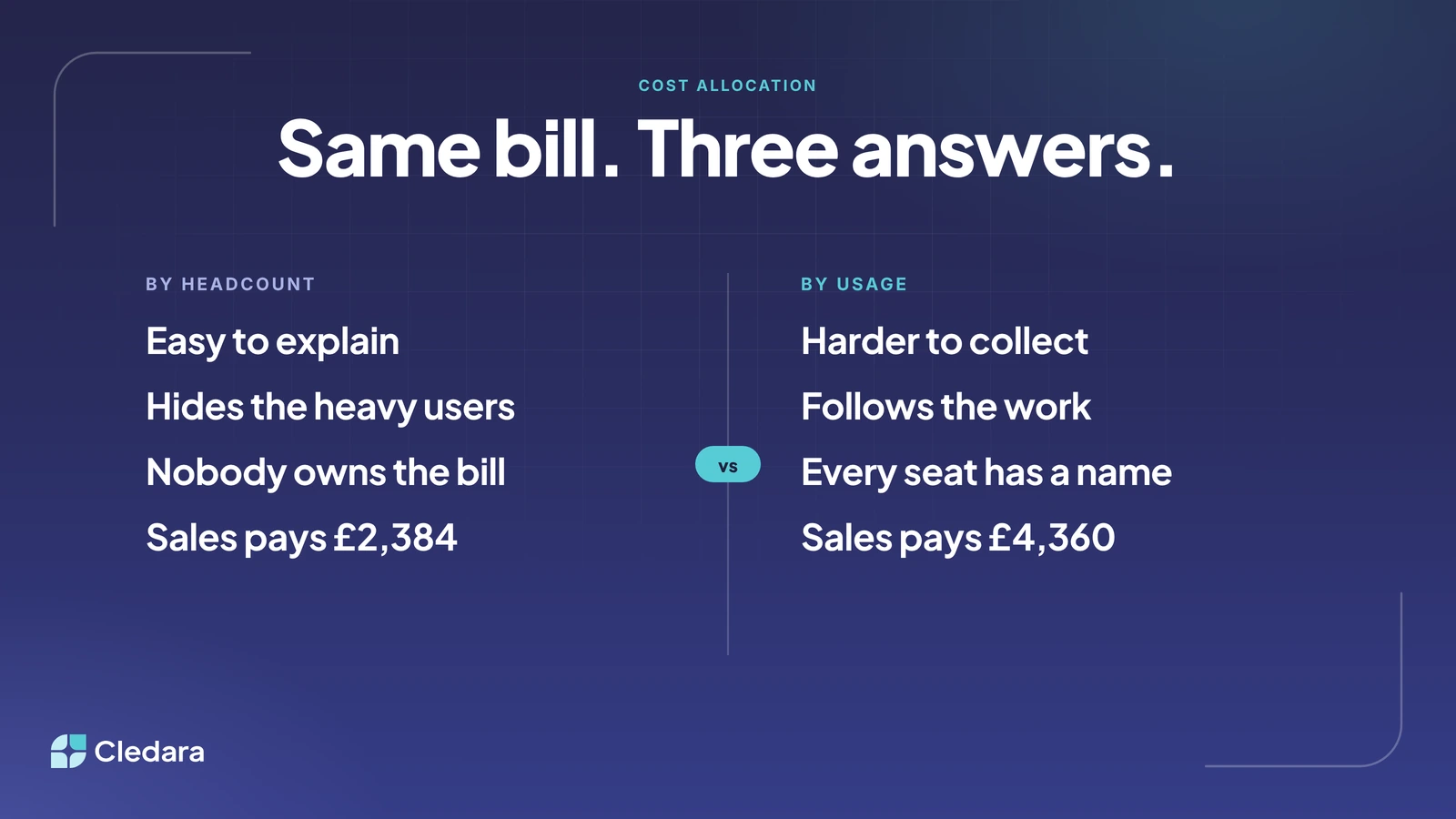
- In the worked example, the same £11,920 of shared bills gives Sales £2,384 under headcount and £4,360 under usage. The method is the argument.
- AI platform usage is billed in arrears, so your month-end report needs an accrual line and a projected-month line, not just the invoice.
- Allocation arguments are ownership arguments. Give every tool an owner and a card, and most of the allocation happens at the moment of purchase.
Three ways to allocate shared expenses between departments
Every allocation method answers one question: what drives this cost? If it grows with people, use headcount. If it grows with activity, use usage. If it can be pinned to a buyer at the moment of purchase, attribute it directly. Here are the three side by side.
By headcount
Divide the bill by total headcount and multiply by each department's people. It takes five minutes and nobody can accuse finance of favouritism. The problem is that it treats a salesperson on the road three weeks a month and a developer who never leaves the office as the same cost. Headcount is fine for a true platform cost like email. For anything consumed unevenly, it hides the heavy users.
By usage or seats
Allocate by the thing that actually drives the bill: seats for per-seat tools, metered usage for AI platforms, trips for travel. This follows the work, which is why department heads trust it more. The catch is that someone has to collect the driver data every month from each vendor's admin page. If that someone is a finance manager with a spreadsheet, it's a big job, which is why usage allocation is harder to collect and often slips back to headcount after a few months.
By direct attribution (a card or cost centre per subscription)
Give each subscription its own virtual card and its own owner, and code that card to the owner's department and cost centre once. Every payment then lands in the right place automatically, with no month-end allocation at all. Where a tool genuinely serves everyone, it goes to the cost centre of the person who owns it (usually IT or operations), because that is the person who can negotiate the renewal and remove leavers' seats. Honest, even if it makes one budget look bigger.
Which way to allocate shared expenses between departments is fair?
A method is fair when the department that gets the charge is the one that can do something about it. Headcount is fair for costs nobody controls. Usage is fair for costs teams control by consuming less. Direct attribution is fair for costs a team chose to buy. Most companies end up with a mix, and that's fine as long as it's written down.
Tip: write a one-line allocation rule next to every shared tool in your software list ("Google Workspace: by seats, owner IT"). Arguments start when the method changes without anyone saying so.
Cledara's data shows how much of the problem sits in a few shared tools. Across UK customers in the twelve months to October 2026, spend tagged "company-wide" was about the same size as all engineering-tagged spend and roughly one and a half times marketing-tagged spend (team tags overlap, so per-team totals overcount shared vendors; treat these as relative shares only). The two biggest vendors in that company-wide bucket were Anthropic (including Claude and Claude Code) and Google Workspace: an AI platform and a productivity suite, exactly the pair in the example below.
A worked example: allocating shared software and travel spend between five departments
Take a 150-person company with five departments: Engineering (50 people), Sales (30), Marketing (20), Customer Success (30) and G&A, meaning finance, people and operations (20). It has three shared bills in October, all illustrative: Google Workspace at £1,920 (160 seats, including contractors and shared mailboxes), an AI platform usage bill of £4,000 on one company account, and £6,000 of travel booked through one platform. That is £11,920 to allocate.
Now allocate the same £11,920 three ways. Under headcount, each department takes its share of people. Under usage or seats, Workspace follows seats, AI follows metered usage and travel follows trips. Under direct attribution, each team's AI usage sits on its own key and card, each trip is coded to the traveller's cost centre at booking, and Workspace (one subscription, one owner) goes to IT inside G&A.
Look at Sales. Under headcount, Sales pays £2,384. Under usage, Sales pays £4,360, because travel is a Sales cost and headcount was hiding it. Engineering goes the other way, from £3,973 to £3,000, because engineers don't travel much. And G&A jumps under direct attribution, from £1,589 to £2,420, because Workspace lands on the team that owns it. Same bill. Three answers. Each tells the budget holders a different story.
Note: the direct attribution column is the only one that needs no spreadsheet at month end. Every number in it was decided when the subscription was set up or the trip was booked.
How do I build an accrual and remaining budget report for AI platform usage across departments?
AI platforms bill usage in arrears, so October's invoice arrives in November. At month end you accrue what the usage dashboard shows but hasn't been invoiced, project the full month from the run rate, and compare the projection with each department's budget. Here is that report for the AI line in the example, run on day 20 of a 30-day month with a straight-line projection.
Three things make this report useful. Every row has an owner, so the Marketing overrun has a name next to it and the conversation happens before the invoice, not after. The accrual column is the number the accountant books at month end, so finance and the budget holders read the same figure. And the projection is mechanical, so nobody argues about it. If your AI spend sits on one shared key you can't produce this report at all, which is the strongest argument for a key and a card per team.
Important: AI deserves its own row now. 27% of software spend on Cledara goes to AI-native tools, up from about 3% two years ago. The tooling for this is in our guide to AI spend management tools.
How do finance teams at high-growth companies manage expense policies across departments?
The finance teams I see doing this well have stopped writing policies that live in a PDF and started writing policies that live in the approval flow. "Any tool over £5,000 a year needs the CFO" is a sentence in a document until it's a routing rule that sends the request to the right person. The same goes for allocation. The policy says who pays; the card and the cost centre make it true.
In practice that means four things. Every subscription has an owner, not a shared login. Every subscription has its own card with its own limit, so a department can't quietly overspend on a company account. Approvals route by amount and by team, with the decision made in Slack. And the department tag on the tool is the same tag that reaches the ledger, so the budget report and the accounts never disagree. If you also want the total down, our post on reducing IT costs covers the other side of the same list.
The monthly routine to allocate shared expenses between departments
With the rules written and the owners named, the routine is short.
- Pull the list of shared tools with their allocation rule and owner. Anything without an owner goes to the top of the list.
- Collect the drivers for the usage-allocated tools: seat counts, AI usage to date, trips. Direct-attributed tools need nothing.
- Accrue the usage-billed lines (AI platforms, metered infrastructure) and project the month from the run rate.
- Post the allocations to the ledger against each department's cost centre, with the rule noted in the journal.
- Send each owner their rows: budget, actual, accrual, remaining. Ask one question: anything here you don't recognise?
- Flag renewals due in the next 90 days to the owner. Companies that start negotiating 90 days out average 49% savings, against 19% for 30 to 90 days out (our renewal benchmarks).
Done by hand across the median 32 tools, with 90% of software transactions billing monthly, that is a real chunk of someone's month. Most of it shouldn't be done by hand.
What a platform automates when you allocate shared expenses between departments
Honestly, the routine above exists because the information lives in six places. Software subscription management platforms such as Cledara put it in one. Here's what that changes for allocation.
- ✓ One card per subscription, with its own limit and owner, so every payment is attributed at the moment it's made.
- ✓ An owner per tool, with the owner's department and cost centre mapped once and applied to every payment after that.
- ✓ Team tags that sync to the ledger: each payment reaches Xero, QuickBooks, NetSuite or Tripletex with its invoice and its codes already attached.
- ✓ Connections to OpenAI, Anthropic and Cursor that track AI usage every day against the budget you set, and warn finance and the subscription owner before spend runs over.
- ✓ Seat counts from the tools themselves, so the usage-allocated lines don't need a spreadsheet either.
- ✓ Approvals routed to the manager, finance or IT by the rules you set, with the decision taken in Slack.
Our customers save 23% on software spend on average and get 30+ hours a month back. A good share of those hours used to be this routine. And once every tool has an owner, Cledara Agent can do the admin inside each one, from collecting the invoices nobody emails you to taking back the seats nobody uses, with your approval.
Allocation arguments are ownership arguments
I'll finish where I started. Every cost allocation argument I've sat through was really an argument about ownership. The Workspace bill is contested because nobody owns the bill. The AI bill is contested because it sits on one shared key. The travel line is contested because the booking didn't carry a cost centre. Fix the ownership and the allocation stops being a monthly negotiation and becomes a fact.
The companies that get this right won't have bigger finance teams. They'll have a list where every seat has a name, every tool has a card behind it and a rule beside it, and a finance team that spends its month on the questions that need a human. That's a better job than arguing over who pays for email.
If you'd like to see how this looks in Cledara, book a demo and we'll walk through your own list. Plans are on the pricing page and free benchmarks are at data.cledara.com.
Cheers,
Brad