


Which platforms show who is responsible for each software renewal?
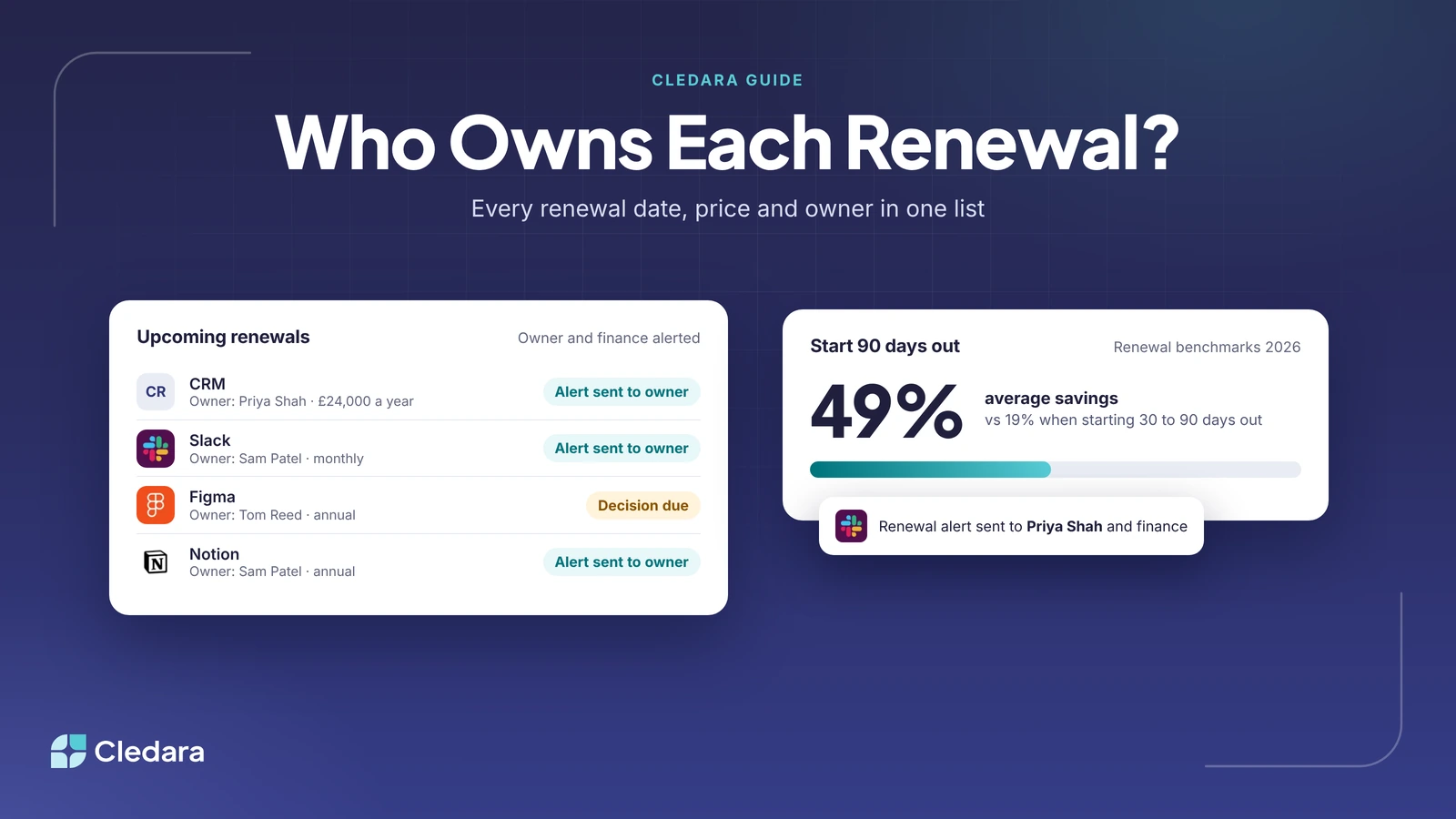
Cledara shows who owns every software renewal: each subscription has a named owner, a renewal date and a price, and Cledara alerts that owner and finance before it renews. Cledara is software subscription management for finance teams, and SaaS renewal tracking is part of every plan, so your renewal list comes from what you actually pay rather than from what someone remembers.
Other tools can hold renewal dates too: a spreadsheet, a shared calendar, a contract management tool or another SaaS management platform. The difference is whether the list stays complete, whether each renewal has one person answerable for it, and whether that person hears about it in time to act. This guide compares the options and shows how to set up renewal tracking that works.
Key takeaways
- Cledara shows who owns each renewal: every subscription has a named owner, and alerts go to that owner and finance before it renews.
- Build your renewal list from payments, not memory, so tools bought on cards and expenses are included.
- Track the notice deadline as well as the renewal date. It is the last day you can change the deal.
- Start annual renewals at least 90 days out: companies that start negotiating 90 days out average 49% savings, against 19% when they start 30 to 90 days out.
- Don't ignore monthly tools: 90% of software transactions on Cledara are monthly subscriptions.
- Spreadsheets and calendar reminders work for a handful of tools, but go stale as soon as someone buys a tool without telling finance.
What's the best way to track all your company's SaaS renewal dates in one place?
The best way to track all your SaaS renewal dates in one place is a tool that builds the list from your software payments and keeps it current as you buy, change and cancel tools. In Cledara, the list of every tool comes from every payment made with Cledara plus any tools you add, with each tool's owner, users, cost, renewal date and card.
That matters because most renewal lists fail at the first step: they miss tools. A spreadsheet only knows the tools someone typed in, and a calendar only holds the dates someone remembered to add. The median company on Cledara paid for 32 software tools between October 2025 and September 2026 (the middle half paid for 16 to 48), so even a mid-sized list is too long to keep in someone's head.
What your renewal list should hold
How Cledara handles SaaS renewal tracking
Cledara tracks renewals in five parts: one list of every renewal date and price, a named owner for each subscription, alerts to that owner and finance before each renewal, actions in Slack, and help with the renewal itself through price benchmarks and the Negotiation and Renewal Copilot.
One list of every renewal date and price
Every subscription paid through Cledara appears on the list with its renewal date and price, next to its owner, users, cost and card. Tools you pay for another way can be added by hand, so annual contracts paid by bank transfer sit on the same list as monthly card payments.
A named owner for every subscription
Each subscription has a named owner: the person who answers for whether the tool is still needed. When finance asks "who owns this tool?", the answer is on the list rather than in someone's memory. When an owner changes role or leaves, you move the subscription to a new owner, and each subscription's own virtual card means the tool doesn't stop working when someone leaves.
Alerts to the owner and finance, with actions in Slack
Before each renewal, Cledara alerts the subscription owner and finance, so the person who knows whether the tool is used and the person who pays for it hear at the same time. Slack notifications cover renewals, approvals, access requests and spend alerts, and you can act on them in Slack without opening another tool.
Benchmarks and the Negotiation and Renewal Copilot
The Spend Optimisation module benchmarks what you pay against what similar companies pay, and flags price increases, duplicate tools and unused seats before you renew. Its Negotiation and Renewal Copilot (AI) drafts the renewal negotiation for you. Free spend benchmarks by company and category are also published at data.cledara.com.
Usage data, seat clean-up and one-click cancelling
Cledara Engage, a browser extension, shows who uses each tool and when they last used it, so the owner can see active users against paid seats before deciding. Cledara Agent can take back paid seats nobody uses before the renewal, with your approval. If the decision is to cancel, freeze the subscription's card and the vendor can't charge it again.
Tip: on an annual contract, give the vendor notice by the notice deadline as well, so the contract ends on the date you expect. Record the notice deadline next to the renewal date so the owner starts the review in time.
SaaS renewal tracking options compared
You can track SaaS renewals in a spreadsheet, with calendar reminders, in a contract management tool or in a SaaS management platform. They differ in where the renewal dates come from and who is answerable for each one. Here is how they compare.
Renewal tracking tools at a glance
- Cledara: best for finance teams. Every renewal date and price on one list built from your payments, a named owner per subscription, alerts to the owner and finance, Slack actions, benchmarks and the Negotiation and Renewal Copilot.
- Torii: best for IT and procurement-run renewals. Torii offers a shared renewal calendar with automatic alerts for renewals and auto-renew clauses, and lets procurement delegate renewal work to the right people (Torii). Freshworks agreed to acquire Torii on 12 October 2026 (Freshworks).
- Zluri: best for IT teams that want identity governance too. Zluri sends contract renewal reminders 7, 15 and 30 days before a renewal to app, contract, IT and finance owners, and cancel-by reminders from 60 days out (Zluri help centre). Zluri now presents itself mainly as an identity security company, with SaaS management as one of its products (Zluri), and Infotech completed its acquisition of Zluri on 14 October 2026 (Inc42).
- Vendr: best for negotiation help on large renewals. Vendr, now part of Vertice, offers pricing benchmarks and an AI negotiation agent, and asks customers to route renewals to it early (Vendr).
- Juro: best for legal-led contract tracking. Juro is a contract lifecycle management platform with reminders for key dates and renewals (Juro).
- Spreadsheets and calendars: best for a first audit. Free and flexible, but only as complete as the last person who updated them.
Note: a contract tool knows the contracts it holds, and most SaaS renewals never have one. Monthly tools bought on a card are often accepted with a click-through, so they only show up if your tracking starts from payments.
Why SaaS renewal tracking needs an owner, not just a date
Renewal tracking needs an owner because a date on its own doesn't make a decision. Someone has to check usage, ask for the renewal quote and decide before the notice deadline, and the earlier they start, the more they save.
Cledara's SaaS renewal benchmarks for 2026 found that vendors raise renewal prices 8 to 12% a year on average, and aggressive vendors 15 to 25%. Companies that start negotiating 90 days out average 49% savings, against 19% when they start 30 to 90 days out. A renewal without an owner usually goes through at the new price.
Renewals also aren't only annual contracts. 90% of software transactions on Cledara are monthly subscriptions, and monthly billing makes up 81% of UK software spend, 78% in Europe and 73% in the US. Annual billing is 15%, 17% and 22%, but each annual contract is larger and harder to leave. Good tracking covers both: monthly tools reviewed every quarter, annual contracts reviewed months ahead.
A worked example
Here is how it works with illustrative figures. Priya Shah, Head of Sales, owns the CRM: an annual contract at £24,000 for 50 seats, renewing on 1 June 2027 with 60 days' notice, so the notice deadline is 2 April 2027. Her review starts in early January, 90 days before that deadline.
- Check usage. Engage shows 32 of the 50 seats used in the last 30 days.
- Set the position. Priya and finance agree to renew at 35 seats, leaving room for three hires.
- Check the price. The benchmark shows what similar companies pay for the same tool, and the Copilot drafts the negotiation.
- Agree and record. At £480 a seat a year, dropping 15 seats saves £7,200 a year before any discount, and the new seat count and renewal date go on the list.
Without an owner, the same contract renews at 50 seats, plus whatever increase the vendor adds. For more on the decision itself, see our guide to SaaS renewal management.
How to set up SaaS renewal tracking in six steps
To set it up, get every tool onto one list from your payments, name an owner for each, add the contract terms, switch on alerts and review on a fixed rhythm. In Cledara most of the list builds itself; the steps below work with any tool.
- Start from payments. Pay each subscription through Cledara so it appears on the list automatically, and add tools paid another way, such as annual contracts paid by bank transfer.
- Name one owner per tool. Usually the budget holder for the team that uses it. One name, not a team.
- Add the contract terms. For annual and multi-year contracts, record the renewal date, notice period and any clause on price increases.
- Switch on alerts and Slack. Make sure renewal alerts reach the owner and finance, and connect Slack so they can act where they work.
- Check usage before each renewal. Compare active users with paid seats, and look for duplicate tools doing the same job.
- Set a rhythm. Review monthly tools every quarter, and start each annual renewal at least 90 days before its notice deadline.
Before a renewal, look for tools you no longer need: our guide to finding unused and duplicate SaaS subscriptions shows where to start. To see what finance teams say about using Cledara day to day, read what Cledara's G2 reviews say.
SaaS renewal tracking checklist
Use this checklist to test whether your current set-up will catch the next renewal. If you can tick every line, renewals become decisions rather than surprises.
- ✓ Every tool you pay for is on one list, including monthly tools bought on cards.
- ✓ Each tool has one named owner.
- ✓ Each annual contract has a renewal date, notice deadline and current price.
- ✓ Alerts reach the owner and finance before each renewal.
- ✓ Active users are checked against paid seats before renewing.
- ✓ The price is checked against a benchmark before you agree.
- ✓ Annual reviews start at least 90 days before the notice deadline.
- ✓ Cancelled tools have their payment stopped, as well as notice given.
Cledara customers save 23% on software spend on average. See how Cledara manages every software subscription, or compare Cledara plans: renewal alerts come with every plan.