


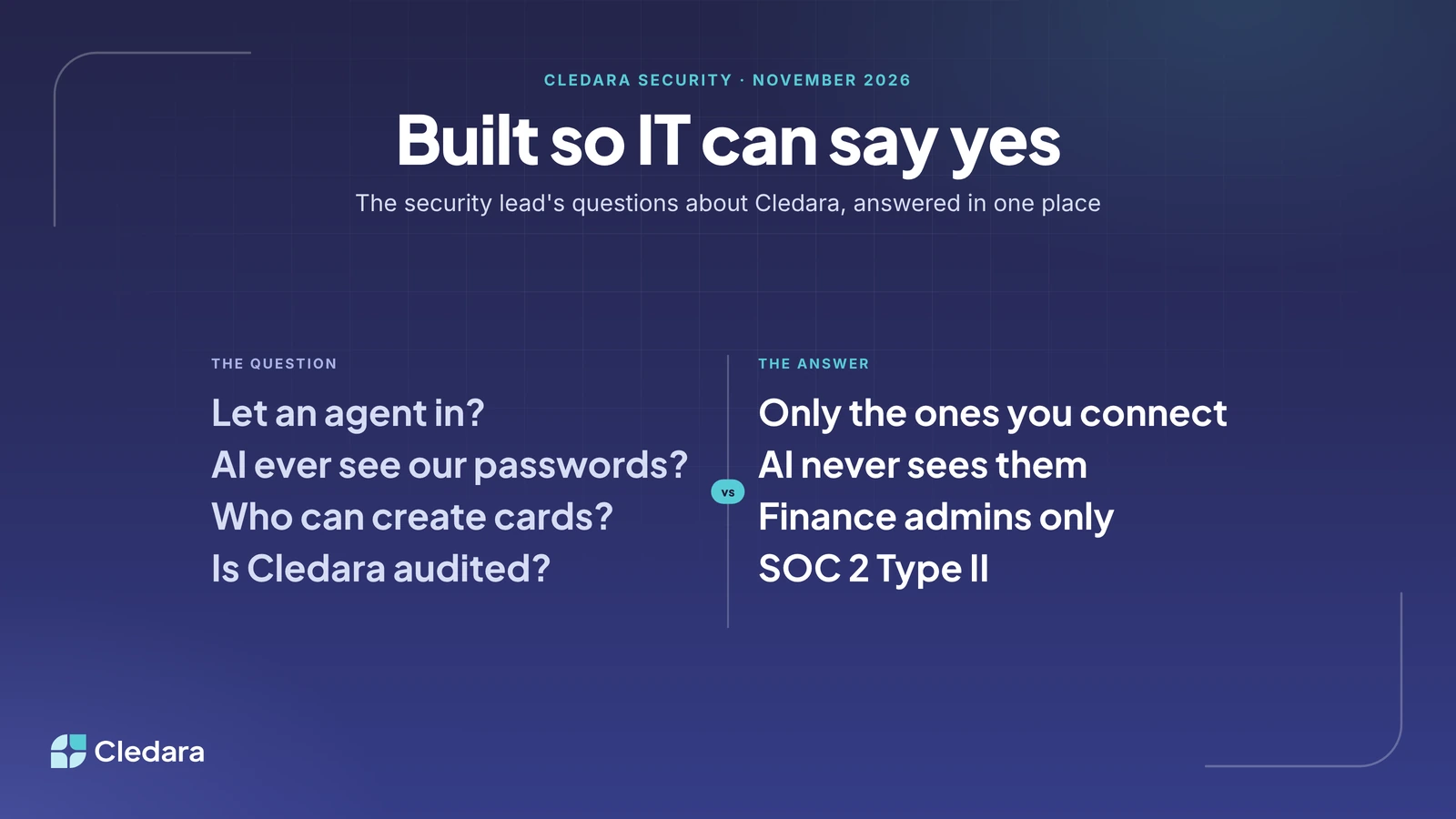
The question every security lead asks about Cledara
Letting a finance tool see which software your team uses, pay for it, and then sign in to it on your behalf is a fair thing to question. If a security lead didn't ask us hard questions about Cledara security, I'd worry about the company rather than the question.
So this post puts the Cledara security answers in one place. It's written for the person in the security review who has to sign the form: what the browser extension collects, how Cledara Agent gets into your tools and what it can't do once it's there, who can create a card, and what Cledara itself is certified for. Where a claim can be checked, I've said where. The Trust Centre has the documents.
One prospect this autumn turned us down partly because they didn't want any browser extension near their billing systems. That's a reasonable instinct, and it's exactly why the extension is built the way it is. More on that below.
Key takeaways
- Cledara Engage, the browser extension, collects only a username and a timestamp when someone uses a software tool. It cannot read browsing history, page content or passwords.
- Cledara Agent only works in the tools you connect and only does the jobs you switch on. Each change waits for your approval unless you set a standing approval for routine work.
- Sign-in details for Cledara Agent are stored encrypted in a separate vault for your company, and AI never sees them. It is the only SaaS management agent verified by Cloudflare.
- Cards are tokenised by Very Good Security and MeaWallet, Cledara never handles card data, and only finance admins can create or edit cards.
- Cledara is SOC 2 Type II certified and GDPR compliant, hosted on Amazon Web Services, with regular security reviews including penetration testing.
- Sign-in to Cledara uses two-factor authentication or Google login, with Okta SSO on the Pro plan.
What the Cledara Engage browser extension actually collects
Two things: the username, and a timestamp, when someone uses a software tool. That's the whole data model. Engage checks whether the site someone is on is one of the 8,000+ SaaS and AI tools in Cledara's directory and, if it is, records that this person used that tool at that time. It doesn't collect anything else, and it can't track browsing behaviour, history, website content or passwords.
The reason it exists is the gap between what finance pays for and what people actually use. Payment data tells you a tool was bought. It can't tell you that a team quietly adopted a free AI note-taker with your customer calls in it, or that eleven of the fifteen seats on a design tool haven't been opened since March. Jenny Liu, Head of Finance at Marshmallow, put it simply: "Cledara Engage immediately captured 15% more subscriptions we hadn't heard of."
If your security policy doesn't allow extensions at all, Cledara still works without it. You lose the usage signal for tools that don't have an integration, and you keep everything else: the list, the renewals, the cards, the invoices and the agent. You can run it that way from day one. It's a trade-off you can make with your eyes open rather than a condition of using the product.
How Cledara Agent gets into your tools, and what it can't do
Cledara Agent signs in to your SaaS and AI tools to do the admin inside them: collect the invoices nobody emails you, set up new joiners, take back paid seats nobody uses, and remove people who've left. The security conversation is really about three things: how it signs in, what it's allowed to do, and how you'd know.
How it signs in. The sign-in details you give it are stored encrypted, in a separate vault for your company, and AI never sees them. For tools that send a verification code, the agent uses an authenticator set up in your company's vault, or asks you for the code. For tools that only allow single sign-on, the agent needs its own login, and the team helps you set that up at onboarding, so your SSO policy stays exactly as it is.
What it's allowed to do. It only works in the tools you connect, and only does the jobs you switch on in each one. You can give it invoice collection in Slack and nothing else, or user management in Google Workspace and nothing else. Each change waits for your approval, unless you set a standing approval for routine work such as collecting invoices or removing leavers. It will never change your account settings, add a paid seat without your approval, or touch a tool you haven't connected.
How you'd know. Cledara Agent is the only SaaS management agent verified by Cloudflare. It's listed in Cloudflare's bot directory and signs its requests, so the sites it works in can check that a request really comes from Cledara rather than from something pretending to be it. Inside Cledara, every change it makes is one that you, or a standing approval you set, signed off, so you can see what it did, in which tool, and who approved it.
Note: Cledara Agent doesn't change or reset passwords, and it doesn't cancel subscriptions. Cancelling stays a human decision; it's one click in Cledara and it works by freezing the subscription's card.
Who can create a card, and who can see one
Every subscription in Cledara gets its own virtual card with its own limit, which is what makes "cancel it" a one-click decision and stops a leaver's personal card taking the CRM down with them. The security question is about who controls those cards.
- Only finance admins can create or edit cards. Application owners and standard users can see what a tool costs and who uses it, and they can't see card details or make new cards.
- Card details are tokenised by Very Good Security and MeaWallet. Cledara doesn't handle card data whatsoever, and only the cardholder can view the details of a card.
- Each card has its own limit and budget, so a compromised vendor can only ever charge what that one tool was allowed to charge. Cledara alerts you to unusual payment activity.
- Cards are issued by regulated partners in each region, and in the UK and Europe your funds sit in your own account; neither Cledara nor any third party can access or lend against them. The regulatory details are in the footer of every page on cledara.com.
Cledara security certifications: SOC 2 Type II, GDPR and AWS
Cledara is SOC 2 Type II certified, the industry standard for independently audited security and data protection, and GDPR compliant. The platform is built and hosted exclusively on Amazon Web Services, and we run regular security reviews including active penetration testing. Documents for the company checks you complete at sign-up are encrypted, and Cledara doesn't sell de-anonymised data.
Signing in to Cledara uses two-factor authentication, with an authenticator app such as Google Authenticator or Authy, or Google login. Okta single sign-on is available on the Pro plan.
If you find a vulnerability, the Vulnerability Disclosure Programme runs through dpo@cledara.com, which is also the contact for any data protection question. The SOC 2 report, the data processing addendum and the subprocessor list are available on request through the Trust Centre.
A Cledara security review checklist
If you're the person running the Cledara security review, this is the order that gets it done fastest.
- Request the SOC 2 Type II report and the data processing addendum through the Trust Centre, and ask for the current subprocessor list.
- Decide whether Cledara Engage is in scope. If it is, record the data statement (username and timestamp only) in your own policy. If it isn't, note that Cledara runs without it.
- List the tools you'll connect Cledara Agent to and, for each, which jobs it may do. Start with invoice collection; it's read-mostly and the quickest win for finance.
- Set the approval policy: per-change approval by default, standing approvals only for the routine jobs you're comfortable with, such as removing leavers.
- Agree the card roles: who the finance admins are, who owns which application, and the limit on each card.
- Turn on Okta SSO if you're on Pro, or confirm two-factor authentication for every Cledara user.
- Diarise a quarterly review of connected tools, agent jobs and card owners. Security reviews age fastest where the software list changes most.
Why an agent in your tools will soon seem normal
Not that long ago, plenty of finance teams typed bank statements into the accounts by hand, and the idea of giving an outside system read access to the bank felt reckless. Then bank feeds arrived, with the right permissions and the right audit trail, and within a few years nobody could imagine closing the books without them.
I think the admin inside software is at the same point. Someone has to sign in to each tool to collect the invoice, add the new starter and remove the leaver. Today that someone is usually a finance or IT person doing it by hand, with a password they shouldn't really have, in a tool they don't really know. An agent that works only where you let it, does only what you've switched on, keeps the passwords in a vault and proves to every site who it is, is the safer version of what's already happening. Security teams have been quick to see that, and I expect the question in a couple of years will be "why would you still do that by hand?" rather than "why would you let an agent in?"
If you have a Cledara security question that isn't answered here, email dpo@cledara.com or ask your account manager. We'd rather answer it before the review than after.