


What should a SaaS offboarding checklist include?
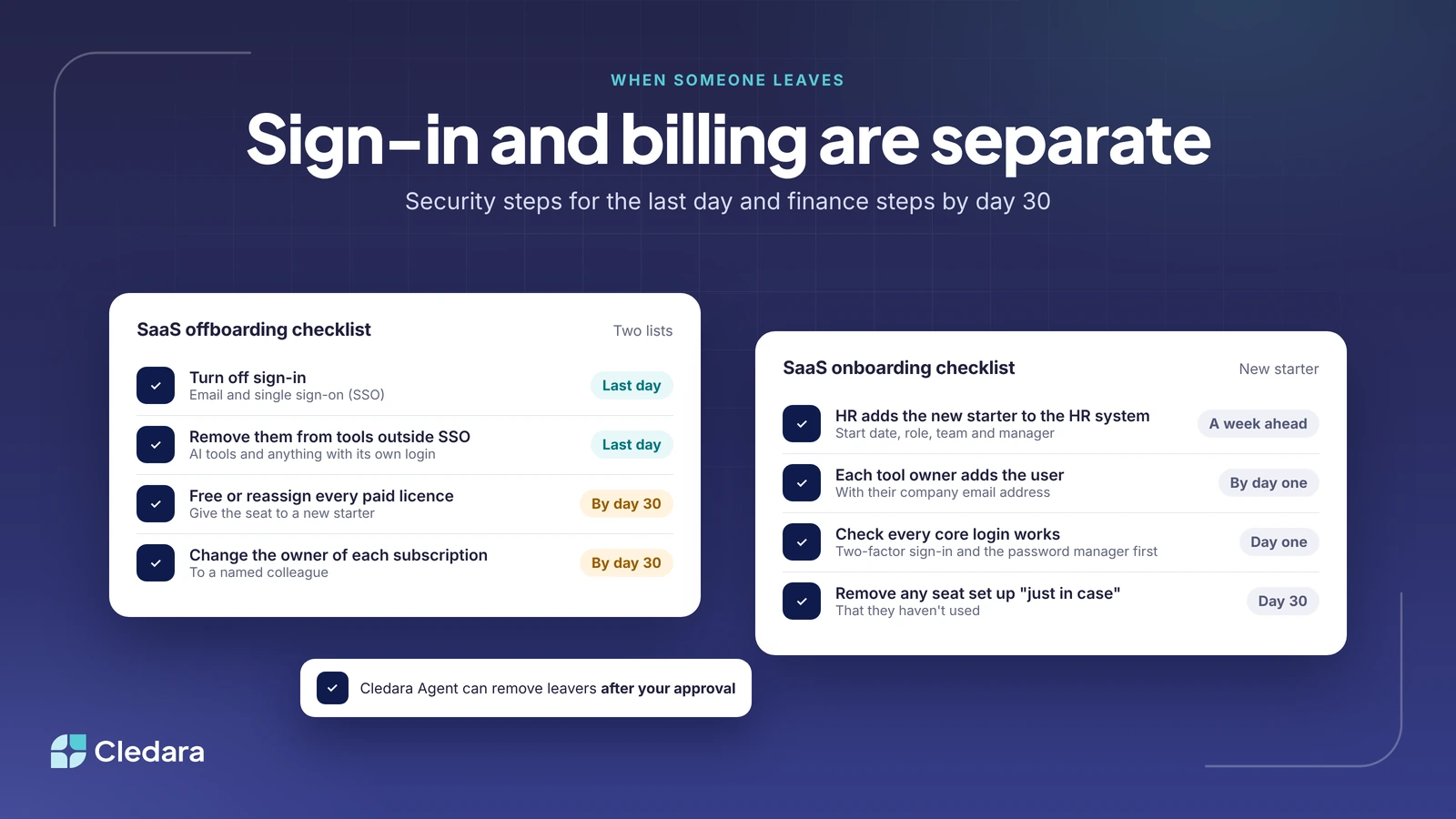
A SaaS offboarding checklist should include two lists. The first is for the leaver's last day and covers security: turn off sign-in, remove them from every tool (including the ones outside single sign-on), move their admin rights and files, and revoke API keys. The second is due by day 30 and covers the finance steps most lists miss: free or reassign each paid licence, change the owner of every subscription they owned, check the renewals they looked after and take them out of approvals.
Here is the whole checklist, in order:
- Last day: turn off sign-in to email and single sign-on (SSO) at an agreed time.
- Last day: remove the leaver from every tool outside SSO.
- Last day: move admin rights, files and the inbox to a named colleague.
- Last day: revoke API keys, access tokens and connected apps, and change any shared passwords.
- Last day: collect the laptop, phone and security keys.
- By day 30: free or reassign every paid licence.
- By day 30: change the owner of each subscription the leaver owned.
- By day 30: check the renewals the leaver owned.
- By day 30: remove the leaver from approvals and billing contacts.
- By day 30: record what was removed and when.
You need both lists because sign-in and billing are separate things. Across Cledara's customers, the median company paid for 32 software tools between October 2025 and September 2026 (the middle half paid for 16 to 48), and 90% of software transactions on Cledara are monthly subscriptions (Cledara's data). A monthly seat that gets missed is charged again within the month, whether or not the leaver can still sign in.
Key takeaways
- A SaaS offboarding checklist needs security steps for the last day and finance steps by day 30.
- Start it the day notice is given, from the leave date in your HR system, so the list of tools is ready before the last day.
- Turning off single sign-on stops sign-ins. The account and its paid seat stay in each tool until someone removes them.
- Give every subscription the leaver owned a new owner, and check its renewal date.
- Take the leaver out of approvals and billing contacts, so requests and invoices don't go to an empty inbox.
- Cledara Agent can remove leavers from every tool they had, after your approval.
SaaS offboarding checklist for the leaver's last day: the security steps
On the last day, the SaaS offboarding checklist is about access. By the agreed time, the leaver can't sign in to anything that holds company or customer data, and everything they owned has a new home. Start preparing when notice is given, so the list of tools and the handover are ready before sign-in is turned off.
- ✓ Confirm the leave date and time in the HR system, and tell IT, finance and the line manager.
- ✓ Turn off sign-in to email and single sign-on (SSO) at the agreed time, and sign the leaver out of active sessions.
- ✓ Remove them from tools outside SSO: tools a team bought on a card, AI tools and anything with its own login.
- ✓ Move admin rights to a named colleague in every tool where the leaver was an admin, especially if they were the only one.
- ✓ Transfer files, shared drives and calendars to the line manager, and forward or delegate the inbox.
- ✓ Revoke API keys, access tokens and connected apps tied to their account.
- ✓ Change the password on any shared login the leaver knew.
- ✓ Remove or suspend temporary and test accounts they set up.
- ✓ Collect the laptop, phone and any security keys.
Important: Hand over files, inbox and admin rights before you delete an account. In many tools, deleting a user also deletes what they owned.
These steps line up with UK guidance. The National Cyber Security Centre's 10 Steps to Cyber Security asks for a "joiners, movers and leavers" policy so access can be revoked when it's no longer needed, and for temporary accounts and privileged access to go when they're no longer required. The Information Commissioner's Office, in the access control section of its data protection audit framework, lists removing leavers' access rights in a timely manner, asking managers to confirm it and keeping records that show it.
Note: If you're working towards SOC 2 or ISO 27001, confirm with your auditor what evidence of removed access they expect to see. Our guide to tracking SaaS admin changes covers how to keep a history of who had access to each tool.
SaaS offboarding checklist by day 30: the finance steps most lists miss
By day 30, the SaaS offboarding checklist is about money and ownership. No paid licence is still in the leaver's name, every subscription they owned has a new owner, and nothing they looked after renews unnoticed. Thirty days is a useful deadline because a monthly subscription bills again within that time, so anything you missed shows up as a charge you can still catch.
- ✓ Free or reassign every paid licence. Give the seat to a new starter, or lower the seat count with the vendor so the bill goes down.
- ✓ Change the owner of each subscription the leaver owned to a named colleague, and ask them whether the team still needs it.
- ✓ Check the renewals the leaver owned. List every renewal date in the next 90 days and agree who will renew, renegotiate or cancel.
- ✓ Remove the leaver from approvals. Replace them as approver or budget owner, so requests don't wait on someone who has gone.
- ✓ Change the billing contact, so invoices and renewal notices reach someone who still works at the company.
- ✓ Cancel the tools only the leaver used, once the new owner agrees.
- ✓ Check cards, invoices and expense claims for any charge still in the leaver's name or email address.
- ✓ Update your software list (users, owners and seat counts) and record what was removed and when.
Note: Removing a user doesn't always lower the bill. In many tools you keep paying for the number of seats you bought until you reduce the count yourself or the contract renews. Google's admin help, for example, says a suspended Google Workspace account is still charged at the same rate as an active one.
Our guide to SaaS licence optimisation covers the seat review in detail, and the SaaS renewal management guide covers the renewal itself.
Why does a SaaS offboarding checklist need finance steps?
A SaaS offboarding checklist needs finance steps because turning off sign-in deals with the risk and leaves the cost running. The licence, the subscription the leaver owned and the renewal they were meant to negotiate all carry on without them. A checklist that ends on the last day leaves finance to find those later, one charge at a time.
The cost grows the longer a seat survives. Vendors raise renewal prices by 8 to 12% a year on average, and an annual contract usually renews at the same seat count unless someone lowers it before the renewal date.
Ownership is the quieter problem. When the person who bought a tool leaves, the renewal notice goes to their old inbox, nobody decides anything and the tool renews by default. Our guide to who should own each SaaS tool explains how to give every subscription a named owner.
The security half matters just as much. In a Beyond Identity survey published in January 2022, 83% of the employees surveyed in the US, UK and Ireland admitted they had kept access to accounts from a previous employer. Shared drives and CRM records are the obvious worries. Admin rights, API keys and tools bought outside IT (shadow IT) are the ones nobody remembers.
Who does what when someone leaves or joins?
HR records the dates, IT controls sign-in, finance pays for the seats and each tool owner adds or removes users. Offboarding fails when everyone assumes someone else has done it, so give each one a clear part of the job, with a deadline.
Tip: Write down an owner for every tool, not just the ones IT manages. "Who owns this tool?" is the question that slows down most offboarding, especially when the owner is the person leaving.
SaaS onboarding checklist: the shorter list for a new starter
A SaaS onboarding checklist makes sure a new starter can sign in to every tool their role needs on day one, with the right level of access, without the company buying seats it doesn't need. It's shorter than the offboarding list, and it does half of that list's work in advance: every tool you record now is a tool you'll know to remove later.
- ✓ HR adds the new starter to the HR system with start date, role, team and manager, at least a week before day one.
- ✓ The line manager confirms the tools the role needs.
- ✓ Check the seat type for each tool (a view-only or free seat is often enough) and reuse a seat freed by a leaver before buying one.
- ✓ Finance approves any new paid seat.
- ✓ IT creates the company email and SSO account, and each tool owner adds the user with their company email address.
- ✓ On day one, set up two-factor sign-in and the password manager first, then check every core login works.
- ✓ Show the new starter the tools the company already pays for and how to request a new one, so they don't sign up for a duplicate.
- ✓ Record every tool and seat against their name. That record is the first page of their offboarding checklist.
- ✓ At day 30, remove any seat set up "just in case" that they haven't used.
How do you run a SaaS offboarding checklist automatically?
To run a SaaS offboarding checklist automatically, let your HR system start it and let software do the removals, with a person approving. With Cledara, a leave date in BambooHR, HiBob, Personio, Workday, Gusto or one of 30+ other HR systems tells Cledara someone is leaving, and Cledara lists every tool they had. Once you approve, Cledara Agent (an add-on) signs in and removes the leaver from each tool.
It works across 8,000+ SaaS and AI tools, with or without an integration, and each change waits for approval unless you set a standing approval for leavers. Cledara Agent is the only SaaS management agent verified by Cloudflare, sign-in details are stored encrypted in a separate vault for each company, and AI never sees passwords.
Each kind of tool covers a different part of the checklist:
Some steps stay with people: hand over files and admin rights first, then approve the removal. For the full set-up, read our guide to automating employee offboarding across SaaS apps. To compare the options one by one, see tools that remove leavers from all their apps, and for the HR side, software access from your HR system.
The finance half of the checklist runs from the same place. Cledara is software subscription management for finance teams: one live list of every tool, with its owner, users, cost and renewal date, and an alert before each renewal. Cledara customers save 23% on software spend on average. Plans and add-ons are on the pricing page.
Key takeaway: The best SaaS offboarding checklist starts the day someone joins. Record every tool and seat they get, start the checklist from your HR system, and the last day stops depending on anyone's memory.
If you'd like to see this checklist handled for you across your own tools, book a demo and we'll walk you through it.