


How do you prepare for a Microsoft 365 renewal?
Start 90 to 120 days before the renewal date, and have every decision made before the new term begins. Under Microsoft's new commerce rules you can add licences at any time, but you can only remove them, or cancel with a prorated refund, in the first seven days after a subscription starts or renews. Three things decide a Microsoft 365 renewal: how many licences you renew, which plans and term you renew on, and whether you lock those changes in before that window closes.
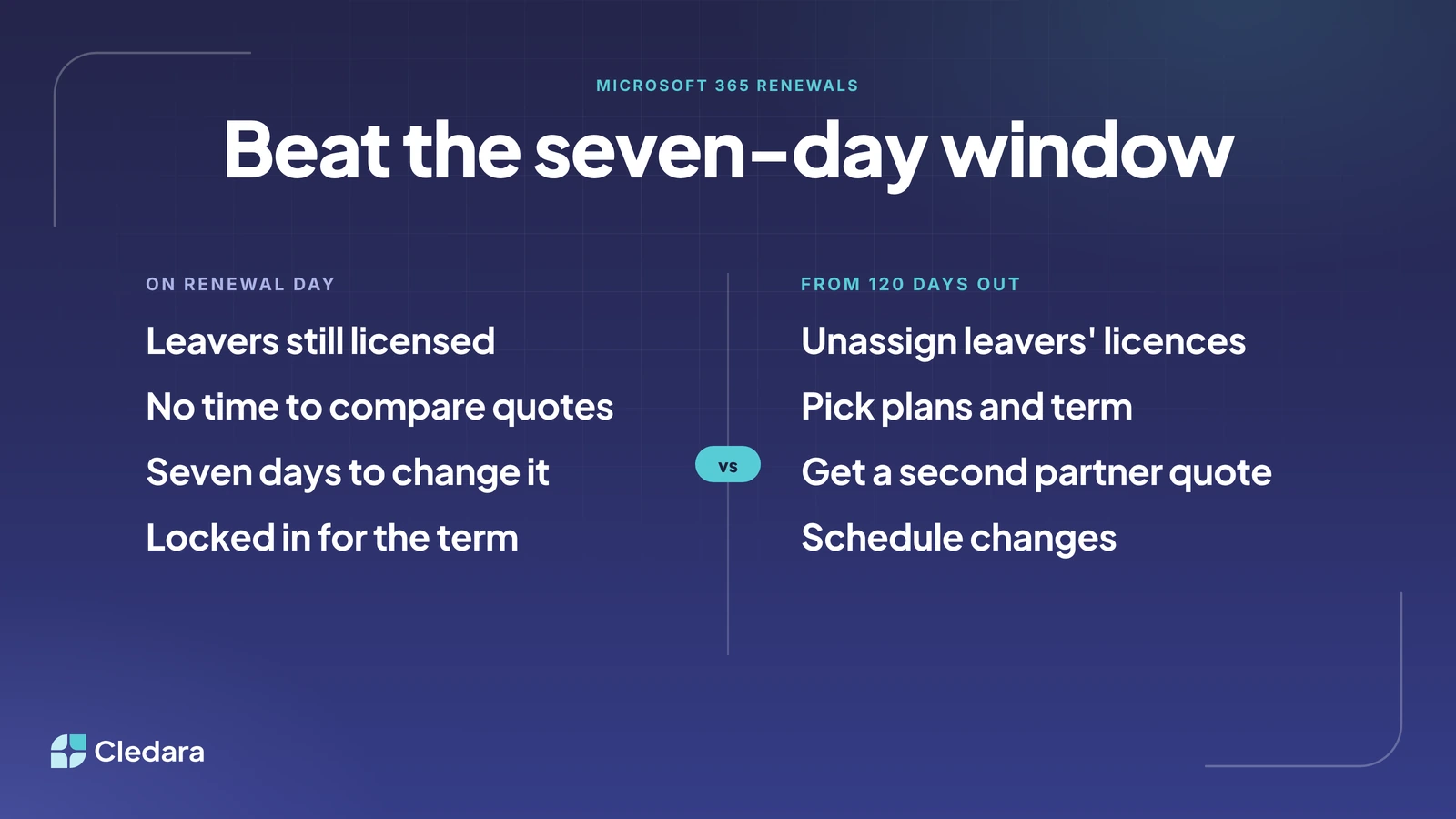
Microsoft 365 is the tool nobody thinks about. It renews quietly, and a leaver's licence can sit there for months. Leave it to the last minute and you get leavers still licensed, no time to compare quotes, and seven days to change it before you're locked in for the term. Do the thinking from 120 days out and you can beat the seven-day window.
Key takeaways
- Start your Microsoft 365 renewal prep 90 to 120 days out: companies that start negotiating 90 days before renewal save 49% on average, against 19% at 30 to 90 days (Cledara data).
- Under the new commerce experience, you can only remove licences or cancel with a prorated refund in the seven days after a subscription starts or renews.
- You can schedule licence reductions, plan changes and billing changes to take effect at renewal, as long as recurring billing is on.
- Microsoft changed list prices for its Microsoft 365 suites from 1 July 2026, and existing customers see the new prices at their first renewal after that date.
- A monthly payment isn't a monthly commitment: an annual term paid monthly still runs for the full year.
- Microsoft 365 ranked third in data.cledara.com's popularity tracker in October 2026, behind Anthropic and OpenAI.
This is part of our guide to SaaS renewal management, and there's an Atlassian renewal guide too.
How does Microsoft 365 handle renewals?
Microsoft 365 business subscriptions renew automatically. If you pay by card or through a billing profile, recurring billing is on by default and Microsoft keeps billing at the end of each term. Turning recurring billing off doesn't cancel the subscription: it stays active until it expires (Microsoft Learn).
Since 1 September 2024, almost all licence-based subscriptions are sold on Microsoft's new commerce experience (NCE). Its rules shape every renewal:
- Terms: many subscriptions come with a monthly, annual or three-year term, billed monthly, annually or up front.
- The seven-day window: on a Microsoft Customer Agreement, you can cancel with a prorated refund only within seven days after the subscription starts or renews, and you can remove licences only within seven days of buying, renewing or adding them. After that you can turn off recurring billing, but you pay to the end of the term, and an annual term paid monthly keeps charging every month.
- Through a partner: partners in Microsoft's Cloud Solution Provider (CSP) programme can cancel with a prorated refund within the first seven days (168 hours) of any term. After that, the partner is billed for the full term (Partner Center).
- Scheduled changes: you, or your partner, can line up licence increases or reductions, upgrades, a new term or billing frequency to start at renewal, as long as the subscription is active and auto-renew is on. Turning recurring billing off cancels any scheduled changes.
Price changes reach you at renewal too. On 4 December 2025 Microsoft announced new list prices for its commercial Microsoft 365 suites from 1 July 2026, and told partners that existing customers would see them at their next renewal after that date (Partner Center, December 2025).
Important: these are Microsoft's published rules. What applies to you depends on how you buy (direct, through a CSP partner or through a Microsoft seller, who handles changes for you) and your billing account type. Check your own agreement and the subscription page in the admin centre, and ask your lawyer if the contract is a big one.
Microsoft 365 renewal rules at a glance
Source: Microsoft Learn, November 2026.
A Microsoft 365 renewal timeline: what to do and when
Work back from each subscription's renewal date (the admin centre shows it). Here's the timeline I'd follow:
Which levers move the price of a Microsoft 365 renewal?
Five levers move the price: the licence count, the plan mix, the term, the timing and who you buy from. Licences come first, because every unused one renews for another full term.
1. Licence count
The Microsoft 365 apps Active users report shows usage over the last 7, 30, 90 or 180 days, with each person's last active date in each app, and you can export it. Unassign licences from leavers first: Microsoft won't let you reduce your licence count while every licence is assigned. An unassigned licence still costs money until you remove it.
2. Plan mix
Not everyone needs the same plan. Partners can upgrade part of a subscription to a higher plan rather than all of it, so the people who need E5 get it and everyone else stays put. The same goes for Copilot add-ons. AI-native tools now take 27% of software spend on Cledara, up from about 3% two years ago, so renew Copilot for the people who actually use it.
3. Term and billing
A monthly term can be cancelled at the end of any month, while an annual or three-year term is a commitment for its full length. You can move to a longer term mid-term through a partner, but not to a shorter one, and billing frequency changes are scheduled for renewal. Ask for quotes on each term and weigh the price against the flexibility.
4. Timing
Microsoft told its partners that successful renewal efforts can take up to three months, and that customers who renewed before 1 July 2026 could lock in the old pricing. So watch for price announcements and start early. In Cledara's renewal benchmarks, companies that started negotiating 90 days out saved 49% on average, against 19% for those that started 30 to 90 days out. Microsoft's financial year runs July to June (its first quarter of fiscal 2027 ended on 30 September 2026), which is worth knowing when you talk to a seller.
5. Who you buy from
If you buy through a CSP partner, you can move new commerce subscriptions to another partner mid-term, so it's worth asking a second partner for a quote. Then compare your renewal quote with what similar companies pay, using our guides to benchmarking SaaS pricing before a renewal and what companies actually pay for HubSpot, Atlassian and Microsoft. Renewal prices rise 8 to 12% a year on average, and 15 to 25% with aggressive vendors.
What does Cledara's data say about Microsoft 365 spend?
Microsoft 365 is one of the largest software lines a growing company has. In October 2026 it ranked third in the data.cledara.com popularity tracker, which ranks tools by purchase and renewal payments made through Cledara over the trailing 12 months. It was second, behind OpenAI, for all of 2025, until Anthropic moved ahead of both in January 2026.
- A big line: between November 2025 and October 2026, and leaving out cloud hosting and advertising, Microsoft was the second-largest software vendor by spend among UK companies on Cledara and the fifth-largest in the European Economic Area. Anthropic was first in both.
- Mostly paid monthly: 90% of Microsoft payments made through Cledara in that period were monthly charges. Some may be annual terms paid monthly, so check each subscription's term before assuming you can leave next month.
How does Cledara help with a Microsoft 365 renewal?
Cledara is software subscription management for finance teams. It keeps every Microsoft subscription in one list with its owner, users, cost and renewal date, and does the admin around the renewal for you.
- ✓ Alerts before every renewal, so you're working from 120 days out rather than day seven.
- ✓ Last-used data for each person, so you can see who hasn't used a tool lately.
- ✓ Cledara Agent takes back paid seats nobody uses and removes leavers from every tool they had, across 8,000+ SaaS and AI tools. Connect your HR system and it tells Cledara when someone leaves, and each change waits for your approval unless you set a standing approval.
- ✓ Benchmarks against what similar companies pay, with unused seats and price increases flagged.
- ✓ The Negotiation and Renewal Copilot drafts your renewal negotiation for you.
On average, customers have saved 23% on software spend with Cledara. Renewal alerts come with every plan, benchmarks and the Copilot are part of the Spend Optimisation module (see pricing), and Cledara Agent is an add-on for any plan.
Honestly, a good Microsoft 365 renewal is a quiet one. The licences match the team, the plans match the work, and the changes are scheduled before renewal day. If you'd like to see Cledara do the legwork, book a demo.
Cheers,
Brad