


Pleo and Cledara do different jobs
Here's a pattern we see a lot. A company brings in Pleo so people stop doing expense reports. It works, everyone's happier, and then software starts creeping onto Pleo cards. A designer puts Figma on hers. An engineer puts Cursor on his. Two years later the finance team is paying for 40 or 50 tools through cards that belong to people, with no renewal dates, no owner list and a stack of invoices sitting behind logins nobody has.
A UK prospect put the split better than any of our marketing has: one tool does the spend stuff, Cledara does the SaaS subscription stuff. That's the whole idea of this post. Pleo and Cledara aren't rivals you have to choose between. They cover different units of work, and plenty of finance teams run both. (If you want the head to head, it's in our Pleo vs Cledara comparison. This post is about running them side by side.)
Key takeaways
- Pleo is built around people spending money: cards, receipts, mileage, reimbursements and supplier invoices.
- Cledara is built around subscriptions: every tool with its owner, users, cost, renewal date and card, plus the admin inside each one.
- Software and AI tools belong in Cledara because they recur, they renew, and they need someone to own the seats.
- Both sync to the same accounting system, so the split costs you nothing at month-end.
- Moving subscriptions from Pleo to Cledara is a one-time card change per tool, and the tools keep running throughout.
- Cledara data shows a median of 26 software subscriptions per company (May to October 2026), so this is a job for most finance teams, not just large ones.
How finance teams end up with Pleo and Cledara
Pleo arrived to solve a real problem. Before it, someone paid for the team lunch, kept the receipt in a wallet for three weeks and filled in a form. Pleo put a card in everyone's pocket and asked for the receipt on the spot. Over 40,000 European companies use it, and the reason is simple: it removed the expense report.
Software is a different kind of spending. It doesn't happen once. It renews monthly or yearly, it bills per seat or per token, and the person who set it up is often not the person using it a year later. A Pleo card is tied to a person. A subscription needs to be tied to a tool.
That mismatch is what we hear on nearly every call with a Pleo customer. One finance lead told us Pleo was great for expenses but gave no view of recurring payments or upcoming renewals. Another had stopped using shared virtual cards altogether because nobody could see who was spending what. Pleo has added recurring vendor tracking and vendor cards to its Build and Optimise plans (15 and 50 vendor cards respectively, as of November 2026), which helps. But tracking a recurring charge is a long way from managing the subscription behind it.
Who does what when you run Pleo and Cledara together
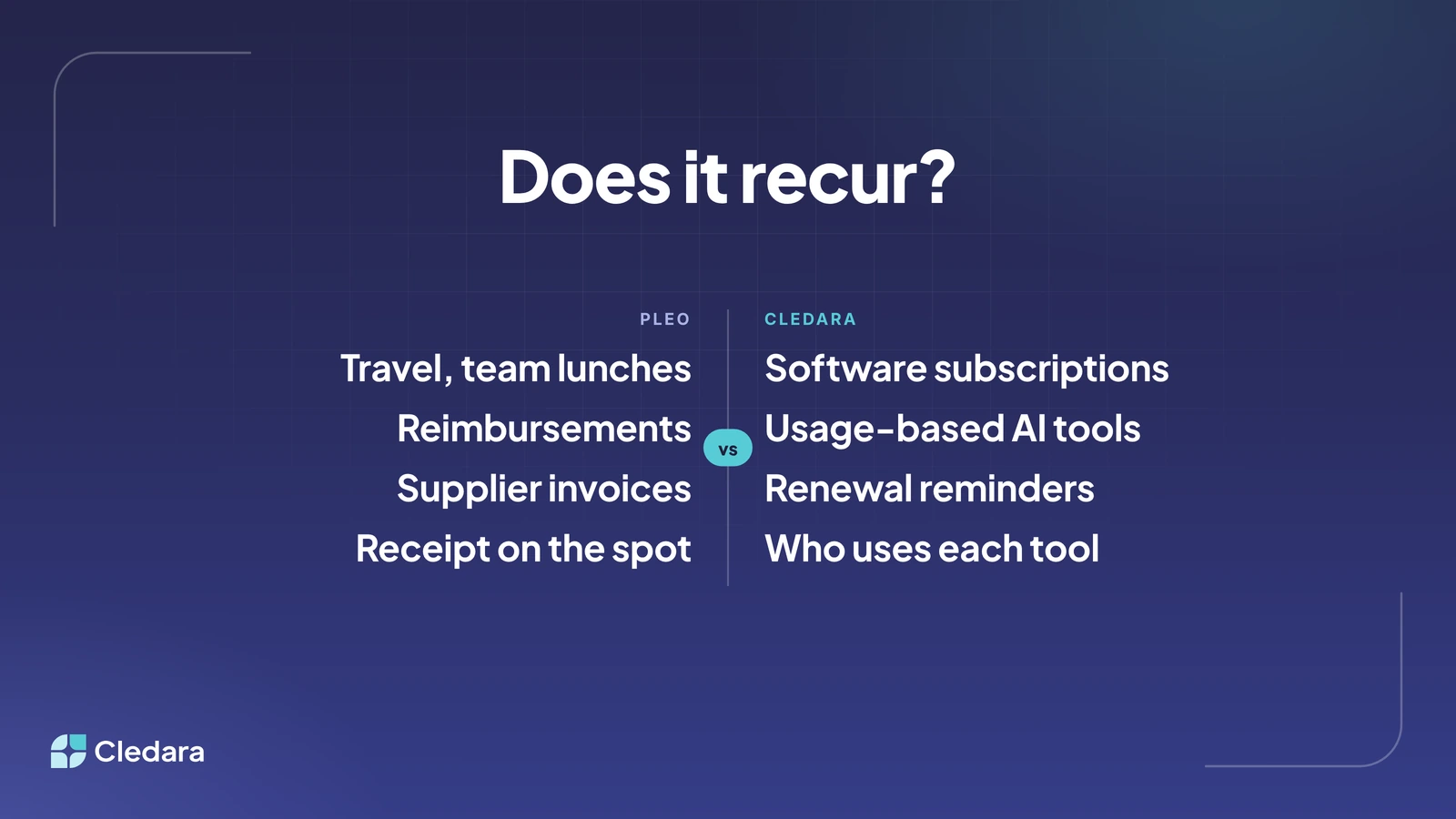
The split is easier than it sounds. Ask one question of every payment: does this recur? If it doesn't, it's a Pleo job. If it does, and especially if it's software, it's a Cledara job.
Pleo features from pleo.io, November 2026. Cledara features from cledara.com.
Notice how little overlap there is once you draw the line at "does it recur". The one place both tools can do the job is everyday spend, and that's a choice about how many platforms you want, not a gap in either product.
Moving software subscriptions from Pleo to Cledara
This is the bit people worry about. Fair enough: nobody wants Slack to stop working on a Tuesday because a card changed. In practice the move is a sequence of small, reversible steps, and the tool keeps running throughout because the old card stays live until the new one is in place.
- Export your recurring vendors from Pleo. Pleo's recurring vendor view, or a transaction export filtered to merchants that appear every month, gives you the starting list. Add anything paid by invoice or on a personal card.
- Import the list into Cledara. Each tool gets an owner, a budget type and a renewal date. Adding a subscription takes about two minutes, and you can bring the list in bulk.
- Issue a virtual card per subscription. Virtual cards are free on every plan. Set a limit that fits the tool (a fixed limit for a flat monthly fee, a soft one for something that varies).
- Update the payment method in each tool, starting with the next renewal. Work in order of renewal date, so nothing slips. Cledara's task list shows which tools still need the new card.
- Connect the owner's inbox for invoice capture. Gmail and Microsoft 365 capture is on Premium plans. For tools that never email an invoice, switch on Cledara Agent's Invoice Collection job.
- Retire the Pleo vendor cards once the first charge lands on Cledara. Keep Pleo for everything that isn't a subscription.
Every plan includes set-up help, and the whole thing is measured in days rather than months. The first renewals are the messy ones; by the third month the list runs itself.
What changes at month-end with Pleo and Cledara side by side
Less than you'd think, and in a good way. Both platforms sync to Xero, QuickBooks or NetSuite, so your books still live in one place. What changes is the chasing.
On the Pleo side, people still snap receipts for lunches and train tickets. On the Cledara side, software invoices arrive matched to their payment, coded to the right account, department and cost centre, because you mapped each tool once. Payments for tools that only publish invoices on a portal are collected overnight by Cledara Agent, so month-end starts with the invoices already in place.
One of our customers used to lose one to two days a month chasing and matching software invoices. Another took a week off and came back to find every payment and invoice correctly matched. That's the difference between tracking a recurring charge and having the invoice for it. On average, Cledara customers get 30+ hours a month back.
Why AI tools sit better in Cledara than on a Pleo card
AI is where the "does it recur" test gets interesting, because the answer is yes, but the amount is never the same twice. OpenAI, Anthropic and Cursor bill on usage, sometimes several times a month. On the Cledara platform, 27% of software spend now goes to AI-native tools, up from about 3% two years ago. That's not a line item you want sitting on someone's personal card with a hard limit.
A hard card limit does one of two things when a usage bill climbs: it lets the charge through, or it declines it and something stops working. Neither is what finance wants. Cledara connects to the AI providers directly, tracks usage every day against the budget you set, and warns finance and the subscription owner before spend runs over. The tool keeps running; the surprise goes away. We heard from one finance team that was being "bombarded" every time a team hit a credit limit on an AI tool. The fix was never a tighter limit. It was seeing the number a week earlier.
Three rules that keep the Pleo and Cledara split clean
- Software never goes on a person's card. If someone needs a new tool, they request it in Cledara, it goes through approval, and it gets its own card. Pleo stays for things people buy once.
- Every subscription has an owner, and the owner is a role as well as a name. When someone leaves, the tool doesn't go down and the invoice doesn't vanish, because the card belongs to the subscription. Cledara Agent removes the leaver from every tool they had, with your approval.
- Both tools code to the same chart of accounts. Agree the mapping once. Then a Figma seat and a client lunch land in the right places without anyone touching them.
When one platform is enough
Honesty cuts both ways here. If you pay for ten tools and most of your spend is travel and supplier invoices, Pleo's recurring vendor tracking and vendor cards may be all you need for now. Start with Cledara when the list passes the point where you can hold it in your head, which for most finance teams is somewhere around the median of 26 subscriptions we see in Cledara data.
The reverse is true too. If you're in the UK or Europe and software is your biggest spend line, Cledara Spend adds physical and virtual cards, receipt capture on the mobile app and reimbursements at no extra cost, so a single platform is an option. Many teams still keep Pleo because the whole company already knows it, and that's a perfectly good reason.
What doesn't work is pretending a spend tool is a subscription manager. Cledara customers save 23% on software on average, and most of that comes from things a card platform can't see: seats nobody uses, duplicate tools, renewals that would have fired without a decision.
The practical takeaway
Keep Pleo for the spending people do. Move the spending your software does into Cledara. Draw the line at "does it recur", agree the accounting mapping once, and let both platforms sync to the same books.
If you want to see how your own list would split, bring it to a demo. We'll show you which tools would move, what Cledara Agent would handle for you, and what the first month looks like. Plans are on our pricing page, and Cledara Agent can be added to any of them.
Cheers,
Brad