BambooHR and software access: what should happen when someone joins or leaves

What BambooHR does about software access when someone joins or leaves, what it leaves to you, and which tools connect to BambooHR to finish the job.

by
Brad van Leeuwen
November 24, 2026
3
MIN READ
Share
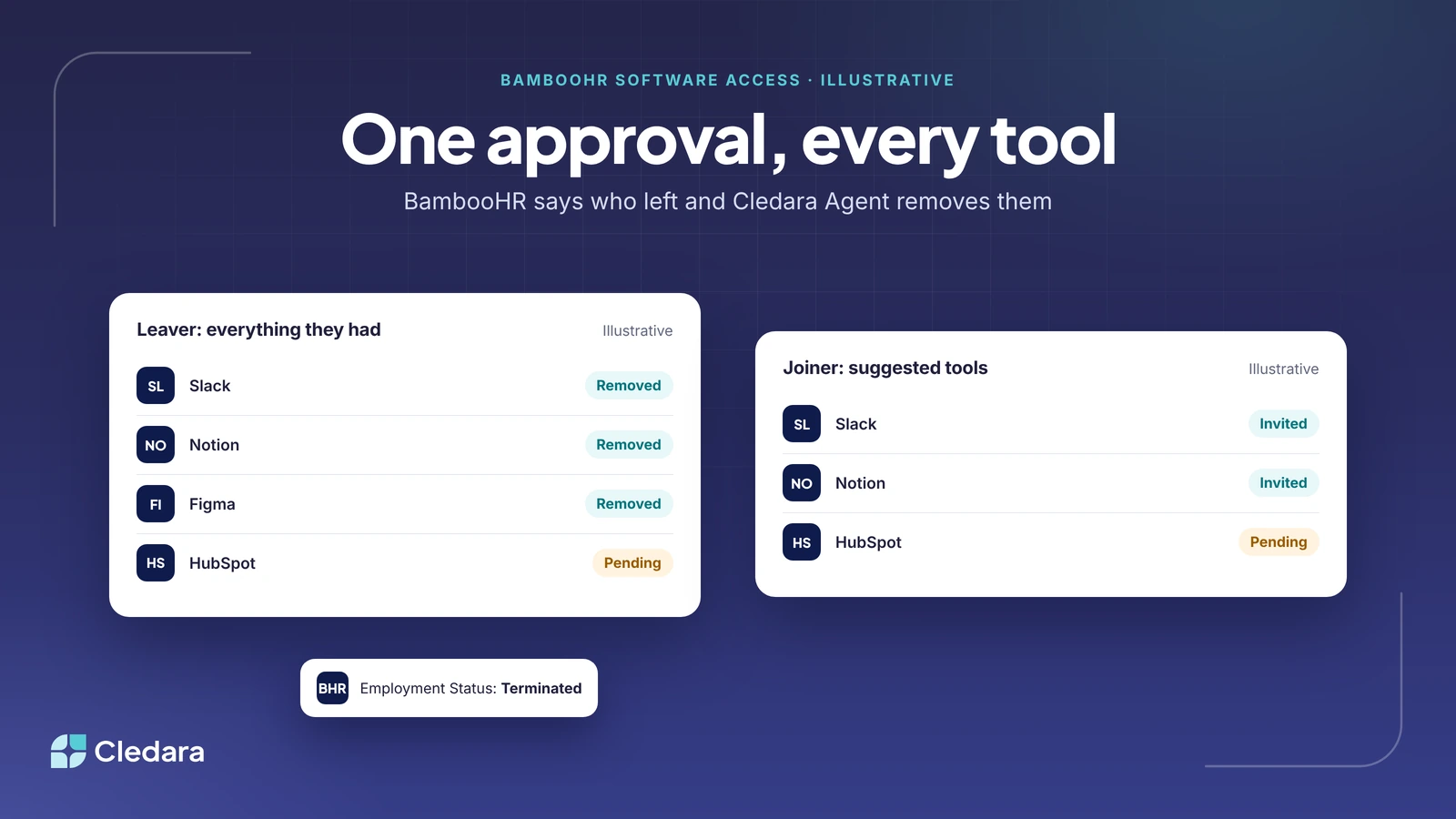
One approval, every tool: an illustrative Cledara view of a BambooHR leaver's tools (Slack, Notion and Figma removed, HubSpot pending) beside a joiner's suggested tools (Slack and Notion invited, HubSpot pending).

In short

When someone joins or leaves, BambooHR updates the employee record, sends the New Hire Packet and gives onboarding or offboarding tasks to the right people, with reminders. It can also tell other systems about the change through its API, webhooks and marketplace integrations. BambooHR doesn't sign in to each software tool and add or remove the person. So the accounts in each tool are still opened and closed by a person, or by a tool that connects to BambooHR. Cledara is one: BambooHR tells it who has joined or left, you approve once, and Cledara Agent invites the joiner to their team's tools or removes the leaver from everything they had.

On this page

What happens to software access when someone joins or leaves in BambooHR?

BambooHR holds the employee record, so a hire date or a termination shows up there first. On its own, BambooHR sends the New Hire Packet, gives onboarding and offboarding tasks to the right people (IT included) and reminds them. It doesn't sign in to each software tool and add or remove the person, so software access is still a job for a person, or for a tool that connects to BambooHR.

It's a bigger job than it sounds. Cledara's data for October 2025 to September 2026 puts the median company at 32 paid software tools (16 to 48 for the middle half), and 90% of software transactions are monthly subscriptions (there are free benchmarks at data.cledara.com). So a leaver's seat that nobody removed gets charged again within weeks.

Key takeaways

  • BambooHR records the hire date or the termination first, so software access should start from it.
  • BambooHR assigns onboarding and offboarding tasks with reminders, and a person still does each one.
  • Its API, webhooks and marketplace let other tools act when an Employment Status changes.
  • Identity tools such as Okta cover the apps connected to them.
  • Cledara connects to BambooHR, and Cledara Agent adds joiners and removes leavers in each tool after one approval.

What BambooHR does on its own for software access

BambooHR does the record, the paperwork and the reminders, and tells other systems when something changes. Here's what each part means for BambooHR software access.

Part of BambooHRWhat it doesWhat it means for access
New Hire Packets and onboarding tasksPaperwork goes out before day one, and onboarding tasks are assigned automatically to internal people such as IT, with remindersIT is told which accounts to create, and a person creates them
Offboarding task listsYou can create clear task lists and track completion for someone who's leavingRevoking access becomes a task with an owner, done by hand in each tool
Employment Status, webhooks and APIEach employee has an Employment Status (Terminated, for example) and a status of Active or Inactive, and BambooHR sends an HTTP POST to another system when one changesOther tools hear about a joiner or a leaver without anyone emailing IT

The steps for a joiner and a leaver in BambooHR

Here's what should happen at each end, in order. BambooHR starts both lists.

When someone joins

  1. Add the new hire to BambooHR with their hire date, department and manager, and send the New Hire Packet.
  2. Create their email and identity account (IT gets the BambooHR task, or your identity provider imports them ahead of the hire date).
  3. Pick the tools their team already uses, and which need a paid seat.
  4. Invite them to each tool before day one.

When someone leaves

  1. Record the termination in BambooHR with the right date, so their Employment Status changes when it should.
  2. List everything they had, including the tool one team bought last year.
  3. On their last day, switch off the identity account.
  4. Remove them from each tool, hand over anything they owned (files, admin rights, billing logins) and take back the paid seat.
  5. A month later, check nothing is still charging for them.

Tip: our SaaS onboarding and offboarding checklist has the fuller version.

Which tools connect to BambooHR to handle software access for joiners and leavers?

BambooHR's marketplace has over 150 integrations, in categories such as payroll, performance, hiring, time tracking, learning and benefits. For software access, these are the ones I'd look at, each checked on the vendor's own pages in November 2026.

  • Okta. Okta imports people from BambooHR by hire date, with a pre-start interval so accounts are ready early. Best for companies with most apps behind single sign-on.
  • JumpCloud. A one-way sync from BambooHR imports and updates users and their attributes. Best for IT teams that manage logins and devices in one place.
  • Hire2Retire. Listed in the BambooHR marketplace, it syncs BambooHR with Active Directory, Entra ID, Google Workspace and Okta on joiner, mover and leaver events. Best for companies on a Microsoft or Google directory.
  • Cledara. BambooHR tells Cledara who has joined or left. Cledara shows a joiner's suggested tools or everything a leaver had, you approve once and Cledara Agent does the rest. Best for finance, operations and IT teams that want every tool covered, with or without an integration.

Note: software access from your HR system has a wider comparison, and covers HiBob and Personio too.

How Cledara turns a BambooHR change into software access, done

The short version is that BambooHR says who left and Cledara Agent removes them. Cledara is software subscription management for finance teams, and it keeps one live list of every SaaS and AI tool you pay for, who owns it and who uses it. BambooHR is one of the HR systems that plug into Cledara, so that list hears about every joiner and leaver.

For a joiner, Cledara shows the suggested tools (the ones their team already uses). For a leaver whose Employment Status is now Terminated, Cledara lists everything they had, whether that's Slack, Notion, Figma or HubSpot. Once you approve, the joiner is invited to each tool and the leaver is removed from each one, and anything still pending waits for you.

The idea is one approval, every tool. Cledara Agent works across 8,000+ SaaS and AI tools, with or without an integration, and each change waits for your approval unless you set a standing approval.

I really like where this is going. BambooHR already knows the day someone starts and the day they go, and that should be the last thing anyone has to type!

Our guide to removing a leaver from every app has the whole process. And if you'd like to see it working, book a demo.

Cheers,

Brad

Frequently asked questions

Does BambooHR automatically revoke access to other software when someone is terminated?

No. BambooHR updates the employee record, runs your offboarding task list and reminds the people who own each task. It can tell other systems about the change through its API, webhooks and marketplace integrations, and an identity provider such as Okta can act on that for the apps connected to it. Access inside each remaining tool is removed by a person, or by a tool that signs in and does it for you.

Can BambooHR create accounts for new hires in Google Workspace or Microsoft 365?

Not on its own, going by its public product pages: BambooHR assigns an onboarding task and someone in IT creates the account. Integrations fill the gap. Hire2Retire, listed in the BambooHR marketplace, syncs BambooHR with Active Directory, Entra ID, Google Workspace and Okta on joiner, mover and leaver events, and Okta and JumpCloud can import new hires from BambooHR into their own directories.

How early should a new hire's software access be set up from BambooHR?

Before day one, so nobody spends their first morning waiting for logins. Okta's BambooHR integration has a pre-start interval for this: it sets how many days ahead of the hire date a person is treated as active and imported, and Okta's own example uses seven days. Whatever you use, add the hire to BambooHR early with the right hire date, department and manager, because everything else reads from those fields.

How does Cledara connect to BambooHR?

BambooHR is one of the HR systems Cledara connects to, along with HiBob, Personio, Workday, Gusto and 30+ others. BambooHR tells Cledara when someone joins or leaves. Cledara then suggests the joiner's tools, or lists everything the leaver had. You approve once and Cledara Agent does the rest in each tool, across 8,000+ SaaS and AI tools. Each change waits for approval unless you set a standing approval.

Who should own software access for joiners and leavers: HR, IT or finance?

All three have a part, and it works best when each part is clear. HR owns the dates in BambooHR, because everything else follows from them. IT owns the identity account and the security side. Finance or operations usually knows which tools the company pays for and what each seat costs. Whoever holds the list of tools and their users is best placed to own the software access steps.

Brad van Leeuwen

Brad is the co-founder and COO of Cledara. Prior to Cledara, Brad scaled partnerships, infrastructure and Go-to-Market at several fintech companies. He also led multiple early-stage investments into fintech and financial services for the EBRD and is one of highest-ranked Techstars startup mentors globally.

Found this useful? Share it with your team.

Share

Cledara

Software that runs itself

Cledara manages every software subscription and does the admin for you, from invoices and renewals to new starters and leavers.

  • 23% average savings on software spend
  • 4.6 out of 5 on G2
  • SOC 2 Type II certified
Book a demo

Subscribe to our newsletter

Receive the latest insights in your inbox

Software and AI management for finance teams

Software that runs itself.

Cledara manages every software subscription and does the admin for you, from invoices and renewals to new starters and leavers. You approve, Cledara does the rest.

4.6 on G21,000+ customersSOC 2 Type II