HiBob and software access: what should happen when someone joins or leaves

What HiBob does about software access when someone joins or leaves, where it stops, and which tools connect to HiBob to finish the job.

by
Brad van Leeuwen
November 24, 2026
3
MIN READ
Share
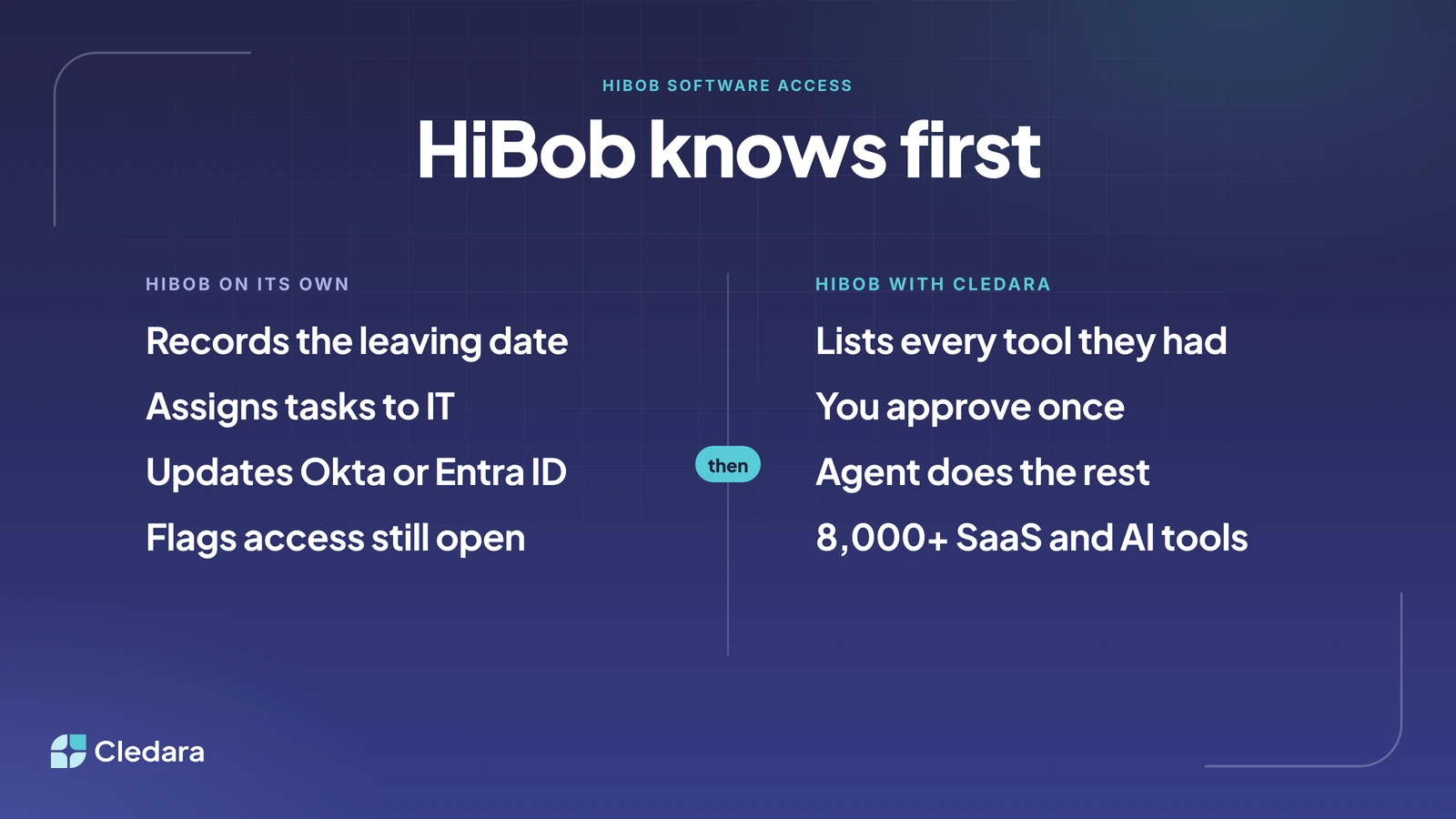
HiBob knows first: two columns comparing HiBob on its own (records the leaving date, assigns tasks to IT, updates Okta or Entra ID, flags access still open) with HiBob and Cledara (lists every tool they had, you approve once, the agent does the rest across 8,000+ SaaS and AI tools).

In short

When someone joins or leaves, HiBob records the date and starts the process: task lists go to IT, managers and HR, and its integrations keep the person's account in Okta, Microsoft Entra ID or Google Workspace in step with their HR record. HiBob doesn't sign in to each software tool and add or remove the person. What should happen is that a joiner is invited to every tool their team uses before day one, and a leaver is removed from every tool they had, with the paid seat taken back. Cledara connects to HiBob, and Cledara Agent does that part after one approval.

On this page

What does HiBob do about software access when someone joins or leaves?

HiBob (the product is called Bob) is where a joiner or a leaver is recorded first, so HiBob knows first. On its own, it records the leaving date, assigns tasks to IT and, through its integrations, updates Okta or Entra ID. It doesn't sign in to each software tool and add or remove the person, so software access in every other tool is still on somebody's to-do list.

It's a longer list than it looks. The median company on Cledara paid for 32 software tools between October 2025 and September 2026 (the middle half paid for 16 to 48, with free benchmarks at data.cledara.com). Each one is an account to open before day one and close on the last day.

Key takeaways

  • HiBob holds the start date and the leaving date, and every software access step should follow from them.
  • Bob's task lists send access tasks to people, and a person still does each one.
  • HiBob's integrations keep the main account in Okta, Microsoft Entra ID or Google Workspace in step with the HR record.
  • HiBob doesn't sign in to each tool, so tools outside your identity provider need a person or another tool.
  • Cledara connects to HiBob, and Cledara Agent sets up joiners and removes leavers after one approval.

What HiBob does on its own, and where software access stops

HiBob on its own covers the people side: who's joining, who's leaving and when. Three parts of Bob matter here.

  • Task lists. A task list in Bob can start from a lifecycle event such as a start date or a termination. Each task goes to a role or a named person, with a due date and a reminder two days before.
  • Offboarding flows. HiBob's offboarding page says Bob closes system access automatically when the last day ends, assigns IT its own deprovisioning tasks and flags access still open after the last day. From what HiBob documents, the automatic part runs through the systems connected to Bob, such as your identity provider.
  • Events for other systems. Bob sends employee events such as "employee left" at midnight on the effective date. That one fires on termination or garden leave, whichever comes first.

The point where it stops is the tool itself. A deprovisioning task is a reminder, and a person still has to sign in to each tool, find the user and remove them.

Software access steps for a joiner and a leaver in HiBob

The steps are the same whether a person or a tool does them. This is the order I'd follow.

When someone joins

  1. Add them to HiBob with the right start date, department and manager.
  2. Let HiBob create or update their main account through your identity provider.
  3. List the tools their team already uses, and which need a paid seat.
  4. Invite them to each tool before day one.

When someone leaves

  1. Put the leaving date in HiBob as soon as you know it, including any garden leave.
  2. List every tool they had, approved or not.
  3. On the last day, switch off their main account in your identity provider.
  4. Remove them from each tool, pass on their files and admin rights, and take back the paid seat.
  5. A month later, check nothing is still billing for them.

Tip: if you're mapping HiBob software access for the first time, start with our SaaS onboarding and offboarding checklist.

Which tools connect to HiBob to handle software access for joiners and leavers?

Two kinds of tool connect to HiBob for this: identity providers, which control sign-in to the apps connected to them, and software management tools, which work in the apps themselves. I checked each one on the vendor's own pages in November 2026.

ToolWhat it does with HiBob's signalBest for
OktaOkta lists Create, Update and Deactivate for its Bob integrationCompanies with most apps behind Okta single sign-on
Microsoft Entra IDBob sends workforce changes to Entra ID, which can create a joiner's identity and deactivate a leaver's account under the rules IT sets (Microsoft, September 2026)Companies that run on Microsoft 365
ToriiIts HiBob integration imports new hires, changes and terminations, with HiBob as the source of truth for its workflowsIT teams that want to build their own workflows
CledaraHiBob tells Cledara who's joining or leaving. You approve once and Cledara Agent does the rest in each toolFinance, operations and IT teams that want every tool covered, with or without an integration

Note: tools that remove leavers from all their apps has a longer comparison, and software access from your HR system covers BambooHR and Personio too.

How Cledara uses HiBob as the trigger for software access

Cledara is software subscription management for finance teams: one live list of every tool you pay for, with its owner, users, cost and renewal date. HiBob is one of the HR systems Cledara connects to, so that list knows who's joining and who's leaving.

HiBob with Cledara works like this. For a joiner, Cledara suggests the tools their team already uses, and for a leaver, Cledara lists every tool they had. You approve once and Cledara Agent does the rest: it signs in to each tool and adds or removes the person, across 8,000+ SaaS and AI tools, with or without an integration. Each change waits for your approval, unless you set a standing approval for routine work.

I think this is where onboarding and offboarding are heading. HiBob already knows the moment someone joins or leaves, so nobody should spend a Friday afternoon working through 32 logins because of it. People approve, and software does the repetitive bit.

If you'd like the detail, read how to remove a leaver from every app, or book a demo and we'll walk you through it.

Cheers,

Brad

Frequently asked questions

Does HiBob remove leavers from software tools automatically?

Not from each tool, no. HiBob records the leaving date, starts the offboarding task list and assigns IT its deprovisioning tasks. Through its integrations it can also update or deactivate the person's account in an identity provider such as Okta or Microsoft Entra ID. Removing the person inside each software tool, and taking back the paid seat, is still done by a person or by a tool that connects to HiBob.

Does HiBob integrate with Okta and Microsoft Entra ID?

Yes. Okta lists Create, Update and Deactivate for its Bob integration, so changes in HiBob can create, update or deactivate the Okta user. HiBob also connects to Microsoft Entra ID, where a change in employment status can start account deactivation under the rules your IT team sets. Both control sign-in to the apps connected to them, so check which of your tools sit outside that.

What happens to software access when someone goes on garden leave in HiBob?

HiBob's "employee left" event fires when someone is set as terminated or on garden leave, whichever comes first, at midnight on the effective date. So a system listening to HiBob can act at the start of garden leave. Decide in advance which tools the person keeps until their final day, and make that part of the offboarding task list, because the right answer differs by role.

How does Cledara work with HiBob for joiners and leavers?

HiBob is one of the HR systems Cledara connects to, alongside BambooHR, Personio, Workday, Gusto and 30+ others. When someone joins in HiBob, Cledara suggests the tools their team already uses. When someone leaves, it lists everything they had. You approve once, and Cledara Agent sets the joiner up or removes the leaver in each tool, across 8,000+ SaaS and AI tools, with or without an integration.

If HiBob is connected to our identity provider, what's left to do when someone leaves?

Three things, usually. First, the tools that aren't connected to your identity provider, where the leaver's account stays open until someone removes it. Second, the paid seats, which can keep billing after sign-in is switched off. Third, anything the person owned: files, admin rights and billing logins that need a new owner. A list of every tool the leaver had is the quickest way to cover all three.

Brad van Leeuwen

Brad is the co-founder and COO of Cledara. Prior to Cledara, Brad scaled partnerships, infrastructure and Go-to-Market at several fintech companies. He also led multiple early-stage investments into fintech and financial services for the EBRD and is one of highest-ranked Techstars startup mentors globally.

Found this useful? Share it with your team.

Share

Cledara

Software that runs itself

Cledara manages every software subscription and does the admin for you, from invoices and renewals to new starters and leavers.

  • 23% average savings on software spend
  • 4.6 out of 5 on G2
  • SOC 2 Type II certified
Book a demo

Subscribe to our newsletter

Receive the latest insights in your inbox

Software and AI management for finance teams

Software that runs itself.

Cledara manages every software subscription and does the admin for you, from invoices and renewals to new starters and leavers. You approve, Cledara does the rest.

4.6 on G21,000+ customersSOC 2 Type II