


Why it is hard to track OpenAI and Anthropic spend
Here's a funny thing about AI bills. For twenty years, finance has known what the software bill will be before the month starts. Then OpenAI and Anthropic turned up, and for the first time finance has a bill that moves every day. If you try to track OpenAI and Anthropic spend with the monthly review you use for everything else, you are always a few weeks late.
It isn't a small bill any more, either. 27% of software spend on Cledara now goes to AI-native tools, up from about 3% two years ago, and in the UK, AI-native spend in August to October 2026 was 25% higher than the three months before. Anthropic (incl. Claude and Claude Code) and OpenAI (incl. ChatGPT) are the two most popular AI platforms on Cledara by number of paying companies.
Key takeaways
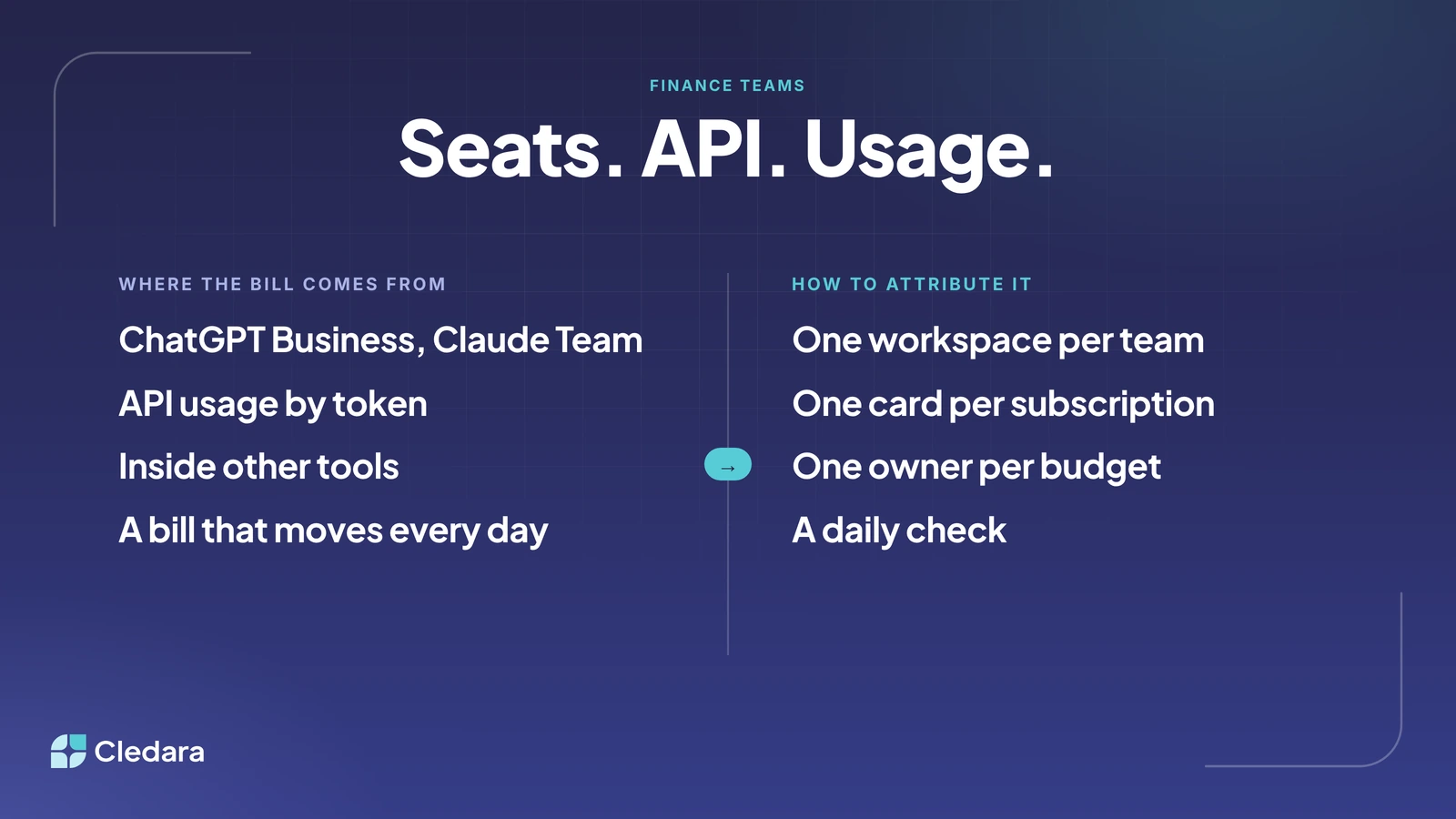
- OpenAI and Anthropic bill you three ways: seats (ChatGPT Business, Claude Team), API usage by token, and usage inside other tools such as Cursor.
- Seats are predictable and attribute to people. API spend moves daily and attributes to whichever key or workspace made the call.
- Attribution is a set-up job, not a reporting job: one workspace per team, one card per subscription, one owner per budget.
- In UK Cledara data, Anthropic payments per paying company rose by about a third between August and October 2026 while the number of paying companies barely moved.
- The fix is a budget per team with a daily check, not a monthly review.
How OpenAI and Anthropic spend is billed: seats, API and inside other tools
First, you need to know where the bill comes from, because there are three. The same vendor name on a statement can mean a predictable seat charge, a top-up for API usage, or a charge from a tool built on their models.
Which AI cost management platform should I buy to track OpenAI and Anthropic spend?
Honestly, start with the controls you already have before you buy anything. The provider consoles, a card per subscription and your software subscription management platform cover most companies. A dedicated AI cost management platform only earns its keep when you run large API workloads and need token-level analysis by model, feature and customer. There are three layers, and most companies need the first two.
- The provider consoles. OpenAI lets you set spend alerts and hard spend limits for an organisation or a project, and tracks usage per API key. Anthropic lets you set a spend limit per workspace and report usage and cost by workspace. This is free, and it is where token-level detail lives.
- The payment layer. A software subscription management platform such as Cledara gives every AI subscription its own virtual card, owner and budget, and connects to OpenAI, Anthropic and Cursor to track usage every day against the budget you set. This is where finance sees all three billing models in one list, next to the 32 tools the median company pays for.
- Token-level analytics. Observability tools that log every call with its cost. Useful if AI is your product, overkill if AI is a tool your team uses.
There's a longer comparison in our guide to AI spend management tools, and the wider approach in how to track and control AI spend. Short version: set up the first two layers today, and buy the third when the spend justifies it.
How to track OpenAI and Anthropic spend by team and project: six steps
You can set this up in an afternoon if you do it in the right order. Attribution is decided at the moment a key or card is created, so the work is mostly structure, not reporting.
- List every way you pay them. Go through the last three months of card statements and pull every OpenAI, Anthropic and Cursor charge, then every tool that bills for AI usage on top of its seats. Give each row a billing model from the table above.
- Give every subscription its own card. One virtual card for ChatGPT Business, one for Claude Team, one for the OpenAI API, one for the Anthropic Console, one for Cursor. Every statement line then has an owner and a budget. Virtual cards are free on every Cledara plan.
- Create one API project or workspace per team or product. In OpenAI, create a project per team or product and set its own spend limit, since keys are scoped to a project and usage is tracked per key. In Anthropic, create a workspace per team or product, scope the API keys to it and set a spend limit, so the console reports usage and cost by workspace. Retire any shared key.
- Name the owner of each budget. Seats belong to whoever manages the workspace, API projects to the engineering lead who created them, and usage inside other tools to the tool owner. A budget nobody owns is just a number.
- Set a budget per team and turn on the alerts. Put a monthly figure against each card and each project, and set the provider's spend alert below your budget. In Cledara, each AI connection is tracked every day against the budget, and finance and the subscription owner are warned before spend runs over.
- Check daily, review monthly. The daily check is thirty seconds: which budgets moved more than they should have yesterday? The monthly review moves budget between teams, retires dead keys and reconciles credits bought against credits used.
Tip: when someone leaves, their ChatGPT or Claude seat is the easy part. Also search the API consoles for keys they created. A key outlives the person who made it, and so does its bill.
What tools help engineering teams track AI token spend by team or developer?
For engineering teams, the provider consoles are the best token-level tool you have, as long as every team has its own project or workspace. OpenAI's usage dashboard shows token usage per API key and per project. Anthropic's console groups usage and cost by workspace. Neither tells you anything useful if everyone shares one key.
By developer is harder, because a production application doesn't make calls as a person. Attribute production spend by project, and by developer only for the tools that are actually per person: Claude Team seats, ChatGPT Business seats and Cursor, all of which have a members list. We looked at this in how engineering teams are spending on AI coding tools.
In the Cledara data, engineering is not even the team most likely to be paying for AI tools. Data and AI teams lead at 55% of companies, marketing is at 38%, engineering sits at 23%, and finance is at 16%, tenth of twelve teams. So "by developer" is usually the wrong question. The right one is "by team", and engineering is one of several.
How do we track spending on multiple AI tools company-wide?
The company-wide answer is one list. Every AI tool, with its owner, users, cost, renewal date, billing model and a card, next to every other software subscription. If AI tools live in a separate spreadsheet, nobody looks at either, and the duplicate seats (the same person on ChatGPT Business, Claude Team and Cursor) never get spotted.
- ✓ Every AI payment goes through a card you can see. Shadow AI starts with a personal card and an expense claim. If the only way to pay is a company virtual card with an owner, you have found it on day one.
- ✓ Usage, not just payments. Cledara Engage, our browser extension, shows which of 8,000+ tools people actually use, so you can see who stopped opening Claude in March.
- ✓ Invoices with the payment. The API consoles produce invoices and credit receipts nobody emails to finance. Collect them automatically and sync them to Xero, QuickBooks or NetSuite with the payment.
Important: merge the vendors before you report. Claude, Claude Code and the Anthropic Console are one supplier. ChatGPT and the OpenAI API are one supplier. List them separately and your "top AI vendor" will be wrong.
The routine to track OpenAI and Anthropic spend: a budget per team and a daily check
The thing that changed with OpenAI and Anthropic is not the size of the bill. It is the speed. A seat bill changes when someone joins or leaves. An API bill changes when a developer ships a feature, a prompt gets longer or a batch job runs twice. In UK Cledara data, Anthropic payments per paying company went from about eight and a half in August 2026 to about eleven and a half in October, and OpenAI went from about four to nearly seven, while the number of paying companies stayed roughly flat. The same companies are paying more often.
A monthly review can't manage that. By the time the statement arrives, whatever caused the spike has been running for three weeks. So the routine changes shape: a small budget per team, owned by a named person, checked every day, and a monthly review that moves budgets around rather than discovering problems.
The daily check sounds like more admin. It isn't, once the six steps are done. It is one screen showing every AI budget and how far through the month it is. If nothing moved, you are done in thirty seconds. If something did, you know which team, which project and which owner before the day is out. That beats reconstructing a surprise at month-end.
I think this is where finance is going generally, and AI just got there first. Software bills are becoming usage bills. The teams that cope will set a budget per team and let the tools do the watching, so finance decides where the money goes rather than working out where it went.
Where to start this week
If you only do one thing, give each OpenAI and Anthropic subscription its own card and its own owner. That alone turns a mystery statement into a list of named budgets. Then split the API into projects or workspaces, set the alerts, and start the daily check. If you'd like to see how Cledara tracks OpenAI, Anthropic and Cursor usage every day against a budget, book a demo and we'll show you. Plans are on our pricing page, and free AI spend benchmarks are at data.cledara.com.
Cheers,
Brad