


What are the top platforms to centralise subscriptions and SaaS vendor management across multiple agencies?
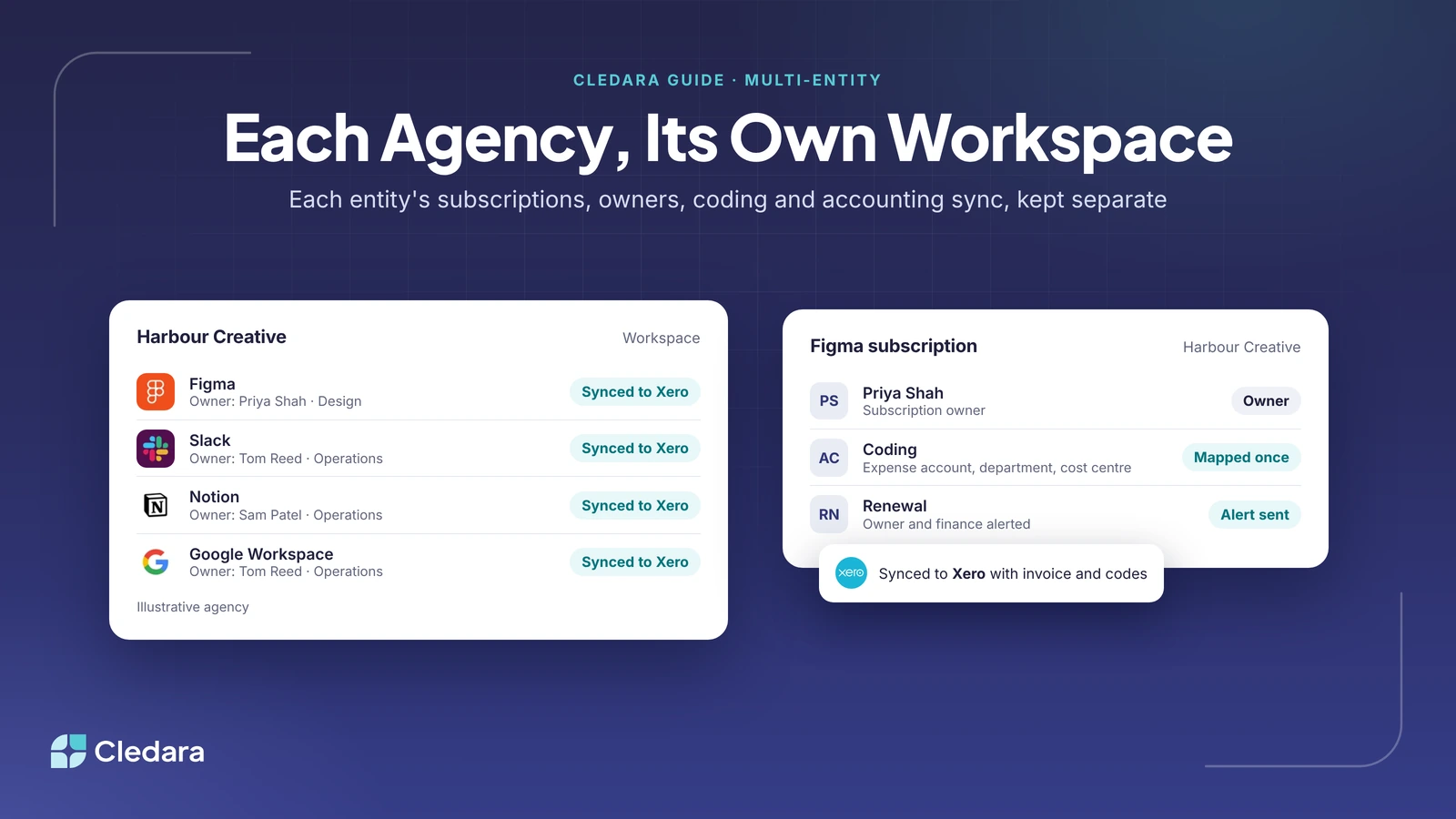
Cledara centralises subscriptions and SaaS vendor management across multiple agencies. It handles multi-entity SaaS management by giving each company, agency or entity its own workspace, with its own spend, owners, coding and accounting sync, and one login reaches every workspace. Every subscription has a named owner, a renewal date and its own virtual card, and Cledara does the admin around it, from invoices and renewals to new starters and leavers.
Cledara is software subscription management for finance teams, used by 1,000+ companies in 32 countries. For agency groups and holding companies, the hard part is rarely one agency's software. It is the same tools bought separately in each agency, renewals nobody coordinates, and client costs that need to land on the right client. This guide covers each of those, with a worked example.
Key takeaways
- Multi-entity SaaS management keeps each entity's subscriptions, spend and books separate, while group finance manages them all the same way.
- In Cledara, each entity has its own workspace with its own applications, teams, users, coding and accounting sync, and one login switches between them.
- The median company on Cledara pays for 32 software tools, so a group of three agencies can easily be managing close to 100 subscriptions.
- Agency stacks overlap heavily: of the companies on Cledara that pay for Figma, 74.5% also pay for Adobe and 70.6% for Slack.
- Plan group-wide deals early: companies that start renewal negotiations 90 days out average 49% savings, against 19% when they start 30 to 90 days out.
- Map each client-specific tool to a client or project code once, so its cost is ready to recharge every month.
- Multi-entity set-up is agreed with Cledara's team, so talk to Cledara about your structure.
What is multi-entity SaaS management?
Multi-entity SaaS management is managing software subscriptions across more than one legal entity, such as the agencies in a group, the subsidiaries of a holding company, or a UK company with a European sister company, while keeping each entity's spend, approvals and books separate.
Each entity usually has its own bank account, accounting file, VAT registration and clients, so its software has to be paid, coded and reported there. Meanwhile, group finance wants to know what the whole group pays for and where the same tool is bought twice.
Why multi-entity SaaS management is hard for agency groups
Agencies buy software quickly and locally: a new client brings a new tool, and each agency's founder or operations lead often has their own card. When a group grows by acquisition, each new agency arrives with its own stack, contracts and habits.
The result is four problems that a single company rarely has:
- Duplicate tools across agencies. The same design, chat or project tool is paid for separately in each agency, on different plans and renewal dates.
- No group view of renewals. Each agency renews on its own schedule, so the group never negotiates as one customer.
- Client costs in the wrong place. Tools bought for one client's project end up in general overheads instead of being recharged.
- People move between agencies. Someone who moves to a sister agency, or leaves the group, can keep access to tools in every agency they worked in.
A worked example
Take an illustrative group, Northbank Group, with three agencies. The figures are made up.
Five tools (Figma, Slack, Adobe, Google Workspace and Notion) are paid for in all three agencies. For each of them, that is three contracts, three renewal dates and three invoices to collect every month, and the group gets no credit for being one customer.
This pattern is common. Across Cledara's customers, the median company paid for 32 software tools between October 2025 and September 2026 (middle half: 16 to 48). Agency-style stacks overlap heavily: of the companies on Cledara that pay for Figma, 74.5% also pay for Adobe, 70.6% for Slack and 67.6% for Google Workspace.
How Cledara handles multi-entity SaaS management
In Cledara, each entity gets its own workspace, so its applications, teams, users, spend and accounting stay separate and its books stay clean. People who work across entities, such as group finance, are invited to each workspace with one email address and switch between them from the menu next to the company name.
One list of every tool in each entity
Each entity has one list of every tool it pays for, built from every payment made with Cledara plus the tools you add, with owner, users, cost, renewal date and card. Cledara Engage, a browser extension, shows which of 8,000+ tools each team actually uses, including ones nobody approved, and when each person last used them.
Separate coding and accounting sync for each entity
Each entity syncs to its own accounting system: Xero or QuickBooks Online on every plan, NetSuite from Premium, or Tripletex. You map each tool to its expense account, department and cost centre once, and you can add your own accounting fields, such as a client or project code. Every payment then reaches that entity's books with its invoice and codes. Our guide to reconciling card transactions with accounting software shows how the sync works.
Owners, approvals and renewals in each entity
Every subscription has a named owner and its own virtual card with its own limit. Requests route to the manager, finance or IT based on rules you set, such as annual cost thresholds. Every renewal date and price is in one place, with alerts to the subscription owner and finance before each renewal.
Joiners and leavers across agencies
HR integrations (BambooHR, HiBob, Personio, Workday, Gusto and 30+ others) tell Cledara when someone joins or leaves. Cledara lists everything a leaver had, you approve once, and Cledara Agent removes them from each tool, including tools without an integration. It also sets up new joiners in the tools their team uses, before day one. See how to automate employee offboarding across SaaS apps.
Important: Multi-entity set-up is agreed with Cledara's team, because every group is structured differently. Talk to Cledara about your set-up.
How to find duplicate tools in a multi-entity group
To find duplicate tools across entities, put every entity's list side by side, group tools by the job they do, check usage, then decide at renewal which to keep.
- Get every entity's list in the same shape. In Cledara, each entity's list already has the same fields: tool, owner, users, cost and renewal date.
- Line the lists up by vendor. Mark every vendor that appears in more than one entity.
- Group tools by job, not just vendor. Two agencies may pay for different tools that do the same job, such as two whiteboards or two notetakers.
- Check usage before deciding. Per-user usage from Cledara Engage shows whether the seats in each entity are actually used.
- Choose for each tool: group-wide, local or cancel. Keep a tool local when one agency genuinely needs it for its clients.
- Act at renewal. Use the renewal dates to plan the change, and freeze the card of any tool you cancel so it can't charge again.
Tip: Within each entity, Cledara's Spend Optimisation module flags duplicate tools, unused seats and price increases, and benchmarks what you pay against similar companies. Our guide to finding unused and duplicate subscriptions goes deeper.
Group-wide software deals in a multi-entity group
A group-wide deal makes sense when several entities use the same tool for the same job and the vendor will treat the group as one customer. Ask early: some vendors price on total seats across a group, while others need one contract per legal entity.
Timing matters. Vendors raise renewal prices by 8 to 12% a year on average, and aggressive vendors by 15 to 25%. Companies that start negotiating 90 days before renewal average 49% savings, against 19% when they start 30 to 90 days out (Cledara's 2026 renewal benchmarks).
- Line up renewal dates. If the three Figma contracts renew in March, July and November, aim to bring them together at the first one.
- Know the market price. Cledara's Spend Optimisation benchmarks show what similar companies pay, and Cledara's Negotiation and Renewal Copilot drafts the renewal negotiation.
- Agree who pays. If one entity holds the group contract, agree how the cost is shared between entities and record it the same way every month.
Recharging software costs to clients
To recharge software to a client, buy each client-specific tool as its own subscription, map it to that client's code once, and its cost lands on the right code every month with its invoice attached, ready to add to the client's bill.
- One subscription per client tool. Each gets its own virtual card and limit, with the account lead as its owner.
- Map it once. Add a client or project field to your accounting fields and map the tool to it, so every payment is coded the same way.
- Keep the evidence. Each payment has its invoice attached, in case a client asks to see it.
- Stop it when the project ends. The renewal alert reminds the owner before the tool renews, and freezing its card in one click means the vendor can't charge it again.
Note: Cledara makes sure each client cost arrives in your accounting system coded to the right client, so the recharge is ready to raise.
Entity-level reporting for group finance
Each entity in Cledara has real-time software spend, budgets and forecasting, with advanced reporting and forecasting on the Premium and Pro plans. Because every entity's workspace has the same fields, group finance can compare agencies like for like, workspace by workspace. The reports most agency groups review every month:
- Software spend per entity against budget, and the change since last month.
- Tools per entity, and tools paid for by more than one entity.
- Renewals due in the next 90 days, with their owners.
- Client-specific software, by client code, ready to recharge.
Multi-entity SaaS management approaches compared
Most groups start with a spreadsheet per entity or rely on their accounting software. Both keep the books separate, but neither knows who owns a tool or who still has access.
Multi-entity SaaS management checklist
- ✓ List every entity, its accounting system and who approves software there.
- ✓ Give every tool in every entity a named owner.
- ✓ Pay each subscription with its own card, in the entity that uses it.
- ✓ Use the same accounting fields in every entity, including a client or project code.
- ✓ Compare the entities' lists every quarter for tools bought more than once.
- ✓ Put group-wide renewals in the calendar 90 days before they are due.
- ✓ Connect your HR system, so leavers are removed from every tool they had.
Customers save 23% on software spend on average with Cledara, and set-up takes days, not months. If your group has several companies or agencies, talk to Cledara about your set-up, or see Cledara's plans.