


How do you reveal AI tools already inside a SaaS stack?
The fastest way to reveal the AI tools in your SaaS stack is Cledara Engage, a browser extension that shows which of 8,000+ software tools your team actually uses, including AI tools nobody approved. Cledara's list of every software payment then shows the AI subscriptions bought on company cards and expense claims, and what each one costs.
Hidden AI comes in two kinds. The first is standalone AI tools that people sign up for themselves, often called shadow AI. The second is AI features and add-ons inside tools you already pay for, which arrive as an extra charge per seat or a higher plan price rather than as a new vendor. Each kind needs its own check, and this guide gives you both, step by step.
Key takeaways
- Cledara Engage shows which tools people actually use, including AI tools nobody approved, and collects only a username and a timestamp.
- Cledara's list of every payment surfaces AI subscriptions bought on cards and expenses, with an owner and cost for each.
- AI also hides inside tools you already pay for, as per-seat add-ons or AI bundled into a higher plan price.
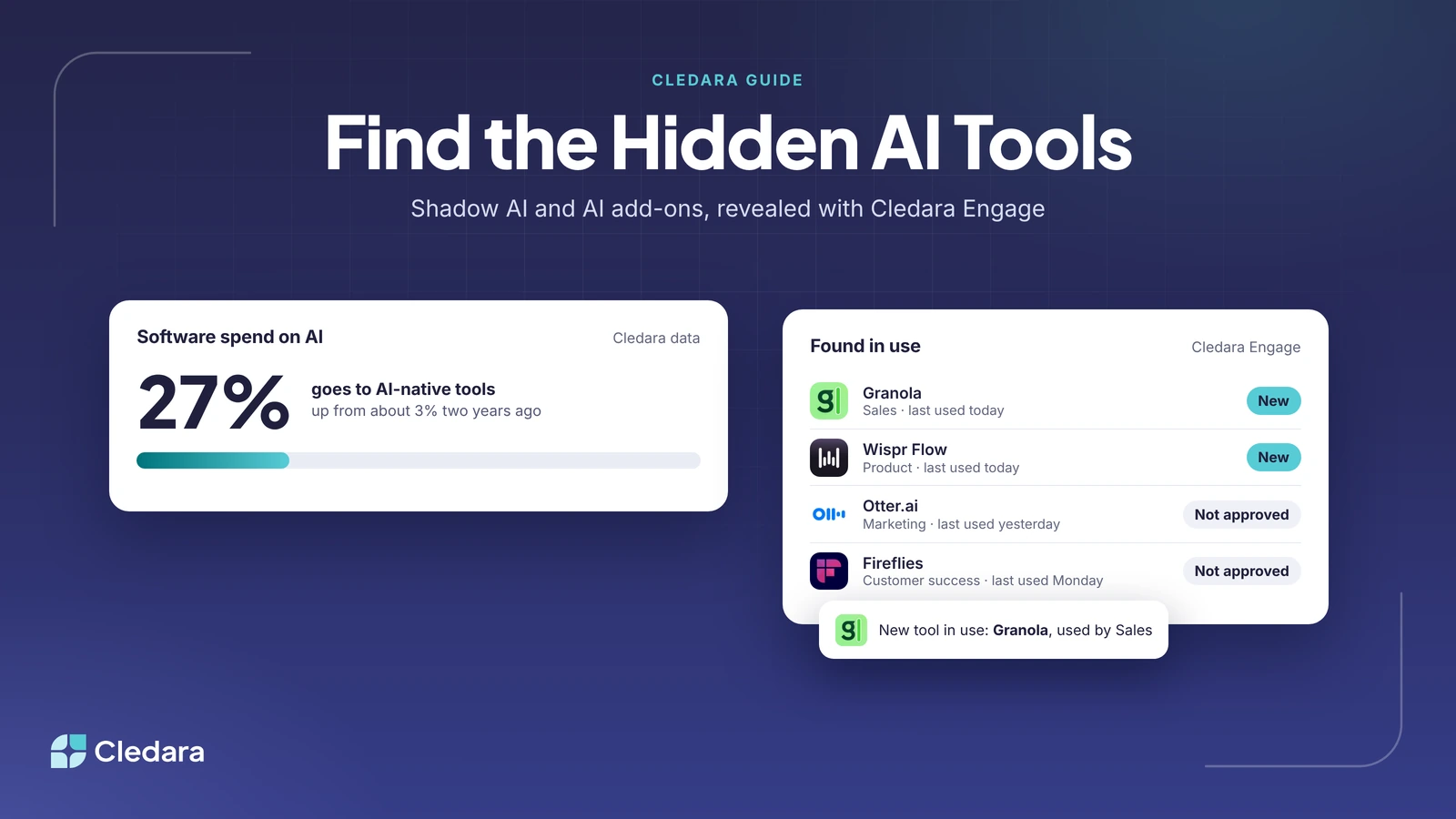
- 27% of software spend on Cledara now goes to AI-native tools, up from about 3% two years ago.
- Companies rarely stop at one AI tool: 88% of companies on Cledara that pay for Anthropic also pay for OpenAI.
- Give every AI tool you find an owner and a decision: keep, consolidate or cancel. Then repeat the check every month.
Why AI tools hide in your SaaS stack
AI tools hide because they are cheap to start, bought by individuals and built into software you already have. A team plan starts on one person's card, a free tier needs only a work email, and an AI add-on appears as one more line on an invoice you already approve every month.
The numbers add up quickly. 27% of software spend on Cledara now goes to AI-native tools, up from about 3% two years ago. Cledara's data classifies 872 tools as AI-native and another 386 as tools with AI built in, and the AI-native ones are spread across teams: 258 are marketing and growth tools, 83 sales tools, 57 engineering tools, 44 customer support tools and 21 people and HR tools.
New AI tools keep arriving, too. OpenRouter was among the ten most-added software tools on Cledara in each month from August to October 2026, Wispr Flow in August and Grok in September (AI software spend winners and losers). And companies rarely stop at one: of companies on Cledara that pay for Anthropic, 88% also pay for OpenAI and 49% also pay for Cursor.
The two kinds of hidden AI in your SaaS stack
Hidden AI is either a standalone AI tool someone bought or signed up for, or an AI feature inside a tool you already pay for. Standalone tools show up in usage and payments; AI inside existing tools shows up on invoices and renewals. The table shows where to look for each.
Sources: Microsoft 365 Copilot Business; Google Workspace Updates.
Note: Free AI tools carry no cost but can still carry risk, because company data goes into tools nobody has reviewed. They are worth finding even when there is nothing to cancel.
How to find AI tools in your SaaS stack, step by step
To find every AI tool in your SaaS stack, check usage first, then payments, then the tools you already pay for, then API accounts, and give everything you find an owner. With Cledara, the first two steps are largely done for you.
- Install Cledara Engage to see which AI tools people use.
- Find AI subscriptions in your payments.
- Check the tools you already pay for, for AI add-ons and AI price rises.
- List API accounts and usage-based AI.
- Give every AI tool an owner and a decision.
- Keep new AI tools visible.
1. Install Cledara Engage to see which AI tools people use
Cledara Engage is a browser extension that works in all major browsers and recognises more than 8,000 software tools. Once it is rolled out, it shows which tools your team actually uses, including AI tools nobody approved, with per-user usage: who uses which tool and when they last used it.
It is built for privacy. Engage collects only the username and a timestamp when someone uses a software tool, and never browsing history, website content or passwords. Tell your team what it collects before you roll it out; people are far more relaxed about usage data when they know it stops there.
Tip: Look for AI tools used by several people on free or personal plans. They are often the best candidates for one approved team plan. See how Cledara Engage works, and our guide to SaaS usage tracking tools for per-user reporting.
2. Find AI subscriptions in your payments
Cledara builds one list of every software tool from every payment made with Cledara, plus the tools you add, with each tool's owner, users, cost, renewal date and card. Filter it for AI tools to see every paid AI subscription in one view.
Then add what card statements miss. Go through 12 months of expense claims for AI tools bought on personal cards and claimed back, and add each one to the list. Move each AI subscription onto its own virtual card, so every future charge has an owner and the tool keeps working if the person who bought it leaves.
3. Check the tools you already pay for
Go through your largest subscriptions and ask two questions: did we add an AI add-on, and did the price rise because of AI? Compare each invoice and renewal with the same one a year ago, and record the AI part of any increase on your AI list.
Vendors raise renewal prices 8 to 12% a year on average, so check how much of each rise is for AI. Cledara's Spend Optimisation module flags price increases and benchmarks what you pay against similar companies, so AI-driven rises are easier to spot and to negotiate.
4. List API accounts and usage-based AI
API accounts are the AI spend finance sees least, because they are billed by usage, often from prepaid credits that top up automatically. Ask engineering leads for every AI API account, its billing email, what it is used for and its expected monthly spend.
Then connect them. Cledara connects to AI providers such as OpenAI, Anthropic and Cursor, tracks usage every day against the budget you set, and warns finance and the owner before spend runs over. Our roundup of AI spend management tools compares this with the providers' own consoles.
5. Give every AI tool an owner and a decision
Every AI tool you find needs a named owner and one of three decisions. Use the table to make the call quickly.
Cledara Agent, an add-on for any plan, signs in to your SaaS and AI tools and takes back paid seats nobody uses, whether or not the tool has an integration. Each change waits for your approval, unless you set a standing approval for routine work.
6. Keep new AI tools visible
A one-off sweep goes out of date within weeks. Route new AI requests through one approval flow: in Cledara, requests go to the manager, finance or IT based on rules you set, and approved tools get their own card. Engage keeps showing new tools as people start using them, and a short monthly review with owners keeps the list current. Write the rules down in an AI procurement policy.
AI tools in your SaaS stack: a monthly checklist
Run this checklist every month. If you can tick every line, you know which AI tools are in use, what they cost and who owns them.
- ✓ Cledara Engage is installed for everyone, and new AI tools in use have been reviewed.
- ✓ Every paid AI subscription is on the list with an owner, cost centre and renewal date.
- ✓ AI tools on expense claims have moved onto their own virtual card.
- ✓ AI add-ons and AI price rises in existing tools are recorded.
- ✓ Every AI API account is company-owned and tracked daily against a budget.
- ✓ Duplicate AI tools have a consolidation date, and unused seats have been taken back.
How Cledara reveals and manages the AI tools you already have
Cledara is software subscription management for finance teams. It shows the AI tools people use with Cledara Engage, the AI tools you pay for on one list with owners and renewal dates, and AI usage against budget for providers such as OpenAI, Anthropic and Cursor. Cledara Agent then does the admin inside each tool, such as taking back unused seats and collecting invoices.
Customers save 23% on software spend on average. For the wider picture, read our shadow AI guide for finance teams and how to track and control AI spend, or compare Cledara plans.