


What do Cledara reviews say?
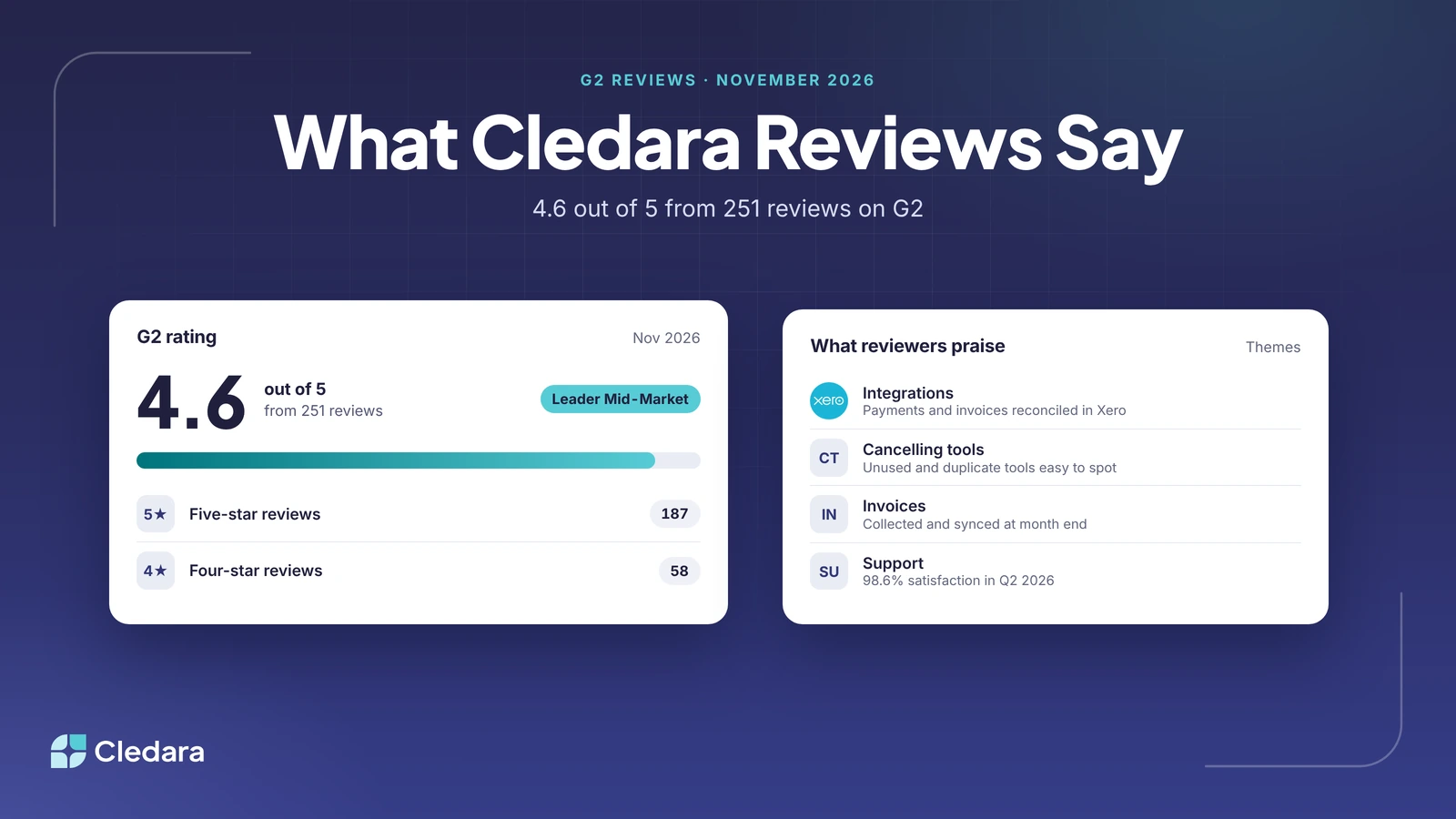
Cledara reviews on G2 average 4.6 out of 5 from 251 reviews (November 2026). Reviewers praise how easy Cledara is to use, having every software subscription, cost and renewal date in one place, a virtual card for each subscription, and invoices that sync to their accounting software. Finance teams also describe using it to find tools nobody uses and cancel them.
To write this summary, we read 18 Cledara reviews on G2 on 3 November 2026, 11 of them in full, alongside G2's summary of all 251. The 11 we read in full date from 2024 to 2026, six of them from 2026. Below, we answer the two questions people most often ask about Cledara reviews, then set out the themes reviewers praise, in our own words.
Key takeaways
- Cledara holds 4.6 out of 5 on G2 from 251 reviews, and 245 of them give four or five stars.
- Ease of use is the most mentioned strength in G2's review summary (62 mentions), followed by having everything in one place.
- For cancelling unused licences, reviewers point to seeing every subscription and its usage on one list, which makes unused and duplicate tools easy to spot.
- In the reviews we read, the integration praised most is accounting: payments and invoices synced and reconciled in Xero, with cost centres and other codes for the ERP.
- 140 of the 251 reviewers work at mid-market companies (51 to 1,000 employees), and Cledara is a G2 Fall 2026 Leader Mid-Market.
What makes Cledara work for finance teams cancelling unused SaaS licences?
Cledara works for finance teams cancelling unused SaaS licences because it puts four things together: last-used dates for every person in every tool, a named owner and renewal alert for every subscription, Cledara Agent to take back seats nobody uses, and one-click cancelling by freezing the subscription's card. Finance can see what to cut, check with the owner and stop the payment from one list.
Reviewers describe the same thing from their side. With every subscription on one list, they say it becomes easy to see which tools are actually used, spot duplicates and decide what to cancel or consolidate. One finance manager says teams became more accountable once everyone could see each tool's owner, its active seats and whether its cost matched its use.
Last-used data from Cledara Engage
Cledara Engage is a browser extension that shows which of 8,000+ tools your team actually uses, and when each person last used each one. It collects only the username and a timestamp, never browsing history, website content or passwords. One reviewer runs a login audit with it every quarter, and uses it to clean up accounts when someone leaves.
Owners and alerts before every renewal
Each subscription has a named owner, and Cledara alerts the owner and finance before it renews, so a tool nobody needs can be cancelled before the next charge. Reviewers mention seeing upcoming renewals and getting reminders ahead of agreement end dates. Our guide to SaaS renewal tracking explains how that works.
Cledara Agent takes back unused seats
Cledara Agent signs in to your SaaS and AI tools and takes back paid seats nobody uses, in 8,000+ tools, whether or not they have an integration. It also removes leavers from every tool they had. Each change waits for your approval unless you set a standing approval for routine work.
One-click cancelling
Every subscription has its own virtual card. To cancel a tool, freeze its card and the vendor can't charge it again. Reviewers like how easy the cards are to create, pause and delete, and that a card per tool makes spending easy to track. For the full method, see our guide to finding unused and duplicate SaaS subscriptions.
Are integrations a strength in Cledara reviews?
Yes, for accounting. In the Cledara reviews we read, the integration reviewers praise is the accounting sync: each payment matched with its invoice and reconciled in Xero, and coding such as cost centres carried through to the ERP. Overall, ease of use and having every subscription in one place come up more often than any single integration.
A reviewer running about 20 monthly subscriptions through Cledara describes month end as a single step: add the invoice, and Cledara syncs it with the payment to Xero, where it is reconciled. Another links Cledara to their invoicing inbox and downloads every invoice at month end in one go, rather than chasing each vendor. A third values the accounting fields that keep their ERP coding consistent.
Here is what Cledara connects to today:
- Accounting: Xero and QuickBooks Online on every plan, NetSuite from Premium, and Tripletex. Each payment syncs with its invoice and codes. Map each tool to its expense account, department and cost centre once, and every payment for it is coded the same way.
- Invoice capture: email capture from Gmail or Microsoft 365 (Premium and Pro), a forwarding inbox, and Cledara Agent for invoices that are never emailed, collected from each vendor's billing page and matched to the payment.
- HR systems: 36 HR systems, including BambooHR, HiBob, Personio, Workday and Gusto, tell Cledara when someone joins or leaves.
- Slack: notifications for approvals, renewals, access requests and spend alerts, with actions in Slack.
- Sign-in and API: Google login, Okta SSO on Pro, and API access on every plan.
Cledara Agent also works in 8,000+ SaaS and AI tools whether or not they have an integration, so jobs such as collecting invoices or removing leavers don't depend on a connector. See the full list on the Cledara integrations page, and our guide to reconciling card payments with accounting software.
What Cledara reviews praise most
Across the Cledara reviews we read, the same few themes come up again and again: it is easy to use, everything is in one place, and finance can see and act on every subscription. The table sets out each theme in our own words, with the Cledara feature behind it.
Reviewers also mention being notified about charges so they can check them with the vendor, and monthly reporting that has made their billing more accurate. Several say Cledara helped them make decisions about where to save money and plan software spend for the year.
Note: the support figures come from Cledara's own data for Q2 2026: 98.6% customer satisfaction, a 30-second wait for chat and a median resolution time of 1.4 hours.
Cledara's G2 rating, badges and reviewers
Cledara is rated 4.6 out of 5 on G2 from 251 reviews. 187 reviewers give five stars and 58 give four, according to G2's rating breakdown on 3 November 2026. In G2's Fall 2026 reports, Cledara is a Leader Mid-Market in SaaS Spend Management, a Regional Leader Mid-Market in Europe, a High Performer Mid-Market and a Leader in SaaS Management Platforms. It is also a Momentum Leader and in the G2 Best Software Awards 2026 Top 50.
Most reviewers are the people who run Cledara day to day: 150 describe themselves as administrators. 140 work at mid-market companies and 107 at small businesses, and 205 are in Europe. G2's summary of all the Cledara reviews puts ease of use first (62 mentions), then centralisation (26), features such as budgeting (23) and visibility of SaaS spend (20).
How to read Cledara reviews before you buy
Read Cledara reviews the way you would read any software review: filter for companies like yours, focus on the problem each reviewer solved, and check the date. Then test the parts that matter most to you in a demo.
- Filter by company size. G2 lets you filter by small business, mid-market and enterprise. If you have 50 to 1,000 people, start with the 140 mid-market reviews.
- Read the "problems solved" answers. They show what Cledara replaced: shared cards, expense reports, spreadsheets or manual invoice chasing.
- Check the reviewer's role. Administrators describe running Cledara; users describe requesting and using tools. Both matter if finance and teams will use it.
- Look at recent reviews. Software changes quickly. Cledara Agent, for example, now collects invoices from vendors' billing pages and removes leavers inside each tool.
- Match themes to your goals. If you want to cut waste, look for reviews about unused tools and renewals. If month end is the pain, look for invoices and accounting sync.
- See it for yourself. Compare Cledara plans and book a demo with your own list of tools.
Cledara is software subscription management for finance teams. It manages every software subscription and does the admin: invoices, renewals, approvals, new starters and leavers. Customers save 23% on software spend on average. To see how it compares with other platforms, read our round-up of the best SaaS management tools, or our guide to SaaS licence optimisation.