


Where do you start a SOC 2 app inventory?
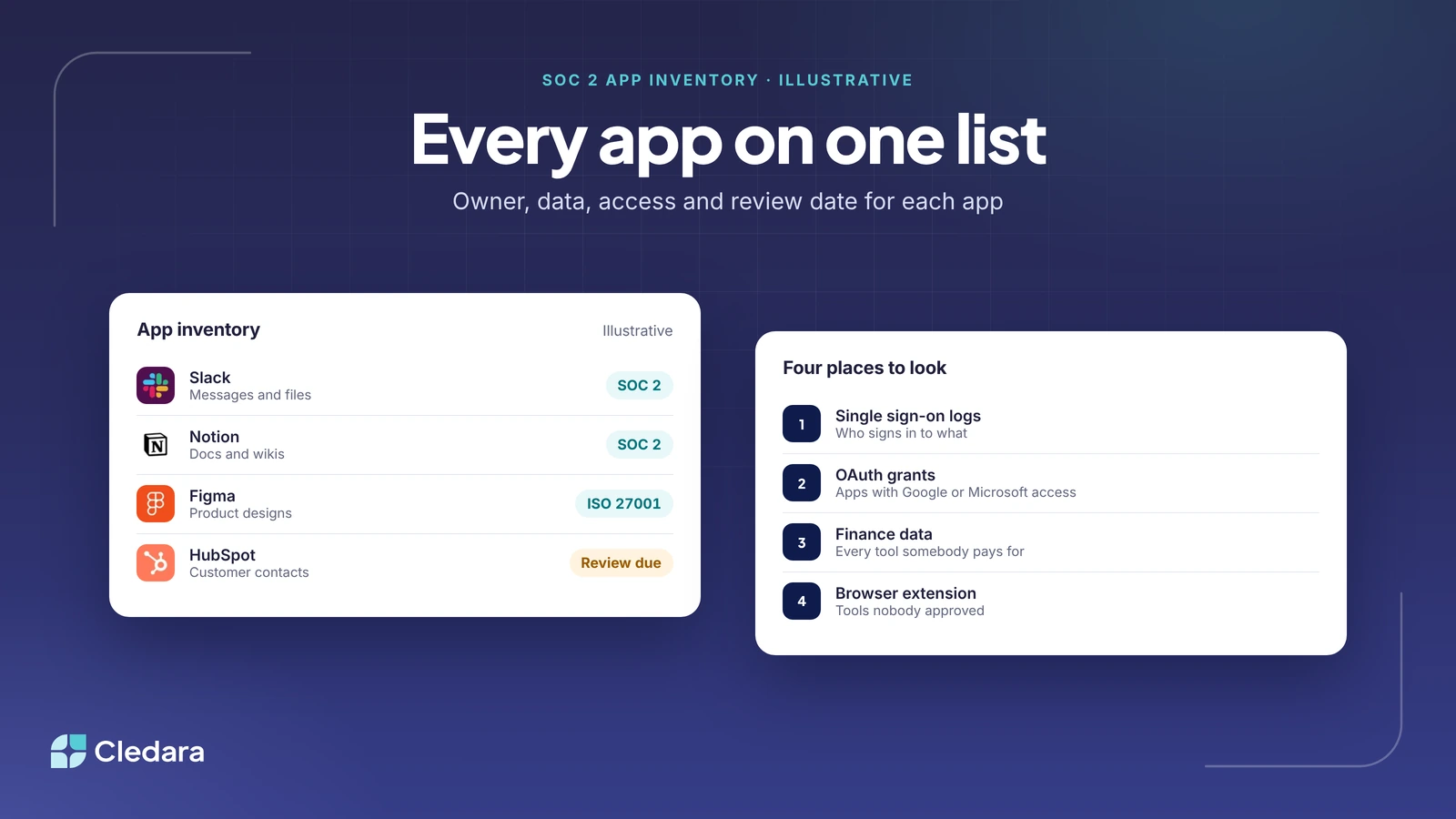
If you're preparing for SOC 2 and need a list of every app that has access to company data, start your SOC 2 app inventory in four places: single sign-on logs, the OAuth grants in your Google or Microsoft admin console, finance data and a browser extension. Each one catches apps the others miss. The finished list needs 8 columns for every app: app, owner, company data it touches, who has access, how they sign in, vendor SOC 2 or ISO 27001 status, renewal date and last reviewed.
Here's a funny thing about this list. It's really a map of everywhere your company's data has gone, and nobody drew it as it happened. Software used to be bought by IT, so IT knew what there was. Now anyone with a work email can connect a new tool in about a minute, often with nothing more than a "Sign in with Google" button.
So the list is longer than people expect. The median company pays for 32 software tools, and the middle half pay for between 16 and 48, according to Cledara's data for October 2025 to September 2026. About 23% of companies pay for 51 or more. And that's only the tools somebody pays for! Free apps that can read your email or your files belong on the list too.
Key takeaways
- Start a SOC 2 app inventory in four places: single sign-on logs, OAuth grants, finance data and a browser extension.
- Every row needs the same 8 columns, from the app's owner to the date it was last reviewed.
- The median company pays for 32 software tools (Cledara's data, October 2025 to September 2026), so expect dozens of rows before you count the free ones.
- SOC 2 is assessed against the AICPA's Trust Services Criteria. Confirm with your auditor which apps are in scope before you build anything.
- Building a SOC 2 app inventory is the easy half. Keeping it true as people join, leave and buy new tools is the real job.
The four places to look when you build a SOC 2 app inventory
Look in your single sign-on logs first, then your OAuth grants, then your finance data, then a browser extension. The first two are already switched on and cost nothing to check, the third finds every tool somebody pays for, and the fourth finds what's left. Think of them as four passes over one spreadsheet.
- Single sign-on logs. Your identity provider records who signed in to which app. In Okta, the Application Usage report shows who has signed in to an app during a period you choose (Okta retains events for 90 days). In Microsoft Entra, go to Entra ID, then Monitoring & health, then Sign-in logs. This pass gives you the apps IT already knows about.
- OAuth grants in the Google or Microsoft admin console. This is where the surprises are. Every time someone clicks "Sign in with Google", they grant that app access to their work account. In the Google Admin console, go to Security, then Access and data control, then API controls, and click Manage App Access. The Accessed apps list shows the number of users and the services each app asked for, and "Download list" gives you a CSV. In Microsoft Entra, go to Entra ID, then Enterprise apps, then All applications, pick an app and open Permissions.
- Finance data. Every paid tool leaves a payment behind. Pull twelve months of card and bank transactions, expense claims and supplier invoices, so annual contracts show up at least once. If the company pays through a spend tool such as Ramp, Brex, Pleo or Spendesk, export from there. Spend tools cover cards and expenses and stop at the subscription itself, so you'll still need to find out who has access.
- A browser extension. What's left is the tools people sign in to with a separate password, the ones usually called shadow IT. A browser extension on company browsers sees those as they're used. The finance manager at Jiminny was tracking around 40 subscriptions by hand. When he added Cledara's Engage extension, it immediately captured another 15% of subscriptions the business was paying for but wasn't aware of.
What a finished SOC 2 app inventory must hold
A finished SOC 2 app inventory holds every app on one list, with the same 8 columns for each: app, owner, company data it touches, who has access, how they sign in, vendor SOC 2 or ISO 27001 status, renewal date and last reviewed. Copy the table below into a spreadsheet. The four example rows are illustrative.
Note: the certifications in the example come from each vendor's own security page in November 2026 (Slack, Notion, Figma and HubSpot). The owners, access and dates are made up. For your own list, ask each vendor for its current report or certificate.
A row is finished when you can tick all of these:
- ✓ One named person owns the app (a person, not a team).
- ✓ The data column says what the app can read or store: customer data, employee data, source code or financial data.
- ✓ Somebody has checked the access column against the app's own user list.
- ✓ You know how people sign in: single sign-on, Sign in with Google or Microsoft, or a separate password.
- ✓ You've seen the vendor's current SOC 2 report or ISO 27001 certificate, or noted that there isn't one.
- ✓ There's a renewal date and a date for the next review.
That's the whole job: owner, data, access and review date for each app, plus how people get in and what the vendor can prove.
What will a SOC 2 auditor ask to see?
A SOC 2 auditor will usually ask for evidence that your controls work, and a good SOC 2 app inventory answers several of those requests at once. SOC 2 is a report on controls at a service organisation relevant to security, availability, processing integrity, confidentiality or privacy. It's assessed against the Trust Services Criteria, which are set by the AICPA's Assurance Services Executive Committee.
The AICPA publishes the criteria and leaves the format of your list to you. In general terms, expect questions like these:
- Which systems and vendors are in scope, and how do you know the list is complete?
- Who can access each one, and when was that access last reviewed?
- What happens to someone's access when they leave the business?
- How do you check a vendor's security before you buy, and again at renewal?
- Who owns each app?
Important: this is general guidance, not audit advice. Scope is agreed between you and your auditor, so confirm with them which apps are in scope and what evidence they want to see. In November 2026 the AICPA also published exposure drafts of proposed revisions to the Trust Services Criteria, so it's worth asking which version your report will be assessed against.
Which tools help build a SOC 2 app inventory?
Four kinds of tool help: identity providers, discovery tools, compliance platforms and software management tools. They do different jobs: one kind holds the audit evidence, another keeps the list of apps true day to day. Here are seven worth knowing, with what each is best for.
Tip: ask every vendor the same two questions. Which of the four places does it look in, and which of the 8 columns does it fill in for you?
How Cledara helps with a SOC 2 app inventory
Cledara keeps the list behind your SOC 2 app inventory live, so you aren't rebuilding it the week before the auditor arrives. Cledara is software subscription management for finance teams. It keeps one list of every SaaS and AI tool you pay for, with its owner, users, cost and renewal date, built from every payment made with Cledara and the tools you add.
- One list of every tool, with its owner and users. Cledara also keeps one list of who has access to each tool.
- Vendor certification tags and questionnaires. The Software Compliance module tags vendors with their ISO 27001 and SOC 2 certifications. It also has customisable questionnaires you can delegate to a colleague or to the vendor, with templates for the business case, details, risk assessment, contract review and exit plan.
- Tools nobody approved. Cledara Engage, our browser extension, shows which of 8,000+ tools the team actually uses, including ones nobody approved. It collects only the username and a timestamp.
- Joiners and leavers. HR system integrations (BambooHR, HiBob, Personio, Workday, Gusto and 30+ others) tell Cledara when someone joins or leaves. With Cledara Agent, an add-on, you approve once and it removes the leaver from every tool they had.
Cledara itself is SOC 2 Type II certified. Plans and modules are on the pricing page.
How do you keep a SOC 2 software inventory up to date?
Tie every update to something that already happens: a purchase, a new starter, someone leaving, a renewal. A SOC 2 software inventory that relies on somebody remembering to open a spreadsheet goes stale quickly. Four triggers cover nearly everything.
- A new tool gets a row before it gets paid for. Put the owner, the data it will touch and the vendor's certification into the approval step.
- A new starter is added to the access column for each tool they're given.
- When someone leaves the business, they come off every tool they had. Our guide to removing a leaver from every app covers how to do that without the chasing.
- Each renewal is a review date. Check the owner, the user list and the vendor's latest report before you pay again.
If you're working towards ISO 27001 as well, the same list does double duty. We've covered that in keeping an ISO 27001 supplier register alive.
Why this gets easier from here
Not that long ago, a list like this was built by hand once a year, usually in a hurry. I think that's on its way out. Keeping a record of apps, owners and access is exactly the sort of repetitive work software should do for us.
That frees people up for the questions that need judgement. Is this vendor safe to trust with customer data? Does this team still need that tool? Those are far more interesting than "who has the login for this?"
If you'd like to see what your own SOC 2 app inventory could look like in Cledara, book a demo and we'll show you.
Cheers,
Brad