


Most spend management software was built for the US first
Spend management software for UK and European companies is the category of tools that gives a business cards, approvals, invoice capture and an accounting sync, so finance can see what the company spends and keep it in line. Cledara is one example, built for software subscriptions in particular. Here's the thing I keep noticing, though. Most of the platforms a finance team in London, Amsterdam or Berlin gets shown were built for the US first. Built for the US. Bought in the UK.
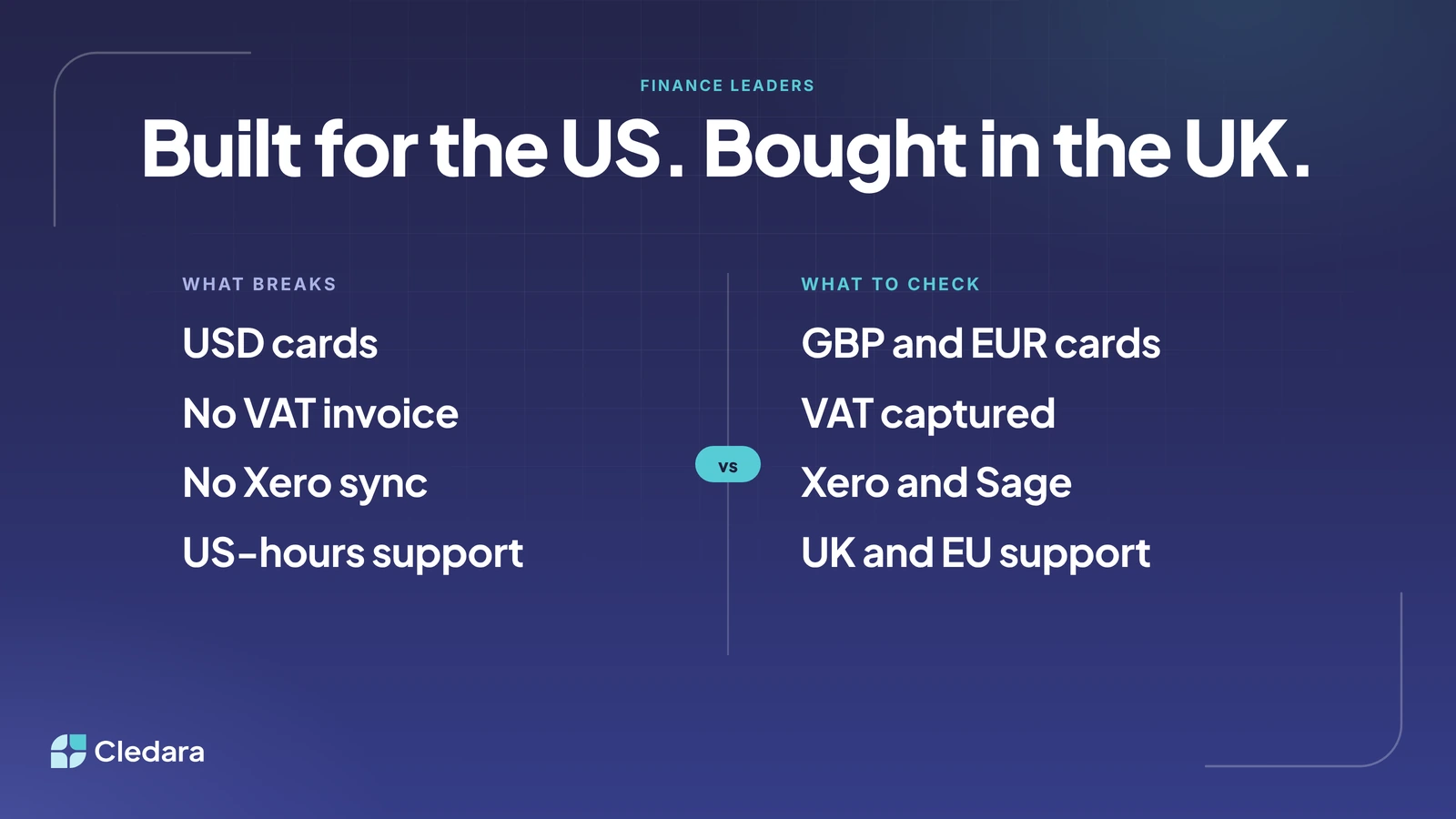
That isn't a dig at anyone; it's where the big card programmes were. But a product built around a USD card programme makes quiet assumptions: your bank account is in dollars, your tax authority doesn't need a VAT invoice, your accountant lives in QuickBooks, and your working day overlaps with California. Change those things and the frictions turn up at once: USD cards, a receipt where you needed a VAT invoice, an export where you wanted a sync, and a support chat that wakes up as you're leaving the office.
So here's the checklist I'd use if I were buying spend management software for a UK or European company today: the five things that break, what good looks like, and the questions to ask on the demo.
Key takeaways
- Most of these platforms were built for US card programmes first. Check yours was adapted for the UK and the EU, not just priced in pounds.
- Five things break when it wasn't: card currency, VAT invoices, accounting integrations, bank transfers, and support hours.
- Ask for GBP and EUR cards paid from a GBP or EUR balance, not USD cards.
- A card receipt is not a VAT invoice. The platform should capture the VAT invoice and attach it to the payment.
- Check the sync, not the logo: the median UK company spends £73,846 a year on software, 81% of it billed monthly, so the coding repeats every month.
- Ask where the support team sits and for customer references in your country, then call them.
What should a UK-incorporated company look for in spend management software?
Look for spend management software that was built and supported for your region, not just translated: cards issued in GBP and EUR, VAT invoices captured for reclaim, a live sync to the accounting system you actually use, a way to pay vendors by bank transfer, and a support team that's awake when you are. If the vendor can't answer any of those in one sentence, that's your answer.
Why does this matter more for software than for expenses? Because software is a stream of small, repeating charges. In Cledara's data the median company pays for 32 software tools, and 90% of software transactions are monthly subscriptions. The median UK company spends £73,846 a year on software (the middle half between £29,549 and £161,780), 81% of it billed monthly. In the EEA the median is €60,444, 78% of it monthly, each region in its own currency.
Then there's who you're paying. Of the software vendors in Cledara's data with a known headquarters, about half are based in the US, roughly one in eight in the UK and under a quarter across the EU (a count of vendors, not of spend). So every assumption the platform makes about currency, tax and accounting gets applied dozens of times a month, mostly to American vendors. There's more on how the regions differ in UK vs US vs Europe: SaaS spending differences.
Five things that break when US-first spend management software meets a UK or European company
Five things break, and they break quietly. Nothing fails on day one; you just pay a little more and do a little more admin every month. Here's what breaks, and what to check instead.
1. USD cards instead of GBP and EUR cards
A platform built on a US card programme issues USD cards. A UK company then funds a dollar balance from a sterling account and pays sterling and euro vendors in dollars: two conversions for one subscription, every month. What to check: GBP and EUR cards from a GBP or EUR balance in your company's name, with every subscription on its own card so a charge always has an owner. For UK and European companies, Cledara cards are Visa debit cards issued by Modulr, paid from a GBP or EUR balance you top up by bank transfer, and virtual cards are free and included in every plan (the plan details are on cledara.com/pricing).
2. No VAT invoice, just a receipt
This one costs real money. A card receipt is not a VAT invoice, and HMRC's VAT guide says customers need VAT invoices as evidence for reclaiming input tax (VAT Notice 700, section 16). A platform designed for a country without VAT treats the receipt as the end of the story. What to check: VAT captured and attached to the payment, including the invoices vendors leave behind a login. Cledara captures invoices from Gmail or Microsoft 365, from a forwarding inbox, and with Cledara Agent, which signs in to the billing page for the invoices nobody emails.
3. No Xero sync, just an export
Xero is the most used finance tool across Cledara's customers, and the ninth most popular software product overall. A platform built for QuickBooks and NetSuite in the US may offer Xero as a CSV export rather than a live sync, and the difference is a day a month. What to check: which systems sync live, and with which codes. With Cledara, every software payment syncs to Xero or QuickBooks Online on every plan, and to NetSuite from Premium, with its invoice and the codes you mapped once. The full list is on cledara.com/integrations.
4. Paying vendors by bank transfer
Not everything goes on a card. Some vendors want a bank transfer, which in the UK means Faster Payments or Bacs and in the euro area means SEPA. A platform built around US rails may route those through a workaround, or not at all, so you end up running the software bill from two places. What to check: can you top up and pay vendors by local bank transfer from the same balance the cards draw on? Cledara accounts for UK and European companies are topped up by bank transfer, free of charge, and the Pro plan adds paying expenses by bank transfer.
5. US-hours support
Support chat that opens at 9am in San Francisco opens at 5pm in London and 6pm in Berlin. For a finance team closing the month, that's a day lost on every question. What to check: UK and EU support in your hours, onboarding by people who know Xero and VAT, and references from customers in your country you can actually ring. Cledara's teams work from London and Barcelona as well as New York, every plan includes email and chat support, a customer success contact and set-up help, and we publish our support metrics every quarter (98.6% customer satisfaction and a 30-second chat wait in the second quarter of 2026). For references, the customer stories include London companies such as what3words, Marshmallow, Butternut Box and Sifted.
Spend management software for UK and European companies: the checklist
Here's the same list as a table you can paste into your evaluation. Write each vendor's answer next to "what good looks like" and count the matches.
What to checkWhy it mattersWhat good looks likeCard currencyUSD cards mean two conversions on every GBP or EUR subscriptionGBP and EUR cards from a GBP or EUR balance, one per subscriptionVAT invoicesA receipt is not evidence for reclaimVAT captured and attached to the payment, including invoices behind loginsAccounting integrationThe coding repeats every monthLive sync to Xero, QuickBooks Online or NetSuite with codes mapped once; CSV for Sage, DATEV and FortnoxBank transfersSome vendors only take a bank transferTop up and pay vendors by Faster Payments, Bacs or SEPA from the same accountSupport and onboardingMonth-end doesn't wait for CaliforniaUK and EU support in your hours, published support metrics, onboarding includedCustomer referencesUS reviews won't tell you about VATPublished stories from customers in your country, and a reference callSubscriptions, not just expenses90% of software transactions are monthly subscriptionsEvery tool with an owner, a renewal date and its own card limit
How do UK companies handle VAT on software invoices paid by card?
The same way as any other purchase: you need a VAT invoice to reclaim the VAT, and the card payment on its own isn't one. HMRC says you must hold that evidence to claim input tax (VAT Notice 700). Software makes this harder in two ways. Many vendors leave invoices on a billing page behind a login that belongs to whoever set the tool up. And most vendors are overseas, so the reverse charge applies: you account for the VAT on your own return, and for a fully taxable business the credit and debit cancel out (gov.uk: VAT on services from abroad). You still need the invoice to show the value and the supplier.
Here's the process I'd set up, whichever platform you choose:
- Give every subscription its own card, so every charge has a vendor and an owner.
- Capture invoices from the finance inbox and, for vendors that never email, from the billing page.
- Match each invoice to its payment and flag any payment without one, so the chase is a list, not a hunt.
- Code each vendor once (expense account, department, cost centre, VAT treatment) and let every later payment inherit it.
- Sync to the accounting system with the invoice attached, so the VAT return is built from documents you hold.
Cledara does all five, and Cledara Agent does the billing-page part overnight. Jiminny's finance team found Cledara captured an extra 15% of subscriptions they didn't know they were paying for (Jiminny's story). Those are invoices nobody was reclaiming.
Which spend management software integrates with Xero and Sage?
Most spend management software lists Xero; fewer platforms list Sage, and the useful question is how each one connects. There are three levels: a live sync that pushes each payment with its invoice and codes, a bank feed of transactions only, and a CSV export you import by hand. Ask which level you get, for each system, on the plan you're buying.
Cledara syncs live to Xero and QuickBooks Online on every plan and to NetSuite from Premium, with Tripletex also supported, each payment arriving with its invoice and the codes you mapped once. For Sage, DATEV, Fortnox and anything else, invoices are still matched to every payment, and you export transactions and invoices as CSV or download a statement for any period. The Xero set-up is in SaaS spend management with Xero, and the routes for the other systems in getting software spend into the ledger.
Questions to ask on the demo
Take these into any demo. Ask them on your own data, with your accountant in the room, and don't accept "on the roadmap" as a yes.
- ✓ Are your cards issued in GBP and EUR, from a GBP or EUR balance in our name, one per subscription?
- ✓ Show me a VAT invoice captured and attached to a card payment, then one from a vendor that keeps invoices behind a login.
- ✓ Show me a payment landing in Xero with its invoice, expense account, department and VAT treatment. Sync or export?
- ✓ Can we top up and pay a vendor by Faster Payments, Bacs or SEPA from the same account?
- ✓ Where does your support team sit, what hours does it cover, and do you publish response times?
- ✓ Who runs onboarding, and have they set up a UK or EU company on Xero before?
- ✓ Can you put us in touch with two customers in our country at about our size?
What is the best spend management software for European companies?
Honestly, it depends on what you're managing. Expense tools are built for the trip to Lisbon and the team lunch: physical cards, receipts and reimbursements. Software subscription management is built for the monthly charges to dozens of vendors that nobody ever expenses. Plenty of companies run one of each, and the way one UK finance team put it to us still holds: the spend tool does the spend stuff, Cledara does the SaaS subscription stuff.
For the software part, Cledara keeps one list of every SaaS and AI tool a company pays for, with its owner, cost, renewal date and a virtual card per subscription, and does the admin around it: invoices, renewals, approvals, joiners and leavers. More than 1,000 companies in 32 countries use it, and customers save 23% on software spend on average. If you've been comparing expense platforms, our guide to Pleo alternatives in the UK covers where each kind of tool fits, and the benchmarks at data.cledara.com show what companies like yours pay for software, free.
Buy for where you're incorporated
Here's the short version. Spend management software for UK and European companies should be judged on the boring things: the currency on the card, the VAT invoice, the Xero sync, the bank transfer, and whether someone picks up the chat at 9am your time. None of them make a flashy demo. All of them show up in your accounts every month. An hour with the questions above tells you whether a vendor treated the UK and the EU as a place to build for, or a place to ship to.
If you'd like to see how Cledara handles the software side for a UK or European company, on your own tools and your own Xero, book a demo and we'll show you.
Cheers,
Brad