


Is there software that automatically collects invoices from SaaS vendors and syncs them to our accounting system?
Yes. There is software that automatically collects invoices from SaaS vendors and syncs them to your accounting system, and it comes in three kinds. Capture tools (Dext, Hubdoc and AutoEntry) read the invoices you send them, collectors (GetMyInvoices) read your inbox and the supplier portals you connect, and software subscription management tools such as Cledara sign in to each vendor's billing page, match the invoice to its payment and sync both to Xero, QuickBooks, NetSuite or Tripletex.
The three kinds differ in where they can reach. I think that matters more than any feature list, because some invoices never arrive: they sit on a billing page behind a login until somebody goes and gets them. Honestly, "who has the login for that?" might be the most asked question at month-end.
Key takeaways
- Yes, software can collect SaaS invoices automatically. The useful question is where each tool can reach: what you send it, your inbox and connected portals, or any billing page behind a login.
- Dext, Hubdoc and AutoEntry are capture tools. They are very good at reading receipts and bills from every kind of supplier and getting them into the accounts.
- GetMyInvoices collects from email inboxes and over 10,000 online portals, and passes documents on to accounting systems including DATEV, Xero and QuickBooks.
- Cledara collects software invoices three ways: email capture from Gmail or Microsoft 365, a forwarding inbox, and Cledara Agent, which signs in to each vendor's billing page for the invoices that are never emailed.
- The median company on Cledara pays for 32 software tools, and 90% of software transactions are monthly subscriptions, so this job comes round every month.
- You can use two tools together: one for software subscriptions and one for everything else.
Why are invoices from SaaS vendors so hard to collect automatically?
Because many SaaS vendors never email the invoice. They put it on a billing page behind a login, and the person with that login often isn't in finance. Software used to be bought by IT. Now it's bought across the company, so the admin of any tool could be anyone: a designer, a sales manager, the founder.
So finance ends up chasing. People hate being chased for a PDF, and the people doing the chasing don't enjoy it either. Jenny Liu, Head of Finance at Marshmallow, says her team used to waste 1 to 2 full days a month on just invoices.
It's a big job because there are a lot of tools. The median company on Cledara pays for 32 software tools (the middle half pay for between 16 and 48), on Cledara's data for October 2025 to September 2026, and 90% of software transactions are monthly subscriptions. That's a few dozen software invoices to find, every single month. The benchmarks are free at data.cledara.com.
Note: the invoice itself matters. In the UK, HMRC's guidance says a claim to deduct input tax must be supported by appropriate documentary evidence, which normally means a VAT invoice (see HMRC's manual, VIT31000). Confirm what applies to your company with your accountant. We go into more detail in our guide to VAT and missing software invoices.
What are the three kinds of software that automatically collect invoices?
There are three: capture tools, collectors, and software subscription management with an agent. The difference is how the invoice gets in. Either you send it, or the tool reads an inbox and the portals you connect, or the tool signs in to the vendor's billing page for you.
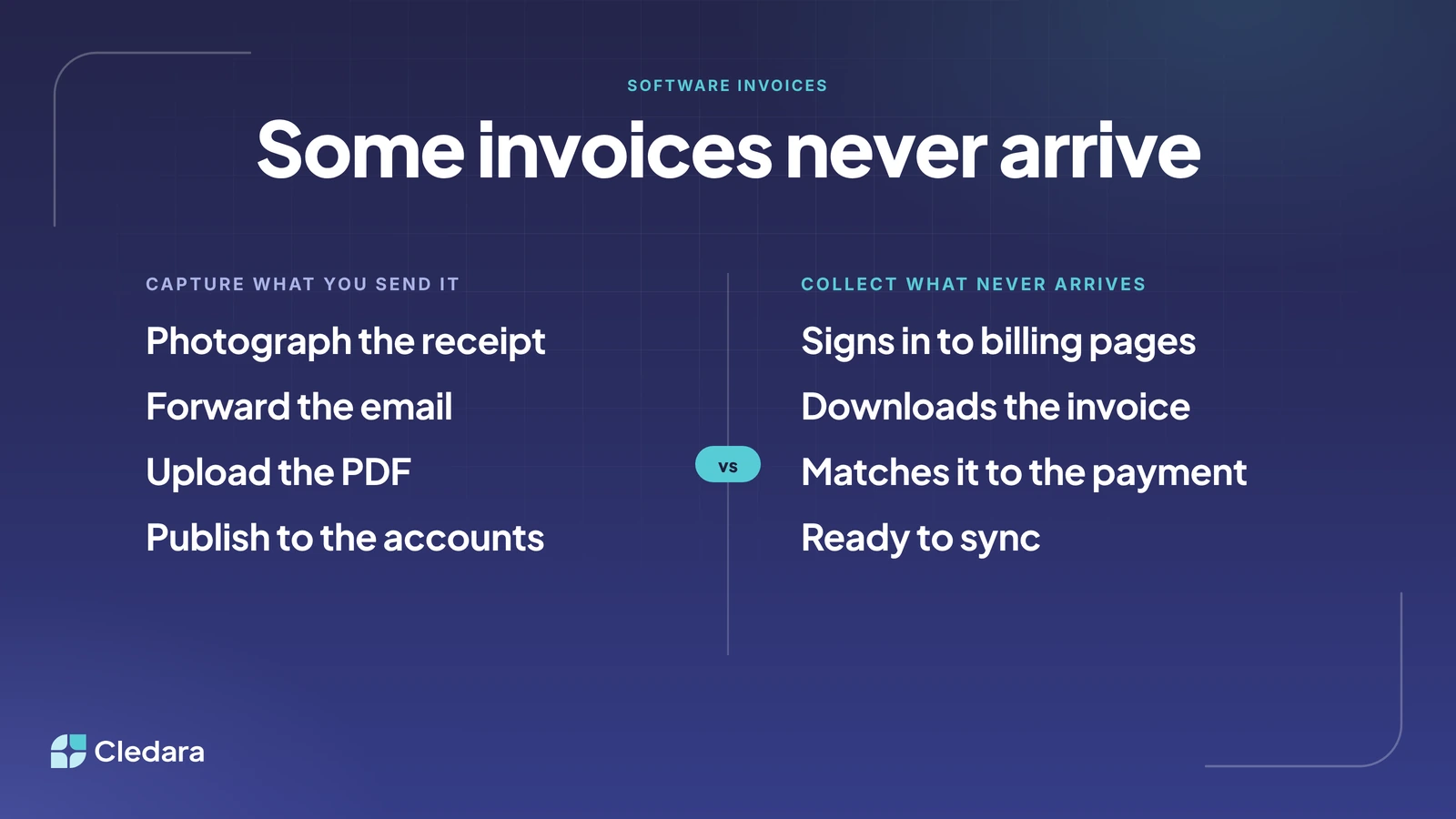
- Capture what you send it. You photograph the receipt, forward the email or upload the PDF. The tool reads the supplier, date and amounts, ready to publish to the accounts. Dext, Hubdoc and AutoEntry work this way, and they handle paperwork from every kind of supplier, software or not.
- Collect from the inbox and connected portals. The tool watches a mailbox and logs in to the supplier portals you connect, on a schedule. GetMyInvoices is built around this, and Dext's Fetch does it for its supported suppliers.
- Collect what never arrives. A software subscription management tool already knows every tool you pay for and every payment. Its agent signs in to billing pages, downloads the invoice and matches it to the payment, so it's ready to sync. This is how Cledara Agent works.
Put simply, the first kind waits for the invoice, and the other two go and get it. None of them is the wrong answer. They solve different parts of the same problem, which is why the comparison below is by reach.
Which tools collect software invoices automatically? Five compared
Here are five tools worth knowing if you want software invoices collected automatically: Dext, Hubdoc, AutoEntry, GetMyInvoices and Cledara. The table shows how each one gets the invoice, what it does next and who it suits best. I've checked each row against the vendor's own website.
Based on each vendor's public website, November 2026.
Spend tools such as Payhawk and Pleo also match receipts to the card payments and expenses made through them: they cover cards and expenses, and stop at the subscription itself.
Dext, Hubdoc and AutoEntry: capture
If your bottleneck is typing, these three are the proven fix. Dext says it extracts data with over 99% accuracy and works with 36+ accounting platforms. Hubdoc keeps things simple for Xero and QuickBooks Online. AutoEntry, which is part of Sage, is strong on line items and statements.
Dext also has Fetch. You enter your login for a supported supplier portal, and Dext collects the bills and checks for new ones weekly. For a supplier that isn't on the list, Dext suggests email forwarding. Hubdoc used to log in to supplier portals too, but Xero retired those standard fetch connections in April 2022, so today it's email, photo and upload.
GetMyInvoices: collection from inboxes and portals
GetMyInvoices is the specialist collector. It downloads invoices and receipts automatically from over 10,000 online portals, email inboxes and its mobile app, then reconciles them with bank and card transactions. It lists over 100 integrations, including DATEV, Xero and QuickBooks. If you work with DATEV, or your invoices are scattered across lots of supplier portals of every kind, it's a strong choice.
How does Cledara collect invoices from SaaS vendors automatically?
Cledara collects software invoices three ways: email capture from Gmail or Microsoft 365, a forwarding inbox, and Cledara Agent, which signs in to each vendor's billing page and collects the invoices that are never emailed. Each invoice is matched to its payment, ready to sync to Xero, QuickBooks, NetSuite or Tripletex.
The starting point is what makes this work. Cledara is software subscription management for finance teams, so it keeps one live list of every tool you pay for, with its owner, cost and renewal date. So when an invoice turns up, the payment it belongs to is already there waiting.
Here's what Cledara Agent does with software invoices:
- It signs in to billing pages across 8,000+ SaaS and AI tools, with or without an integration.
- It works overnight, so month-end starts with every invoice in place.
- Each change waits for your approval, unless you set a standing approval for routine work such as collecting invoices.
- Sign-in details are stored encrypted in a separate vault for your company, and AI never sees passwords.
- It's the only SaaS management agent verified by Cloudflare.
Cledara Agent is an add-on for any Cledara plan. Xero and QuickBooks Online are on every plan, and NetSuite comes with Premium, as does email capture. If you use DATEV, Sage or another system, invoices are still matched automatically and you export transactions and invoices as CSV. The full list is on the integrations page, and plans are on the pricing page.
Key takeaway: a typical Cledara customer gets 30+ hours a month back (modelled for about 70 tools). That's time finance can spend on finance.
Which one do you need?
It depends on where your missing invoices are. If they're paper and PDFs from every kind of supplier, pick a capture tool. If they're spread across lots of supplier portals, pick a collector. If they're mostly software and AI subscriptions, pick software subscription management.
- Receipts and bills from every kind of supplier, and the pain is data entry: Dext or AutoEntry.
- You're on Xero or QuickBooks Online and want simple capture: Hubdoc.
- You run Sage: AutoEntry is part of Sage, and Dext publishes to Sage too.
- Your invoices sit in lots of supplier portals, or you work with DATEV: GetMyInvoices.
- Most of what's missing is SaaS and AI subscriptions, and you'd like renewals, owners, joiners and leavers handled in the same place: Cledara.
- You already have a capture tool you like: keep it for everything else and give software its own workflow. We compared the two in Dext vs Cledara.
- You only pay for a handful of tools: do it by hand for now. Our guide to collecting every software invoice before month-end has the steps, and where to find software invoices lists where each vendor keeps them.
What should you check before you pick software that automatically collects invoices from SaaS vendors?
Check six things: reach, coverage, matching, sync, control and timing. The quickest way to test them is to bring your own vendor list to the demo and ask to see an invoice collected from your most awkward tools.
- ✓ Reach: can it get an invoice that is never emailed, from a billing page behind a login?
- ✓ Coverage: does it work with the vendors you actually use, or only the ones on a supported list?
- ✓ Matching: does each invoice end up attached to the payment it belongs to?
- ✓ Sync: is there a native integration with your accounting system, with account codes, departments and cost centres?
- ✓ Control: who approves what the tool does, and where are sign-in details kept?
- ✓ Timing: how often does it check, and will everything be in place before month-end?
Tip: once invoices arrive on their own, the next job is matching them to payments. We've written up how to reconcile card transactions with your accounting software, step by step.
What does month-end look like when software invoices collect themselves?
It looks a lot calmer. Not that long ago, plenty of finance teams typed bank statements into the accounts by hand. Then bank feeds arrived, and nobody misses the typing. I think invoice collection is going the same way.
The finance teams that do well from here will let machines do the repetitive work and keep their people for the interesting questions. Every hour spent hunting for a PDF is an hour not spent on finance. People like novel problems, and downloading the same invoice from the same page every month isn't one!
If software is where your invoices go missing, I'd love to show you how Cledara handles it. Book a demo and bring your trickiest vendors.
Cheers,
Brad