Where to find invoices for Slack, Notion, AWS, Google Workspace and 20 more

The menu path, email rules and role you need to download invoices from 24 software vendors, plus three ways to stop logging in every month.

by
Brad van Leeuwen
November 24, 2026
3
MIN READ
Share
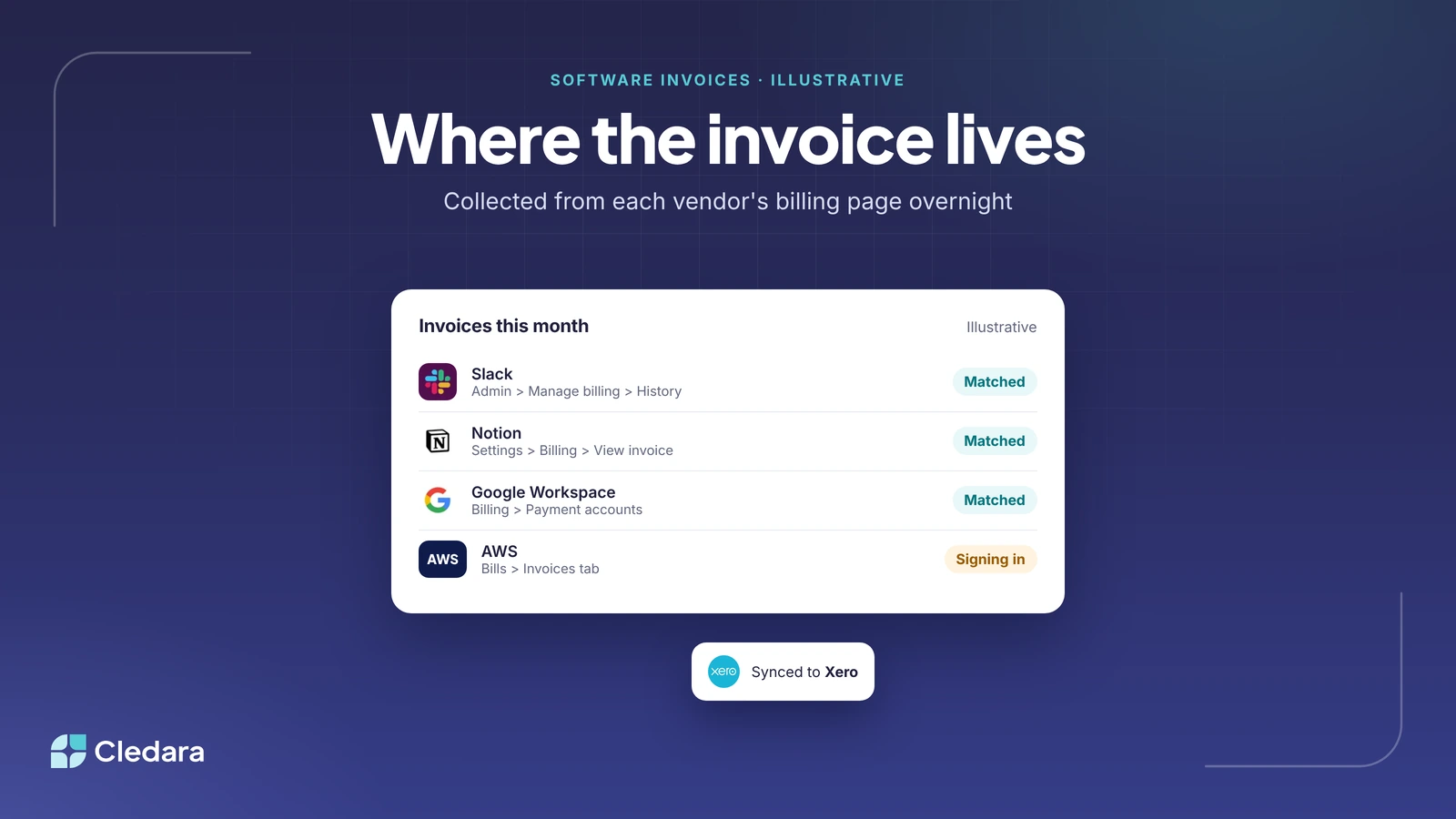
Illustrative card titled Invoices this month under the headline Where the invoice lives: Slack, Notion and Google Workspace marked Matched, AWS marked Signing in, and a Synced to Xero note

In short

Software invoices almost always sit in the admin area under Billing, behind an owner or admin login. In Slack it's Admin, Manage billing, then the History tab. In Notion it's Settings, Billing, View invoice. In AWS it's the Bills page of the Billing and Cost Management console, and in Google Workspace it's Billing, Payment accounts, View invoices in the Admin console. This page gives the menu path, the email rules and the role you need for 24 vendors, each checked against the vendor's own help page on 24 November 2026, plus three ways to stop logging in to each one every month.

On this page

Is there a way to get invoices from Slack, Notion, AWS and Google Workspace without logging into each one every month?

Yes, in three ways. You can get invoices from Slack, Notion, AWS and Google Workspace without logging into each one every month by adding a finance address as the billing contact in each tool, forwarding those emails to one inbox, and using a tool that signs in and collects the invoices no vendor emails. For the months you still need a login, the table below shows where to find invoices for 24 vendors.

Of those four, Google Workspace emails a PDF each month, AWS will if you switch it on, and Slack sends billing emails to the contacts you add. Notion's help page says it doesn't send email invoices, so somebody has to go and get that one.

Key takeaways

  • Two settings stop most of the monthly logins: a finance address as the billing contact, and a forwarding rule into one inbox.
  • Software invoices usually live in the admin area under Billing, in a tab called Invoices, Billing history or Payment history.
  • Five of the 24 vendors say they email the invoice itself as standard. Three say they don't, or not reliably: Notion, Dropbox and LinkedIn.
  • You nearly always need an owner, admin or billing role to download one.
  • The median company on Cledara pays for 32 software tools, and 90% of software transactions are monthly subscriptions (Cledara data, October 2025 to September 2026).
  • Cledara Agent signs in to each vendor's billing page overnight, downloads the invoice and matches it to the payment, across 8,000+ tools.

Where to find invoices for 24 software vendors

For almost every vendor, the invoice sits in the admin area under Billing, behind an owner or admin login. Here is where to find invoices in each tool, whether they are emailed and to whom, and who can download them. Each vendor name links to the help page I checked on 24 November 2026.

VendorWhere the invoice livesIs it emailed, and to whom?Who can download it
SlackAdmin > Manage billing > History tabBilling emails also go to the billing contacts you add (Contacts tab)Workspace owners, and the member who upgraded the workspace
NotionSettings > Billing > View invoiceNo. Notion says it doesn't send email invoicesWorkspace owners only
AWSBilling and Cost Management console > Bills > Invoices tab > Invoice IDOptional. Tick "PDF invoices delivery by email" in Billing preferences; sent to the root user and alternate billing contactThe root user, or IAM users with billing permissions
Google WorkspaceAdmin console > Menu > Billing > Payment accounts > View invoicesYes. A PDF at the start of each month; add addresses under Payments contactsAdmins with the Billing management privilege
Microsoft 365Microsoft 365 admin centre > Billing > Bills & payments > Download invoiceOptional. Invoice emails can attach the PDF (Billing notifications); recipients depend on your billing account typeBilling Administrator or higher
ZoomProfile picture > Plans and billings > Invoice History tab > DownloadThe billing contact is notified when an invoice is postedAccount owner, admins, or a role with billing permissions
HubSpotAccount name > Account & Billing > Transactions tab > View > DownloadInvoice notifications go to the primary account contact, billing contacts and decision makerSuper Admins and users with billing admin permissions
SalesforceSetup gear > Your Account, then view and download invoicesNot covered on Salesforce's pageUsers with the Manage Billing permission (system administrators by default)
Atlassianadmin.atlassian.com/billing > billing account > Invoices tab > DownloadBilling admins receive billing emails and notificationsBilling admins
FigmaFile browser > Admin > Billing tab > Invoices, then download the PDFBilling notifications go to the billing contact (the team owner by default)Admins only
MiroProfile avatar > Admin console > Billing > Invoices tab > DownloadYes. Invoices and receipts arrive in Miro's billing emailsTeam Admins, Company Admins and Billing Admins
GitHubOrganisation Settings > Billing & Licensing > Payment history > Receipt or InvoiceBilling contacts you add get emails about paymentsOrganisation owners and billing managers
OpenAI (incl. ChatGPT)ChatGPT Business: Workspace settings > Billing > Invoices. API: Billing section of the API platform > Billing historyNot covered on OpenAI's help pagesWorkspace owners (ChatGPT Business); organisation owners (API)
Anthropic (incl. Claude and Claude Code)Team plan: Organization settings > Billing > Invoices. API: Console > Billing > Invoice historyYes. After each charge, to the billing email addressOrganisation owner (Team plan); Admin or Billing role (Console)
Cursorcursor.com/dashboard/billing > Manage in Stripe > billing history. The same invoices are listed under Invoices on the billing pageNot covered on Cursor's help page, which says invoices are a manual download for nowTeam admins only, on Teams and Enterprise plans
CanvaProfile icon > Settings > Orders and invoices tab > More > Download invoiceYes. Canva emails a copy of the invoice each time it chargesAdmins and Brand Owners (all team invoices); members (their own purchases)
AdobeAdmin Console > Account > Billing history > Download invoicesOn request. "Email invoices" sends PDFs to the addresses you enter and to all administratorsThe contract owner
DropboxAdmin console > Billing > Payment history tab > more options > InvoiceNot reliably. Dropbox says email receipts may not be sent every timeTeam admins and billing admins
IntercomSettings > Subscription > Billing > Invoices > Download InvoiceA notice goes to your billing contacts; you log in to downloadTeammates with Full Permissions
ZendeskAdmin Center > Account > Billing > InvoicesYes. Copies go each billing cycle to the invoice recipients you listThe account owner and billing admins
AsanaAdmin console > Billing tab > Invoices > Invoice historyNot covered on Asana's help pageThe billing owner and admins
LinearSettings > Administration > Billing (billing history)You can set a billing email on the same pageWorkspace admins
DatadogPlan & Usage > Billing History (receipts for card payments)Only if you pay by invoice: emailed to the billing email addresses each monthDatadog Admins
LinkedIn (Sales Navigator bought online)LinkedIn Admin Center > Transactions > More > Download receiptNo. LinkedIn says it doesn't email purchase receipts, and gives receipts, not invoices, for online accountsThe purchaser admin

Note: vendors move their menus around (often!), so if a path has changed, the linked help page will have the current one. "Not covered" means the help page doesn't say whether invoices are emailed.

Which vendors email invoices, and which make you log in?

Going by each vendor's own help page, only five of the 24 email the invoice itself as standard. Most send a notice and leave the invoice behind the login, and a few send nothing.

  • The invoice arrives by email as standard (5): Google Workspace, Miro, Anthropic, Canva and Zendesk.
  • Only if you ask or switch it on (3): AWS, Microsoft 365 and Adobe.
  • A notice or billing email, then you log in (7): Slack, Zoom, HubSpot, Atlassian, Figma, GitHub and Intercom.
  • No email, or not reliably (3): Notion, Dropbox and LinkedIn.
  • It depends, or the help page doesn't say (6): Datadog (only if you pay by invoice), Linear, Salesforce, OpenAI, Asana and Cursor (a manual download for now).

Why does it take so long to find software invoices?

Because the invoice sits behind a login, and the login usually belongs to someone outside finance. Software is bought across the company now, so the admin of any tool could be a designer, a sales manager or the founder. So finance chases, and nobody enjoys that.

In Cledara's data for October 2025 to September 2026, the median company pays for 32 software tools (the middle half pay for 16 to 48) and 90% of software transactions are monthly subscriptions. That's a lot of logins. Marshmallow's finance team told us they used to lose one to two full days a month to invoices. And these aren't obscure tools: eighteen of the 24 are in the top 50 of Cledara's software popularity ranking, as of 24 November 2026.

How to get invoices from every vendor automatically

Work down these five steps. The first four are settings you can change today. The fifth covers the invoices no setting will ever send you.

  1. List every tool and who holds the billing login. The table's last column shows the role you need. Where there's a billing-only role (GitHub's billing manager, or the billing admin in Dropbox, Atlassian and Zendesk), ask for that one.
  2. Add a shared finance address as the billing contact. Slack, Figma, Intercom, Zendesk, GitHub and Datadog all let you add one. Use a shared mailbox, so the emails don't leave with a person.
  3. Switch on PDF invoices where it's a setting. AWS has "PDF invoices delivery by email" in Billing preferences, and Microsoft 365 can attach the PDF to its invoice emails.
  4. Forward everything to one inbox. Set a rule so vendor billing emails go straight to wherever you keep invoices. In Cledara, that's email capture from Gmail or Microsoft 365 (from the Premium plan) or a forwarding inbox.
  5. Let a tool sign in for the rest. Notion, Cursor and the other manual downloads still need a login. Cledara Agent signs in to each vendor's billing page overnight, downloads the invoice and matches it to the payment, ready to sync to Xero, QuickBooks, NetSuite or Tripletex. It works across 8,000+ SaaS and AI tools, with or without an integration.

Fair enough if your first question is about safety. Cledara Agent only works in the tools you connect, and each change waits for your approval unless you set a standing approval for routine work like collecting invoices. Sign-in details are stored encrypted in a separate vault for each company, AI never sees passwords, and it's the only SaaS management agent verified by Cloudflare.

Here's an illustrative morning after: invoices this month, collected from each vendor's billing page overnight, with Slack, Notion and Google Workspace matched, AWS still signing in, and the first batch synced to Xero. You just approve.

Which tools collect software invoices for you?

A handful of tools will fetch invoices so nobody has to log in. Here are five, described from each vendor's own site in November 2026.

ToolHow it gets the invoiceBest for
CledaraCledara Agent signs in to each vendor's billing page and matches the invoice to the paymentSoftware subscriptions: 8,000+ SaaS and AI tools, synced to the accounts
GetMyInvoicesCollects from over 10,000 online portals and from email inboxesInvoices from every kind of supplier, passed to accounting systems and tax advisers, including DATEV
DextYou send documents by mobile, email, WhatsApp or desktop, and it also fetches supplier invoicesBookkeeping across all suppliers, published to 36+ accounting platforms
Invoice RadarA desktop app that collects from web portals and your inbox on your own deviceTeams that want collection to run on their own machines (350+ platforms)
TailrideWatches email inboxes, with a browser extension for 100+ supplier portalsTeams whose invoices mostly arrive by email

There's a fuller comparison in tools that collect software invoices automatically, compared.

What does month-end look like when nobody has to find invoices?

It starts with every invoice already in place, and nobody chasing anybody. Not that long ago, plenty of finance teams typed bank statements into the accounts by hand. Then bank feeds arrived, and nobody went back. I think invoices are going the same way.

So bookmark this page: it shows where to find invoices for the logins you still need. Change the settings that send invoices to you, and let a machine fetch the rest. The full method is in how to collect every software invoice before month-end, and there's a guide to US software vendors and VAT invoices. A typical Cledara customer gets 30+ hours a month back. See the plans, or book a demo and we'll show you.

Cheers,

Brad

Frequently asked questions

Where do I find OpenAI and Anthropic invoices, including ChatGPT and Claude plans?

For ChatGPT Business, open Workspace settings, then Billing, then Invoices; only workspace owners can view them. OpenAI API invoices are in the Billing section of the API platform, under Billing history. For an Anthropic Team plan, an organisation owner goes to Organization settings, then Billing, then Invoices. Anthropic API invoices are in the Console under Billing, in Invoice history, for users with the Admin or Billing role. Anthropic also emails each invoice to the billing email address.

Why doesn't Notion email invoices?

Notion's help page says it doesn't send email invoices at this time. To get one, a workspace owner goes to Settings, then Billing, and selects View invoice under Invoices. Only workspace owners can view and manage plans and billing in Notion, so if nobody in finance is an owner, someone has to download the invoice each month and pass it on, or you use a tool that signs in and collects it for you.

Can AWS email a PDF invoice every month?

Yes. In the AWS Billing and Cost Management console, open Billing preferences and select "PDF invoices delivery by email" under Invoice delivery preferences. AWS then sends the monthly PDF to the root user's email address and the alternate billing contact. You can still download any invoice from the Bills page: choose the billing period, open the Invoices tab and select the Invoice ID. IAM users need billing permissions to see it.

Which role do I need to download a software invoice?

It depends on the vendor, but it is nearly always an owner, admin or billing role. Notion and ChatGPT Business limit invoices to workspace owners. Microsoft 365 needs a Billing Administrator, Atlassian a billing admin, and Zendesk the account owner or a billing admin. Figma and Cursor keep billing for admins. Where a billing-only role exists, such as GitHub's billing manager or Dropbox's billing admin, ask for that one, so finance gets the invoices without wider admin rights.

How does Cledara collect invoices that vendors never email?

Cledara captures software invoices three ways: from Gmail or Microsoft 365, from a forwarding inbox, and with Cledara Agent for the invoices that are never emailed. Cledara Agent, an add-on for any Cledara plan, signs in to each vendor's billing page overnight, downloads the invoice and matches it to the payment, ready to sync to Xero, QuickBooks, NetSuite or Tripletex. It works across 8,000+ SaaS and AI tools, with or without an integration.

Is it safe to give a tool our billing logins for Slack, Notion and AWS?

Ask three things: where the sign-in details are kept, who approves what the tool does, and whether websites can check the tool is what it says it is. With Cledara Agent, sign-in details are stored encrypted in a separate vault for each company and AI never sees passwords. It only works in the tools you connect, each change waits for approval unless you set a standing approval, and it is the only SaaS management agent verified by Cloudflare.

Brad van Leeuwen

Brad is the co-founder and COO of Cledara. Prior to Cledara, Brad scaled partnerships, infrastructure and Go-to-Market at several fintech companies. He also led multiple early-stage investments into fintech and financial services for the EBRD and is one of highest-ranked Techstars startup mentors globally.

Found this useful? Share it with your team.

Share

Cledara

Software that runs itself

Cledara manages every software subscription and does the admin for you, from invoices and renewals to new starters and leavers.

  • 23% average savings on software spend
  • 4.6 out of 5 on G2
  • SOC 2 Type II certified
Book a demo

Subscribe to our newsletter

Receive the latest insights in your inbox

Software and AI management for finance teams

Software that runs itself.

Cledara manages every software subscription and does the admin for you, from invoices and renewals to new starters and leavers. You approve, Cledara does the rest.

4.6 on G21,000+ customersSOC 2 Type II