


How long does it take to set up a SaaS management platform?
Setting up a SaaS management platform takes anywhere from a few days to several months. It depends on how the tool finds your apps (payments, your identity provider, a browser extension or a direct connection to each app) and how much it has to integrate with first. A list built from payments can be working in days.
Here's a funny thing about that range. The software part is nearly always quick, because connecting accounting or Google Workspace is a few clicks. The slow part is people: somebody has to say which tools are theirs, and an admin has to approve each connection. So when a vendor quotes a set-up time, ask how much of your colleagues' time it needs.
Key takeaways
- SaaS management implementation time runs from days to several months. How the tool finds your apps, and how many integrations it depends on, decide which.
- Six things have to happen: connect a data source, build the list, assign owners, connect accounting, connect HR and roll out requests.
- The median company pays for 32 software tools (Cledara's data, October 2025 to September 2026), so the list is a small job. Finding an owner for each tool is the bigger one.
- The SaaS management platforms that publish a time talk about days to a first inventory (Torii and Josys both do). Enterprise roll-outs that depend on many integrations take longer.
- Setting up Cledara takes days, not months. Most complete applications are approved within 3 business days, adding a subscription takes about 2 minutes, and every plan includes set-up help.
- Ask every vendor for the set-up steps and who does each one. That tells you more than a number of weeks.
What has to happen to set up a SaaS management platform?
Six things have to happen to set up a SaaS management platform: connect a data source, build the list of tools, assign an owner to each one, connect accounting, connect HR and roll out a way to request new software. The first two give you a working list. The other four take admin off your plate every month.
Tip: you don't need all six before a SaaS management platform is useful. A list with an owner and a renewal date against each tool is worth having on its own.
Why does SaaS management implementation time vary so much?
SaaS management implementation time varies because platforms find your apps in four different ways, and each needs something different from you. Some sources hold your history from day one; others start collecting only once they've reached every laptop.
- Payment and accounting data. Every tool you pay for has already left a trail, so the list appears as soon as the data is connected.
- Your identity provider. Connecting Google Workspace, Microsoft Entra ID or Okta usually takes one admin and one authorisation. It shows the tools people sign in to through it.
- A browser extension. It has to be installed in each person's browser, and then it learns as people work, so the picture fills in over a few weeks.
- A direct connection to each app. This gives the richest detail (seats, roles, last sign-in), and each one needs that app's admin to approve it.
Most platforms mix these (our guide to how SaaS usage tracking works compares them). The rule of thumb: the more a roll-out depends on integrations, security reviews and other people's calendars, the longer it takes. That's why enterprise roll-outs that depend on many integrations can run to months.
What slows a SaaS management platform roll-out?
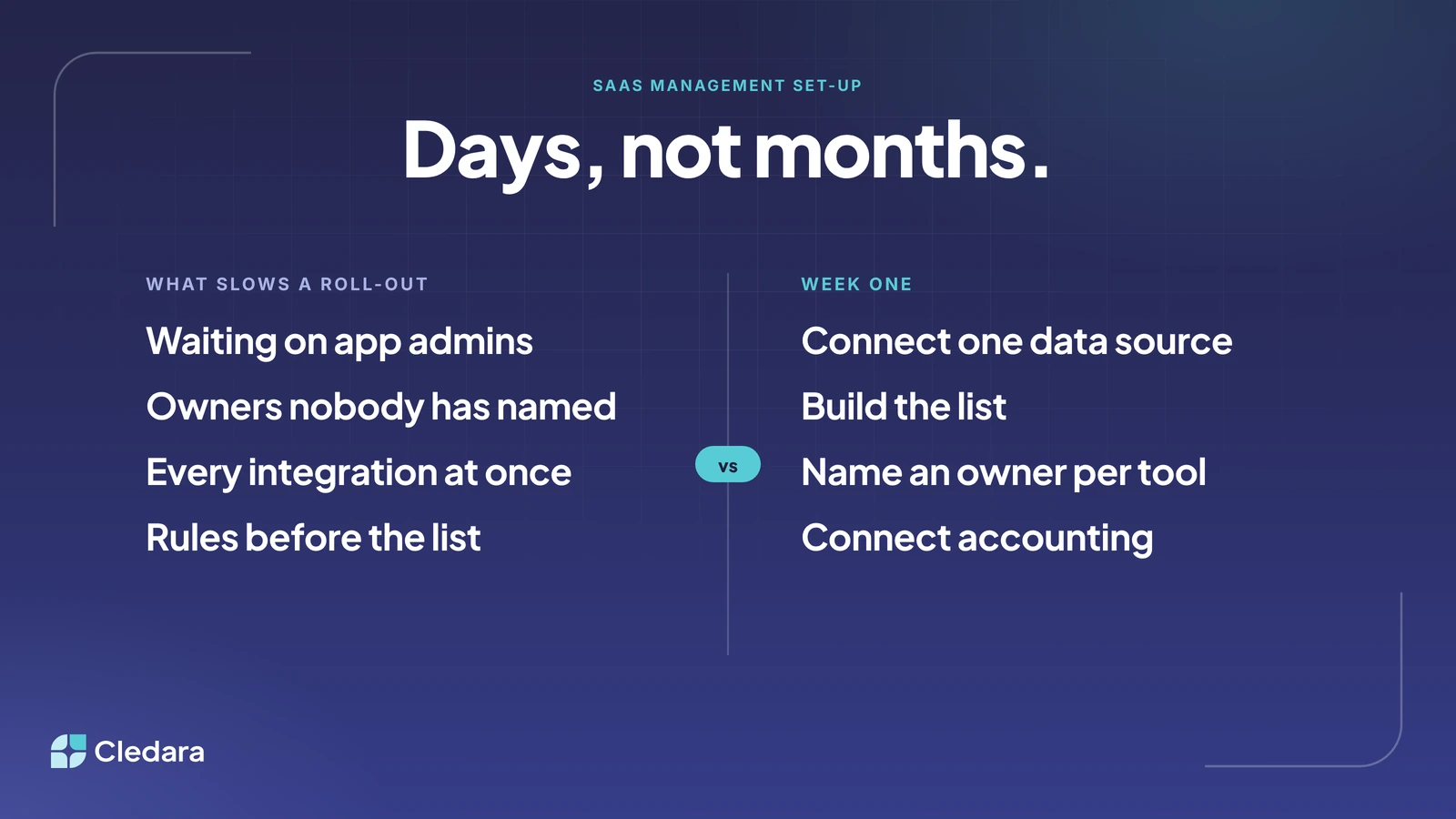
Four things slow a SaaS management platform roll-out, and none of them is the software. They come down to the order you do things in and who you're waiting for.
- Waiting on app admins. Every direct connection needs a busy person with admin rights to approve it. Start with sources one person controls, like payments and accounting.
- Owners nobody has named. A tool without an owner can't be reviewed, renewed or cancelled with any confidence. Give each one to the person who pays for it and let them hand it on (more in our piece on who owns your software).
- Every integration at once. Accounting, HR, Slack and dozens of apps in the same week is a project. One connection a week is a habit.
- Rules before the list. It's tempting to design the perfect approval process first. Build the list, write one rule, and add more when you see what people ask for.
Ask any vendor for the set-up steps and who does each one; a short list with names against it is a good sign. It's one of our 12 demo questions for software spend tools.
What should week one of a SaaS management set-up look like?
Week one of a SaaS management set-up should end with one list of the tools you pay for, an owner against the biggest ones and your accounting system connected. HR and a first approval rule are a bonus. Here's a checklist that fits around a normal week's work.
- ✓ Connect one data source. Pick the one you already have complete, usually 12 months of card and bank payments.
- ✓ Build the list. Add the tools with the biggest cost and the soonest renewal first.
- ✓ Name an owner per tool. Start with the largest and ask each owner to confirm the cost and the renewal date.
- ✓ Add renewal dates and notice periods for anything on an annual contract.
- ✓ Connect accounting, and map each tool to its account, department and cost centre once.
- ✓ Ask your HR admin to authorise the HR connection, so joiners and leavers arrive on their own.
- ✓ Pick one approval rule for new software. A cost threshold is plenty to begin with.
Note: if you're still deciding whether you need a tool at all, start with our guide to what SaaS management is. Its plan for the first 30 days pairs well with this checklist.
How long do SaaS management platforms say set-up takes?
Most SaaS management platforms don't publish a set-up time, and the ones that do talk about days to a first inventory. I read each vendor's own site on 24 November 2026. Here's how each SaaS management platform finds your apps, what it says about time and who it suits.
With any of these, a first inventory is where set-up starts; owners, accounting, HR and requests come after it. An identity provider such as Okta is a source these platforms read from. Spend tools such as Ramp, Brex, Pleo, Spendesk or Payhawk cover cards and expenses; they stop at the subscription itself. For a wider look, see our guide to the best SaaS management tools.
How long does it take to set up Cledara?
Setting up Cledara takes days, not months. Cledara is software subscription management for finance teams, so set-up starts from the subscriptions you already pay for and doesn't need an IT project to get going.
- Sign up. It's an online form you can start today.
- Company checks. Cledara includes payment services, so we verify your company before the account opens. Most complete applications are approved within 3 business days, and many by the end of the next business day.
- Add your subscriptions. Each one takes about 2 minutes to add. I'll let you do the maths: at the median of 32 tools, that's about an hour (more benchmarks are free at data.cledara.com). You don't need to add everything at once, and Cledara Engage, our browser extension, shows the tools your team actually uses, including ones not yet on the list.
- Give each tool an owner. Each subscription also gets its own virtual card, so a tool doesn't go down when the person who bought it leaves. Move them over in renewal order, soonest first; our guide to switching to Cledara walks through it.
- Connect accounting. Xero and QuickBooks Online connect on every plan, NetSuite from Premium, and Tripletex too. Map each tool to its expense account, department and cost centre once, and every payment for it is coded the same way.
- Connect your HR system. BambooHR, HiBob, Personio, Workday, Gusto and 30+ others tell Cledara when someone joins or leaves.
- Switch on Cledara Agent. Cledara Agent is an add-on that signs in to your SaaS and AI tools to do the admin: collecting invoices, setting up new joiners, taking back unused paid seats and removing leavers. It starts working within minutes of connecting tools and switching on jobs, and each change waits for approval unless you set a standing approval.
Every plan includes set-up help, so you're not doing this alone. Cledara Agent works across 8,000+ tools with or without an integration, so the admin doesn't wait for a connector to be built. What connects natively is on our integrations page, and plans are on the pricing page.
If your IT lead asks how the agent signs in (they should!), sign-in details are stored encrypted in a separate vault for each company, AI never sees passwords, and Cledara Agent is the only SaaS management agent verified by Cloudflare.
Will SaaS management platform set-up keep getting quicker?
I think so. For years, setting up a SaaS management platform meant waiting for an integration to exist for every tool you use, and the list of tools kept moving. In Cledara's data, 27% of software spend now goes to AI-native tools, up from about 3% two years ago, so there's a lot on the list that wasn't there before.
What changes this is software that can sign in and do the admin the way a person would, with your approval. It works whether or not a tool has an integration, so set-up stops being a wait for connectors. Not that long ago, company email meant buying a server and booking an engineer. Today you sign up and you're sending before lunch.
I think SaaS management is heading the same way. The companies that do well won't run an implementation project for their software admin. They'll connect it, approve a few things and get back to finance.
If you'd like to see what set-up would look like for your own list, book a demo and bring your tools. We'll show you the steps and who does each one.
Cheers,
Brad