


Nobody signs up to auto-renew. The vendor's default does it for you
Here's a funny thing about software subscriptions. Nobody in your company has ever decided to auto-renew a tool. They signed up for something useful, popped it on a card and got on with their job. The vendor's default did the rest, and the default is simple: it renews unless you say no. Twelve months later the same card gets charged again, usually for a bit more, and the first finance hears of it is the statement.
So when people ask me how to prevent auto-renewals on SaaS tools in their company, I think the honest answer starts there. You're not fighting bad decisions. You're fighting defaults. Software subscription management platforms such as Cledara exist to turn those defaults back into decisions: one list of every tool with its renewal date and notice period, and a card per subscription so nothing gets paid that nobody agreed to. This post is the how-to.
Key takeaways
- Auto-renewals hide in four places: annual plans paid on monthly cards, trials that roll into paid, seat true-ups and usage overages. Most companies only watch the first one.
- 90% of software transactions on Cledara are monthly subscriptions, so most renewals happen every 30 days whether anyone is watching or not.
- Renewal prices rise 8 to 12% a year on average, and 15 to 25% with aggressive vendors. An auto-renewal is rarely at last year's price.
- Companies that start negotiating 90 days before renewal save 49% on average, against 19% for those that start 30 to 90 days out.
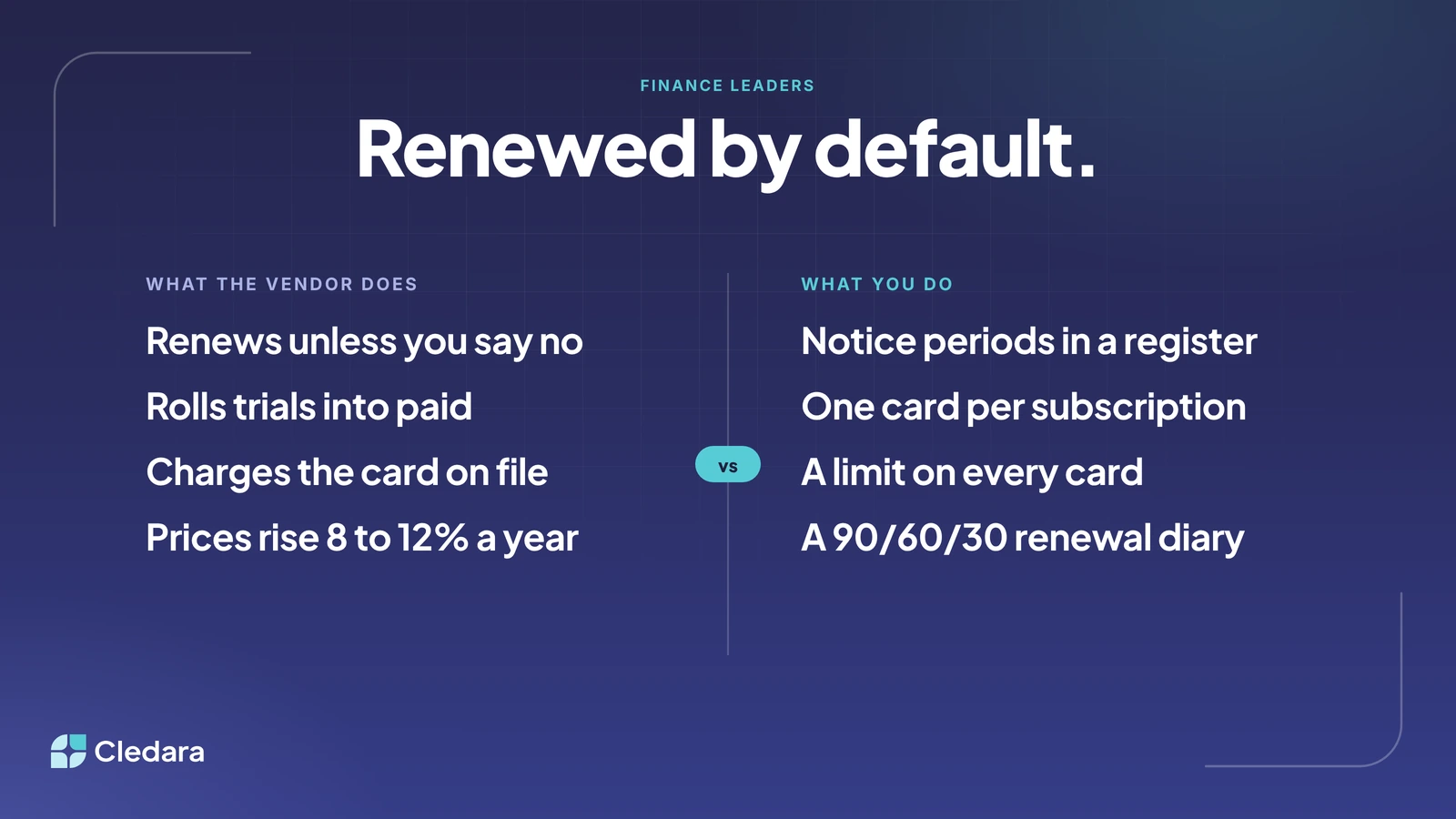
- The fix is notice periods in a register, one card per subscription with a limit, and a 90/60/30 renewal diary with the owner's name on each entry.
How to prevent auto-renewals on SaaS tools in my company: the short answer
To prevent auto-renewals on SaaS tools, you need three things: a register that records the notice period for every tool, a payment method that can't be charged more than you agreed, and a diary that forces a decision before the notice period closes. Do those three and an auto-renewal becomes a choice someone made on purpose.
In practice that's five steps:
- Build the register: every tool, its owner, cost, billing cycle, renewal date and notice period.
- Give every subscription its own virtual card with a limit at the agreed price.
- Put every renewal in a 90/60/30 diary with the owner's name on it.
- Decide each renewal before the notice date: keep, renegotiate, shrink or cancel.
- When one slips through, act in the first few days and fix the gap.
The four places auto-renewals hide on SaaS tools
Most finance teams think of an auto-renewal as the big annual contract with a signed order form. Those are the easy ones: someone negotiated them, so someone knows the date. The ones that catch you out are the ones nobody negotiated, and to prevent auto-renewals on SaaS tools you have to know where they hide.
The median company on Cledara pays for 32 software tools, and the middle half pay for between 16 and 48 (Cledara data, October 2025 to September 2026). 90% of software transactions are monthly subscriptions. That's a lot of small defaults on their own schedules, most of them set up by someone who isn't in finance. (Fair enough. They had a job to do.)
Step 1: How do I track all our software renewals in one place?
You track all your software renewals in one place by keeping a software subscription register: one row per tool, with the owner, cost, billing cycle, renewal date and notice period. The renewal date tells you when the money leaves. The notice period tells you the last day you can still say no, and it's the column that prevents auto-renewals.
Most companies already have a version of this. It's a spreadsheet, it was built for the audit, and it's missing the notice period column. Add it. For every annual tool, open the terms (or the order form) and write down how many days' notice the vendor needs to cancel or change the plan. Then work out the notice date: the renewal date minus the notice period. That date, not the renewal date, goes in the diary. Keeping notice periods in a register is admin, but it's the admin that turns a renewal into a decision.
In a spreadsheet
A spreadsheet works while one person can keep it current and the hard columns (owner, notice period, last used) can be filled in by asking around. The full template is in the software subscription register post. Put the trials in too: a trial with an owner and a renewal date stops rolling into paid quietly.
In a software subscription management platform
Once asking around stops working, you want something that builds the register from the payments, so a new subscription appears the first time it's paid for, with its renewal date and an alert before it. There's a comparison in SaaS renewal tracking software. Cledara's version is one list of every software and AI tool with its owner, users, cost, renewal date and card, and the Cledara Engage browser extension shows which of 8,000+ tools people actually use, including the ones that never came through finance.
Step 2: How should a SaaS company set up virtual cards to prevent surprise renewals?
Set up one virtual card per subscription, not per person, with a limit on every card set at the price you agreed to pay. That way a renewal at a higher price, a seat true-up or an overage can't go through unapproved: the payment is declined, the vendor gets in touch with the owner, and the renewal becomes a conversation instead of a line on the statement.
The normal set-up is a company card per person, with every tool they signed up for sitting on it. When they leave, the card gets cancelled and three tools go down at once. When they stay, every renewal goes through because the limit is high. Neither does anything to prevent auto-renewals on SaaS tools. One card per subscription fixes both:
- Create a virtual card for each tool, named after it, with the owner's name on it. (Cards are free on every Cledara plan, so there's no reason to share them.)
- Set the limit to the agreed price for the billing period, with a small buffer for VAT or FX.
- Give trials a card with a tiny limit. If the trial rolls into paid, the charge fails and someone has to decide.
- For usage-billed tools, set the limit at the monthly budget. Cledara connects to providers such as OpenAI, Anthropic and Cursor and tracks usage every day against the budget you set, so you get a warning first.
- When a tool is cancelled, freeze the card. A frozen card can't be charged, so "we'll keep billing until you confirm in writing" costs you nothing.
Important: a declined payment stops the money, not the contract. If the notice period has passed, the vendor may still be entitled to the renewal and will send an invoice. The card is the safety net; the register and the diary keep you out of it.
Step 3: When should you start negotiating a SaaS renewal?
Start negotiating a SaaS renewal 90 days before the renewal date. Companies that start 90 days out save 49% on average, against 19% for those that start 30 to 90 days out, according to Cledara's renewal benchmarks. The difference isn't negotiating skill. At 90 days you still have time to switch, and the vendor knows it.
That's why a 90/60/30 renewal diary works, and why each entry has a different job:
- 90 days out: the owner confirms the tool is still used and by how many people, and finance checks the price against what similar companies pay (free at data.cledara.com). Open the conversation with the vendor now: renewal prices rise 8 to 12% a year on average and 15 to 25% with aggressive vendors, and the quoted price is the opening bid.
- 60 days out: decide. Keep at the negotiated price, shrink the plan, take back unused seats, or cancel. Write the decision in the register. If the answer is cancel, send the notice now, in writing, and keep the confirmation.
- 30 days out: check the notice has been acknowledged, the card limit matches the new price and the right person is still the owner. Last chance before the default takes over.
Honestly, the 60-day decision is the whole game. Almost every surprise renewal I've seen was a tool everyone vaguely intended to cancel and nobody actually decided to cancel. There's more on preparing the numbers in how to benchmark SaaS pricing before a renewal, and on what the bigger vendors' terms say in SaaS renewal price increases and cancellation terms.
Step 4: What to do when an auto-renewal on a SaaS tool slips through anyway
When an auto-renewal slips through, act in the first few days: contact the vendor, explain that the renewal wasn't approved, and ask for a cancellation or a shorter term. Most vendors would rather keep a customer on a monthly plan than argue over an annual invoice, and a polite request within a week gets a better answer than a dispute a month later.
- Check the terms (some contracts give you a short window after renewal to cancel), then ask for what you actually want: the old price, fewer seats, or a pro-rated refund and a confirmed end date. (You'd be surprised how often "we didn't mean to renew this, can you help?" works.)
- Stop the next one. Freeze the card, or set its limit to zero, so a second charge can't follow while you sort out the first.
- Fix the gap. Every renewal that slips through got past the register, the card or the diary. Work out which, and fix that, rather than only chasing the refund.
Note: never cancel a card as the first move on a tool people still use. You've turned a billing problem into an outage. Freeze it, talk to the vendor, then decide.
A checklist to prevent auto-renewals on SaaS tools
Tick this off once for the set-up, then run the diary items every month.
- ✓ Every tool is in the register with an owner, cost, billing cycle, renewal date and notice period
- ✓ Every trial is in the register with a renewal date equal to the trial end
- ✓ Every subscription has its own virtual card with a limit at the agreed price
- ✓ Usage-billed tools have a budget and daily tracking against it
- ✓ Every renewal has a 90, 60 and 30 day reminder going to the owner and to finance
- ✓ The 60-day decision (keep, shrink, renegotiate or cancel) is written in the register
- ✓ Cancellations are sent in writing before the notice date, and the confirmation is filed
- ✓ Seats are reviewed 60 days before renewal, and leavers are removed the week they go
- ✓ Cancelled tools have their cards frozen the same day
What is the best virtual card platform for managing SaaS subscription spend and renewals?
The best virtual card platform for managing SaaS subscription spend and renewals is one where the cards are part of a software subscription management platform rather than the product itself. A card on its own stops a charge. A card attached to the register, the renewal date and the owner turns the charge into a decision, which is what you're actually after when you set out to prevent auto-renewals on SaaS tools.
Look for a card per subscription with its own limit, a register built from the payments, renewal alerts that go to the owner and not just finance, one-click cancelling, and price benchmarks against similar companies. Cledara does all of that for more than 1,000 companies in 32 countries, and it's a big part of why our customers save 23% on software spend on average. The Spend Optimisation module flags duplicates, unused seats and price increases, and the Negotiation and Renewal Copilot drafts the negotiation for you. If you'd rather not do the seat reviews by hand, Cledara Agent takes back unused seats and removes leavers after you approve, which deals with the two auto-renewals that start inside the tool. Plans are on the pricing page.
Soon, preventing auto-renewals on SaaS tools won't need a diary at all
I think the companies that get this right won't be the ones with the toughest negotiators. They'll be the ones where nobody has to remember anything. The register builds itself from the payments. The limit is set once. The diary fires on its own. A person turns up at the 60-day mark, looks at who's using the tool and what it costs compared with everyone else, and makes a call in a couple of minutes. Then they go back to the work they were hired for.
That's a better world for the vendor too. A renewal someone decided on is a customer who's staying. A renewal that happened by default is a cancellation nobody has noticed yet.
Not that long ago, plenty of finance teams typed bank statements into the accounts by hand. Then bank feeds arrived. Renewals are at that point now. If you'd like to see what it looks like when the admin does itself, book a demo and we'll show you.
Cheers,
Brad