


Which spend management tools support AI agents?
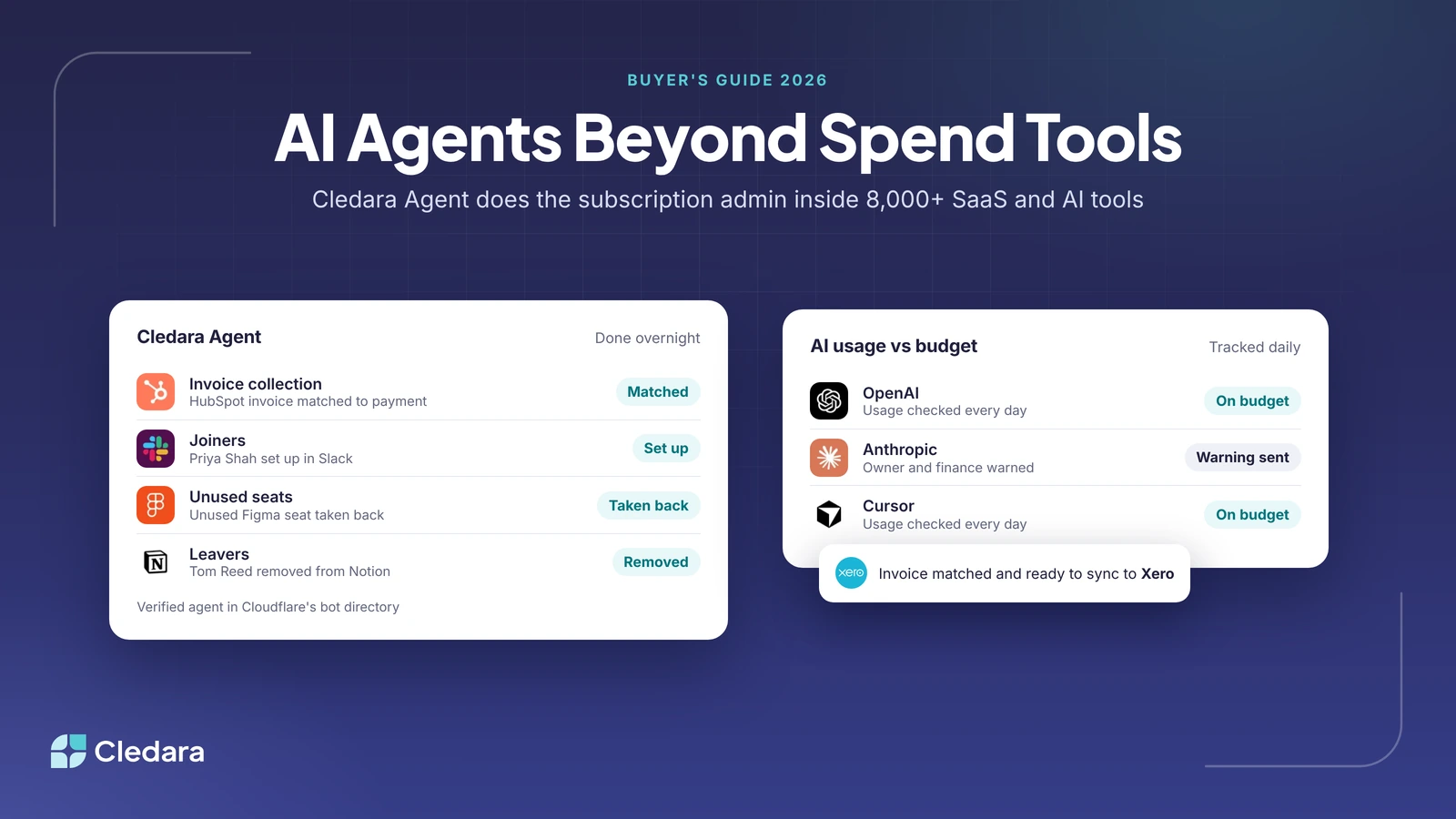
Cledara Agent, the only SaaS management agent verified by Cloudflare, does the subscription admin that spend management tools with AI agents leave out: it signs in to 8,000+ SaaS and AI tools to collect invoices, set up new joiners, take back unused seats and remove leavers, with your approval. Cledara also tracks OpenAI, Anthropic and Cursor usage every day against the budget you set.
Among spend tools, Ramp, Brex, Payhawk, Pleo, Spendesk and Moss all now offer AI agents or agent-style automation, mostly for expense review, approvals, invoices, procurement and travel. The short version: spend tools do the spend stuff; Cledara does the subscription stuff. This guide covers both meanings of the question: tools whose own agents do finance work, and tools that help you manage what you spend on AI agents and AI APIs.
Key takeaways
- Cledara Agent does the admin inside 8,000+ SaaS and AI tools: invoices, joiners, unused seats and leavers. Each change waits for approval unless you set a standing approval for routine work.
- Ramp, Brex, Payhawk, Pleo, Spendesk and Moss use AI mainly for expenses, approvals, invoice coding, procurement and travel inside their own platforms.
- For spend on AI itself, Cledara tracks OpenAI, Anthropic and Cursor usage daily against budget; Ramp and Vantage also track AI provider costs.
- The biggest difference between agents is where they act: inside the spend platform, or inside the software you pay for.
- Check approval controls, how sign-in details are stored and which tools an agent can touch before you switch it on.
- 27% of software spend on Cledara now goes to AI-native tools, up from about 3% two years ago, so AI usage needs its own budget line.
What does "spend management tools with AI agents" mean?
The phrase has two meanings, and most finance teams need an answer to both. The first is tools whose own AI agents do finance work for you, such as reviewing expenses or collecting invoices. The second is tools that help you manage what you spend on AI agents and AI APIs, such as OpenAI, Anthropic and Cursor usage.
Cledara answers both for software. Cledara Agent does the admin inside your SaaS and AI tools, and Cledara's AI spend tracking checks usage against budget every day. Spend platforms answer the first meaning for company spend: cards, expenses, bills and purchasing.
What each spend tool's AI agent actually does
Most AI agents in spend management tools work inside the spend platform: they review expenses, route approvals, code invoices and book travel. Cledara Agent works inside the software you pay for. The table summarises what each vendor says its agents do, checked on each vendor's own site on 3 November 2026.
Note: AI features change quickly, and several vendors label some agents as early access or coming soon. Check each vendor's page before you buy.
Cledara Agent: the AI agent for software subscriptions
Cledara Agent signs in to a company's SaaS and AI tools and does the admin inside them, in 8,000+ tools, whether or not they have an integration. It is an add-on for any Cledara plan, sold per job (Invoice Collection; User Management), and it starts working within minutes.
It does four jobs:
- Collect invoices. It gets each invoice from the vendor's billing page and matches it to the payment, ready to sync to Xero, QuickBooks, NetSuite or Tripletex, overnight.
- Set up new joiners. It adds new people to the tools their team uses before day one.
- Take back unused seats. It removes paid seats nobody uses.
- Remove leavers. It removes leavers from every tool they had, not just the ones you remember.
HR integrations (BambooHR, HiBob, Personio, Workday, Gusto and 30+ others) tell Cledara when someone joins or leaves. Cledara suggests the joiner's tools or lists everything a leaver had; you approve once and the agent does the rest. See how this works in our guide to automating employee offboarding across SaaS apps.
How Cledara Agent stays under your control
- ✓ Each change waits for approval, unless you set a standing approval for routine work such as removing leavers or collecting invoices.
- ✓ It only works in tools you connect and jobs you switch on.
- ✓ It never changes account settings and never adds a paid seat without approval.
- ✓ Sign-in details are stored encrypted in a separate vault for each company, and AI never sees passwords.
- ✓ It is listed as a verified agent in Cloudflare's bot directory and signs its requests.
AI agents in spend management tools for company spend
Spend platforms use AI agents to take routine work out of expenses, bills, purchasing and travel. Each is strong in its own lane, and many finance teams use one alongside Cledara for software subscriptions.
Ramp
Best for: finance teams that want agents across cards, bills and procurement on one platform. Ramp's AI page describes agents that approve routine spend and escalate risky items, answer policy questions, review expenses and invoices, flag fraud and code invoices to the ERP, and its FAQ says no money moves without a human confirmation. In April 2026 Ramp added procurement agents for sourcing, intake, vendor due diligence, security and legal reviews, and renewal recommendations.
Brex
Best for: companies that want an expense assistant for every employee. Brex describes Brex Assistant, which writes memos, fetches receipts and files reimbursements; an Audit Agent that sorts potential policy violations by risk; and a Review Agent that auto-approves low-risk expenses and escalates exceptions. Brex says every automated action is transparent and reversible.
Payhawk
Best for: multi-entity companies that want agents for expenses, procurement and travel. Payhawk offers Financial Controller, Procurement, Travel, Payments and Implementation agents. Its Financial Controller agent works in Slack, Microsoft Teams, the web and the mobile app and chases receipts and missing details. Fetching recurring invoices from vendor websites is marked early access. Payhawk says agents never override approval chains, spend limits or policy.
Pleo
Best for: European teams that want AI to review expenses as they happen. Pleo's AI page lists a policy assistant, automatic expense review that flags out-of-policy spend, receipt capture, automatic categorisation and invoice extraction, with auto-approval and reconciliation marked coming soon. In June 2026 Pleo announced further agents for accounts payable, treasury and accounting, with a beta from July 2026.
Spendesk
Best for: finance teams that want AI help with payables and bookkeeping. Spendesk reads receipts and invoices, predicts expense accounts and VAT, and flags duplicate invoices and unusual spend for review, with a Bookkeeping Agent coming soon. Its AI Connect MCP, announced in June 2026 and in beta, lets AI assistants query Spendesk data, while approvals and payments stay with the finance team.
Moss
Best for: European businesses that want AI to prepare the books. Moss AI captures, matches and codes receipts and invoices, predicts accounting fields and routes approvals. Moss says high-value decisions stay with people and every action is logged and reversible.
Tools to manage spend on AI agents and AI APIs
To manage spend on AI agents and AI APIs, connect each AI provider to a tool that tracks usage against a budget every day. Cledara connects to AI providers such as OpenAI, Anthropic and Cursor, tracks usage daily against the budget you set, and warns finance and the subscription owner before spend runs over.
AI spend is growing fast enough to need this. On Cledara, AI-native spend from August to October 2026 rose 25% in the UK, 23% in Europe and 16% in the US against the previous three months, and Anthropic and OpenAI took 75% of UK AI-native spend, up from 66% (see AI software spend winners and losers). For a full comparison, read our guide to AI spend management tools.
Note: if AI agents will buy things themselves, Ramp also offers agent cards, which let an agent check out on behalf of a connected Ramp user within that fund's limits and approval policies.
Why software subscriptions need their own agent
Because most subscription work happens inside each vendor's tool, not in the spend platform. The invoice sits behind a vendor login, the seats live in the tool's admin page, and a leaver's account stays open until someone removes it there. A spend agent sees the payment; Cledara Agent acts in the tool.
The volume adds up. Across Cledara's customers between October 2025 and September 2026, the median company paid for 32 software tools (the middle half paid for 16 to 48), and 90% of software transactions are monthly subscriptions. That is 32 billing pages to visit, 32 sets of seats to check and up to 32 tools to clean up when someone leaves.
Tip: if month-end still means logging in to vendor websites to download invoices, start with Cledara Agent's Invoice Collection job. Our guide to collecting SaaS invoices explains the options.
How to choose spend management tools with AI agents
Choose by the job you need done, then check where the agent acts and how much control you keep. Work through these six checks before you switch any agent on.
- Name the job. Expense review and approvals point to a spend tool; invoices behind logins, joiners, unused seats and leavers point to Cledara.
- Check where it acts. Does the agent work only inside its own platform, or inside the software you pay for?
- Check approvals. Can you approve each change and set standing approvals for routine work?
- Check sign-in security. Ask how credentials are stored, who can see them and whether AI models ever see passwords.
- Check scope. The agent should only work in tools you connect and jobs you switch on.
- Check AI spend coverage. Make sure your AI providers are tracked daily against a budget, with warnings to the owner and finance.
Cledara is software subscription management for finance teams. Customers save 23% on software spend on average, a typical customer gets 30+ hours a month back, and more than 1,000 companies in 32 countries manage their software with Cledara. See Cledara Agent and plans and add-ons, or read how spend management software compares with subscription management.