


What is the best SaaS management platform for a 200-person company?
Cledara is the best SaaS management platform for most 200-person companies: it gives finance, procurement and IT one list of every SaaS and AI tool, with a named owner, renewal date and alert for each subscription, approvals before anyone pays, and Cledara Agent to set up new joiners and remove leavers inside each tool. Cledara is software subscription management for finance teams, and it is set up in days, not months.
At around 200 people, software has outgrown the spreadsheet: several teams buy their own tools, renewals arrive without warning and nobody is sure who owns what. This guide covers what a company of that size needs, how Cledara does each job, how the main alternatives compare in November 2026, and a checklist to take into demos.
Key takeaways
- At around 200 people, finance, procurement and IT all touch software, so the platform has to give all three the same list.
- Cledara keeps one list of every tool with its owner, users, cost, renewal date and card, and alerts the owner and finance before each renewal.
- For spend optimisation, Cledara's Spend Optimisation module benchmarks what similar companies pay and flags duplicate tools, unused seats and price increases.
- Cledara Agent does the admin inside 8,000+ tools: it sets up joiners, removes leavers and takes back paid seats nobody uses, and you approve the changes.
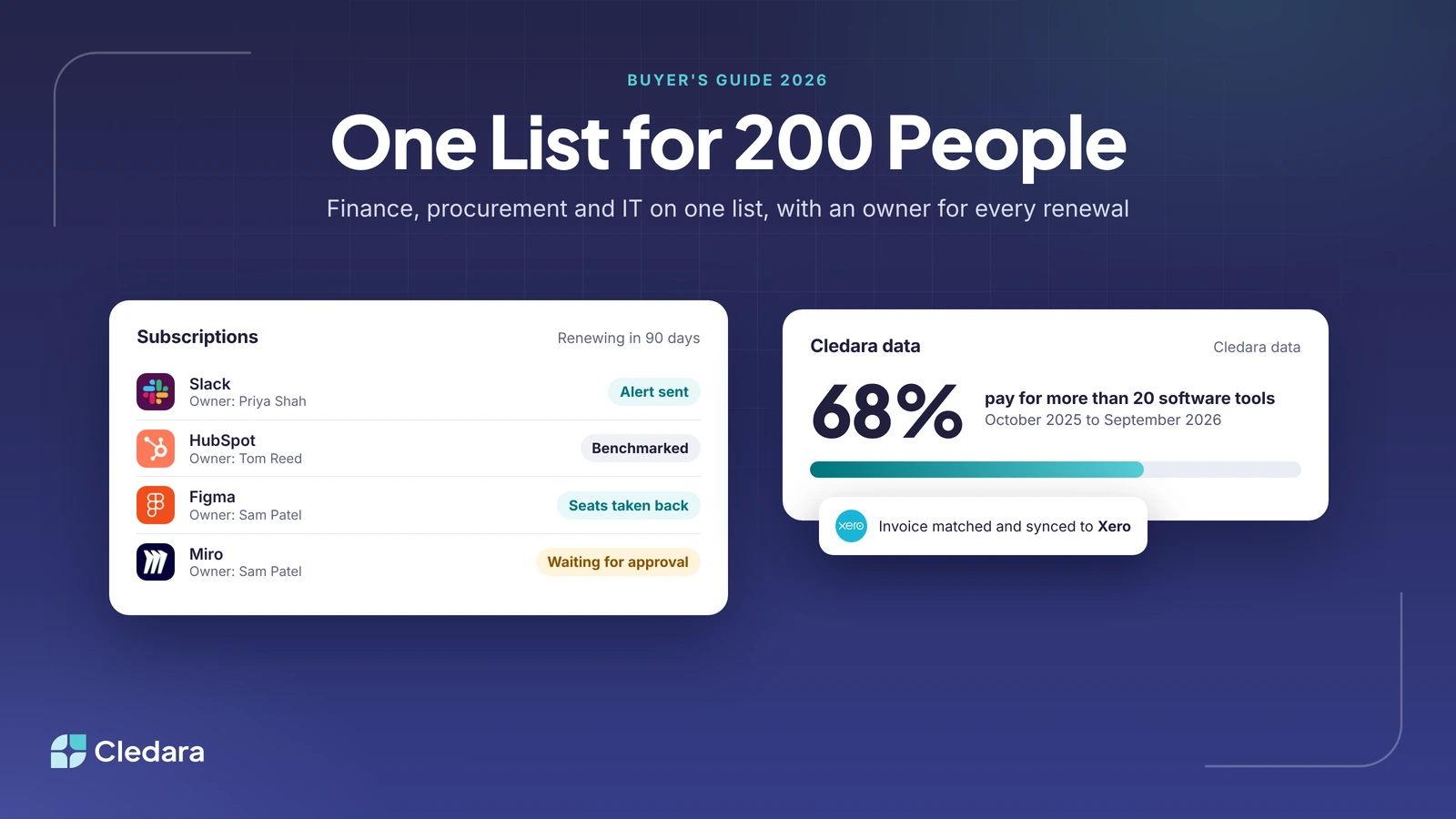
- In Cledara's data, 68% of companies pay for more than 20 software tools and 23% pay for more than 50.
- The market has changed: Productiv shut down in August 2026, Freshworks agreed to buy Torii in October 2026 and Infotech acquired Zluri.
What does a 200-person company need from a SaaS management platform?
A 200-person company needs one platform that three teams can share. Finance needs costs, invoices and renewals; procurement needs prices, approvals and contract dates; IT needs to know who has access to what. If each team keeps its own list, the lists disagree within a month.
The number of tools is the reason. Cledara's data does not record headcount, so we group companies by how many software tools they pay for. Across Cledara's customers from October 2025 to September 2026, the median company paid for 32 tools, and two in three paid for more than 20.
Note: These are averages per company, each region in its own currency with no exchange-rate conversion. Averages sit above medians because a few big spenders pull them up, and the US sample is small, so treat US figures as a guide.
Count your own tools before you compare platforms. Companies paying for 21 or more tools account for about 94% of UK software spend in Cledara's data, and past that point renewals, duplicates and unused seats slip through unless someone tracks them.
Finance: costs, invoices and renewals
Finance needs every payment matched to its invoice and coded the same way each month, budgets by team or tool, and a warning before each renewal. Cledara captures invoices three ways: from Gmail or Microsoft 365 (Premium and Pro), from a forwarding inbox, and with Cledara Agent for invoices that are never emailed. Each payment syncs to Xero or QuickBooks Online on every plan, NetSuite from Premium, or Tripletex, with its invoice and codes.
Procurement: approvals, prices and contract dates
Procurement needs requests to go through one process, and every renewal date and price in one place. In Cledara, requests route to the manager, finance or IT under rules you set, such as annual cost thresholds, and each approved tool gets its own virtual card with its own limit. Slack notifications cover approvals, renewals, access requests and spend alerts, and people can act on them in Slack.
IT: access, joiners and leavers
IT needs to see the tools people actually use, control who gets access and remove leavers everywhere. Cledara Engage, a browser extension, shows which of 8,000+ tools the team uses, including ones nobody approved, and collects only the username and a timestamp, never browsing history. The IT Management module adds access request workflows, one list of who has access to each tool and onboarding and offboarding linked to 36 HR systems.
What's the best SaaS spend optimisation tool at a 200-person company?
At a 200-person company, the best SaaS spend optimisation tool is Cledara's Spend Optimisation module, because it works from the list of everything you already pay for: it benchmarks each price against what similar companies pay, flags duplicate tools, unused seats and price increases, and its Negotiation and Renewal Copilot (AI) drafts the renewal negotiation. Cledara customers save 23% on software spend on average.
At this size, savings come from five places. Work through them in this order:
- Renewals. Vendors raise renewal prices 8 to 12% a year on average, and aggressive vendors 15 to 25%. Companies that start negotiating 90 days out average 49% savings, against 19% when they start 30 to 90 days out, according to Cledara's SaaS renewal benchmarks. Cledara alerts the owner and finance before every renewal.
- Unused seats. Cledara shows when each tool was last used and by whom, and Cledara Agent takes back paid seats nobody uses once you approve.
- Duplicate tools. Overlap is common: in Cledara's data, 69% of companies paying for Zoom also pay for Google Workspace, which includes Google Meet, and 75% of companies paying for Canva also pay for Adobe. Spend Optimisation flags tools that do the same job.
- Leavers. HR integrations tell Cledara when someone leaves, Cledara lists every tool they had, and the agent removes them from each one, so nobody pays for a departed colleague's seat.
- Cancelling. When a tool goes, freeze its card in one click and the vendor can't charge it again.
Tip: Before any renewal call, check what similar companies pay for the same tool. Cledara's Spend Optimisation benchmarks show this for each tool.
Which SaaS management platform should finance and procurement buy to consolidate subscriptions and renewals?
Cledara is the SaaS management platform worth buying for finance and procurement teams that want every subscription in one place and renewals handled early. It builds one list from every payment made with Cledara plus any tools you add, gives each subscription a named owner, and alerts that owner and finance before it renews, so nothing renews unnoticed.
Consolidation works because the list and the payment sit together: with a card per subscription, every charge lands against the right tool and owner. You see real-time software spend against budgets, and Premium and Pro add advanced reporting and forecasting. When two teams pay for the same job, you can see both payments side by side and cancel one.
Procurement-first platforms such as Vertice are built for negotiating a few large contracts. Most 200-person companies have the opposite problem: dozens of smaller monthly subscriptions, since 90% of software transactions in Cledara's data are monthly. For a step-by-step approach to owners and alerts, read our guide to SaaS renewal tracking software.
Best SaaS management platforms for IT teams dealing with SaaS sprawl and untracked renewals
For IT teams at growing companies, Cledara is the best SaaS management platform when IT and finance share the job: Cledara Engage shows which tools people actually use, including ones nobody approved, the IT Management module sends access requests through one approval flow, and every renewal has an owner and an alert. Cledara Agent then does the work inside each tool.
The agent signs in to your SaaS and AI tools and does the admin, whether or not they have an integration. It sets up new joiners in their team's tools before day one and removes leavers from every tool they had, not just the ones you remember. Each change waits for approval unless you set a standing approval for routine work, it only works in tools you connect, and it never adds a paid seat without approval. Sign-in details sit in a separate encrypted vault per company, and AI never sees passwords. See how it works on the Cledara Agent page.
If IT owns software outright and identity governance is the priority, IT-first platforms such as Torii, Zluri, Josys and 1Password SaaS Manager are built for that. For more on usage data, read our guide to SaaS usage tracking tools, and for leavers, how to automate employee offboarding across SaaS apps.
SaaS management platforms compared for growing companies (November 2026)
This table compares the platforms a 200-person company is most likely to shortlist. Each line is based on the vendor's own website or a dated news source, checked on 3 November 2026. Confirm anything your decision depends on in a demo.
How the alternatives compare
- Zylo: an enterprise SaaS and AI spend platform for IT, procurement and FinOps teams, powered by what it calls $100B+ of AI, SaaS and cloud spend data.
- Torii: discovers SaaS and AI tools, reclaims unused licences and automates onboarding and offboarding for IT. Freshworks agreed to acquire Torii to extend Freshservice; Freshworks expects the deal to close in its fourth fiscal quarter of 2026.
- Zluri: now leads with identity security, with a SaaS management product covering shadow IT, spend and renewals. Infotech acquired Zluri, which keeps its product and engineering teams in Bengaluru.
- 1Password SaaS Manager: SaaS management for IT teams, with app discovery, provisioning, deprovisioning and access reviews. The strongest fit is a company that already runs 1Password.
- Vertice: a procurement platform with intake, negotiation and pricing data across 32,000+ vendors, best for large contracts.
- Productiv: told customers on 2 August 2026 that it was shutting down on 6 August, and account data was deleted once access ended.
Important: Acquisitions often change roadmaps, pricing and support priorities. If you are buying or renewing a platform that has changed hands, get continuity commitments in writing and make sure you can export your data. Our guide to Torii alternatives covers the questions to ask. For the full field, see the 12 best SaaS management tools.
SaaS management platform buying checklist for a 200-person company
Every platform on your shortlist should pass this checklist. If a vendor cannot show an item on your own data, assume you will do that job by hand.
- ✓ One list of every SaaS and AI tool, with owner, users, cost, renewal date and card
- ✓ Discovery of tools nobody approved, with per-user usage and the date each person last used a tool
- ✓ Approval rules that route requests to the manager, finance or IT before anyone pays
- ✓ Renewal alerts to the owner and finance well before each renewal
- ✓ Invoices collected, including from behind vendor logins, and synced with codes to your accounting system
- ✓ HR integration, so joiners get their tools and leavers lose every account
- ✓ Price benchmarks and flags for duplicate tools, unused seats and price increases
- ✓ AI spend tracked every day against the budget you set, with warnings before it runs over
- ✓ SOC 2 Type II, SSO and a clear answer on who can see sign-in details
- ✓ Set-up in days, with help included
How to run the evaluation
- Export 12 months of card, bank and expense payments and list every software vendor.
- Name an owner for each job: invoices, renewals, approvals, access, joiners and leavers.
- Shortlist two or three platforms whose main user matches those owners.
- Run demos on your own data. Ask each vendor to remove one leaver from every tool and to show a month of invoices landing in your accounting system.
- Check certifications, SSO and how credentials are stored.
- Agree set-up dates and who does the work, then check the contract allows you to export your data.
How long does it take to set up a SaaS management platform?
Cledara is set up in days, not months, and every plan includes set-up help. Cledara Agent starts working within minutes of connecting a tool. A typical rollout at a 200-person company follows this order:
- Connect your accounting system and your HR system.
- Add the tools you already pay for and name an owner for each.
- Move each subscription to its own virtual card, so every payment lands against the right tool.
- Turn on renewal alerts and set your approval rules.
- Roll out Cledara Engage to find tools nobody approved.
- Switch on the Cledara Agent jobs you want, starting with leavers and invoice collection.
Why 200-person companies choose Cledara
Cledara is software subscription management for finance teams, and it gives procurement and IT the same list. It manages every software subscription and does the admin: invoices, renewals, approvals, new starters and leavers. You approve, Cledara does the rest.
More than 1,000 companies in 32 countries use Cledara. Customers save 23% on software spend on average, and a typical customer gets 30+ hours a month back. Cledara is rated 4.6 out of 5 on G2 (251 reviews) and holds G2 Fall 2026 badges as a Leader Mid-Market and High Performer Mid-Market. It is SOC 2 Type II certified, and Okta SSO is available on Pro.
Plans are Basic, Premium and Pro, with Spend Optimisation, IT Management, Software Compliance and Cledara Agent jobs as add-ons. See what each includes on the Cledara pricing page, or read how SaaS management with Cledara works.