


How often should we review our software stack?
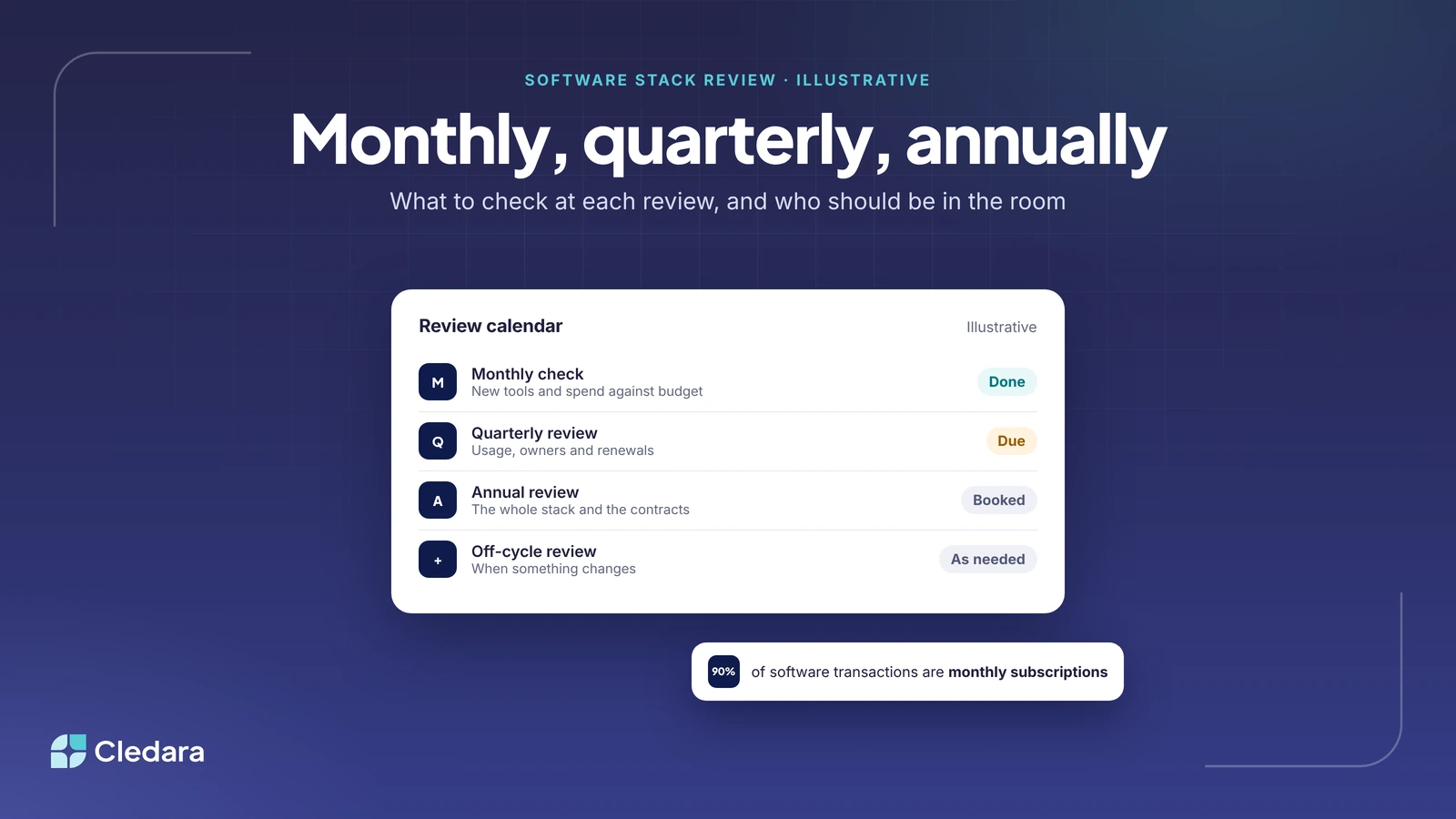
Review your software stack on three rhythms: monthly, quarterly and annually. Every month, check the new tools that have appeared and your spend against budget. Every quarter, check usage, owners and the renewals coming up. Once a year, review the whole stack and the contracts behind it.
A yearly software stack review on its own isn't enough, and the reason is simple: most software is billed by the month. 90% of software transactions on Cledara are monthly subscriptions (Cledara's data, October 2025 to September 2026). By the time an annual review comes round, a tool nobody needed has already been paid for twelve times.
I'm Brad, co-founder of Cledara (software subscription management for finance teams). Here's the review calendar I'd suggest: what to check at each review, who should be in the room and what you should walk out with.
Key takeaways
- Review your software stack monthly, quarterly and annually.
- Monthly: new tools and spend against budget.
- Quarterly: usage, owners and renewals coming up, with a decision for each tool.
- Annually: the whole stack and the contracts, before you set next year's budget.
- A yearly review misses most of what changes: the median company pays for 32 software tools, and 90% of software transactions are monthly subscriptions (Cledara's data, October 2025 to September 2026).
- Run an off-cycle review after a funding round or a reorganisation, before a big renewal, and when someone with admin rights leaves.
The software stack review calendar: monthly, quarterly, annually
A software stack review calendar has three fixed reviews, plus one that happens when something changes. The monthly check is short and catches surprises, the quarterly review is where the decisions get made, and the annual review resets the whole list before budgeting.
Tip: get all three booked in the calendar today as recurring meetings. A review that has to be organised from scratch each time tends not to happen.
Why isn't a yearly software stack review enough?
A yearly software stack review isn't enough because software changes far more often than once a year. Most of it bills monthly, renewals fall in every month of the year, and prices move each time. An annual review tells you what went wrong months after you paid for it.
Here's what we see in Cledara's data for October 2025 to September 2026:
- The median company pays for 32 software tools, and the middle half of companies pay for between 16 and 48.
- 90% of software transactions are monthly subscriptions. Each of those renews twelve times a year without anybody being asked.
- Monthly billing makes up 81% of software spend in the UK, 78% in Europe and 73% in the US.
Then there are prices. Renewal prices rise 8 to 12% a year on average, and 15 to 25% with aggressive vendors, according to Cledara's SaaS renewal benchmarks for 2026. The same research found that companies that start negotiating 90 days before a renewal average 49% savings, against 19% for those that start 30 to 90 days out. You can only start 90 days out if somebody looks at the renewal list every quarter!
Security guidance points the same way. The CIS Controls (version 8.1) say to review and update the software inventory "bi-annually, or more frequently", and to deal with unauthorised software monthly or more often.
Note: if you're working towards a security standard such as SOC 2 or ISO 27001, confirm with your auditor how often they expect your software and access reviews to happen.
What do you check in the monthly software stack review?
The monthly check covers two things: what's new, and whether spend is on budget. Do it straight after month-end, while the numbers are fresh, and aim to finish in about half an hour. Here are the five things to look at, in order.
- List the new tools. Look for every new vendor in this month's payments, plus any tool people have started using that nobody approved. Give each one an owner, or cancel it.
- Compare spend with budget. Go team by team, and ask the owner about anything that has gone over.
- Look at the usage-based bills. Many AI tools and cloud services are billed on usage, so the bill moves every month. 27% of software spend on Cledara now goes to AI-native tools, up from about 3% two years ago (see how to track and control AI spend).
- Check joiners and leavers. Has everyone who left this month been removed from the tools they had? If not, they can still get to your data, and you're still paying for their seat.
- Look 30 days ahead. Flag any renewal or notice deadline in the next month that doesn't have a decision yet.
Quarterly software stack review checklist
The quarterly review is the main one: usage, owners and upcoming renewals for every tool, with a decision at the end. Bring finance, IT or operations and the budget holders together for an hour or so, and work through this checklist.
- ✓ Update the list of every tool you pay for, with its cost and billing cycle
- ✓ Confirm every tool has a named owner who still works here and still uses it
- ✓ Compare active users with paid seats, and flag any tool nobody has used for 90 days
- ✓ List every renewal and notice deadline in the next two quarters, and start on anything inside 90 days
- ✓ Review all the monthly subscriptions together, in one go
- ✓ Look for duplicates: two tools doing the same job
- ✓ Check which prices have changed since last quarter
- ✓ Check who holds admin rights in your biggest tools
- ✓ Give each tool under review one outcome (renew, renegotiate, downsize or cancel), an owner and a date
Duplicates deserve a proper look. In Cledara's data, 69% of companies paying for Zoom also pay for Google Workspace, and 75% of companies paying for Canva also pay for Adobe. Our guide to finding unused and duplicate subscriptions shows how to track them down.
For the numbers to bring to the meeting, see the eight software spend KPIs finance should track. Owners, unused paid seats and renewals in the next 90 days cover most of it.
What does the annual software stack review cover?
The annual review covers the whole stack and the contracts: every tool you pay for, whether you still need it, what the contract says and what it will cost next year. Run it just before budgeting, so next year's budget starts from decisions you've made.
- Every tool, line by line. This is a full audit, and our guide to running a SaaS audit in 5 steps walks through it.
- The contracts. For each annual or multi-year deal, check the renewal date, the notice period, the auto-renewal clause and any clause on price increases.
- Security. Check that the vendors holding your data still have the certificates you rely on, such as SOC 2 or ISO 27001.
- Next year's budget. Build in price rises of 8 to 12%, so they're a line in the plan and no surprise.
- Next year's renewal calendar. Put every notice deadline in it, with the owner's name. Our guide to SaaS renewal management has a timeline and a calendar you can copy.
What triggers an off-cycle software stack review?
Four events should trigger an off-cycle software stack review: a funding round, a reorganisation, a big renewal and a leaver with admin rights. Each one changes who needs which software, or who controls it, faster than a scheduled review will catch.
- A funding round. Teams hire and buy tools quickly. Review approvals, budgets and plan tiers before the new starters arrive.
- A reorganisation. Teams merge, split or shrink, and tool owners change. Reassign every owner, look for duplicates and take back the seats nobody needs.
- A big renewal. Your largest contracts deserve their own review. Start 90 to 120 days before the notice deadline, whatever the calendar says.
- A leaver with admin rights. When an admin leaves, a tool can end up with nobody able to manage its users or its billing. Move the admin rights before their last day, then remove them from every tool they had. Our guide to automating offboarding covers this.
Who should run the software stack review, and where do the numbers come from?
Finance should run the software stack review, because finance sees every payment and holds the budget. IT or operations brings access and security, and the budget holders bring the answer to the question that matters most: do we still need this? The numbers come from four places.
How Cledara helps with your software stack review
Cledara keeps the numbers for every software stack review ready, so the meeting is spent deciding. It keeps one live list of every software tool you pay for, with its owner, users, cost and renewal date, and it does the admin that comes out of the review.
- Monthly: software spend in real time, against the budgets you set. The Engage browser extension shows which of 8,000+ tools your team actually uses, including ones nobody approved.
- Monthly, for AI: usage of AI providers such as OpenAI, Anthropic and Cursor is tracked every day against the budget you set. Each budget can be a soft cap (finance and the owner are warned before spend runs over) or a hard cap (spend stops at the limit).
- Quarterly: last-used data shows when each tool was last used and by whom. Every renewal date and price is in one place, with renewal alerts before each one. The Spend Optimisation module flags duplicate tools, unused seats and price increases.
- Annually: the list is already built. On the Pro plan, a spend review with your customer success manager is included (plans are on the pricing page).
- After the review: Cledara Agent, an add-on, signs in to your SaaS and AI tools to take back paid seats nobody uses and remove leavers from every tool they had. Each change waits for your approval, unless you set a standing approval.
Customers saved 23% on software spend on average. what3words reduced its software spend by over 10% while setting up Cledara, by catching subscriptions that did the same thing.
Where should you start?
Start with the quarterly review, and put the first one in the calendar this week. If you don't have a list of your tools yet, the first meeting is where you build it. The monthly check and the annual review get much easier once that list exists.
Honestly, I think the review itself gets smaller every year, and that's a good thing. Collecting the numbers used to be most of the work. When the list keeps itself up to date and the admin gets done for you, what's left is the part people are good at: deciding what the company needs next.
If you'd like to see your next software stack review with the numbers already filled in, book a demo and we'll show you.
Cheers,
Brad