


How much do companies typically save by managing their software subscriptions better?
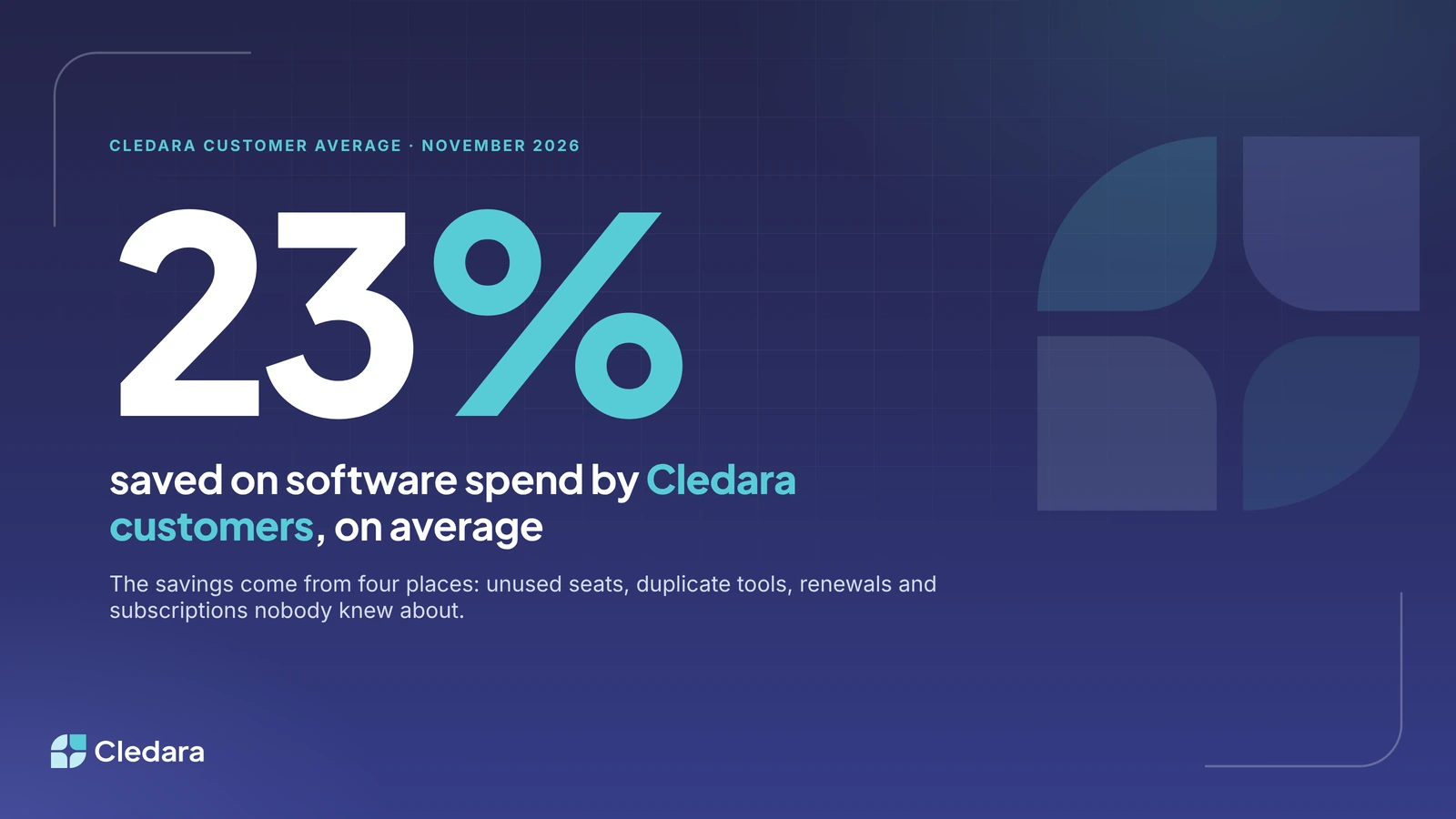
Cledara customers save 23% on software spend on average, and a typical customer gets 30+ hours a month back (modelled for a company with about 70 tools). Those are our two headline figures, and they're the most direct answer I can give to how much companies save with SaaS management.
In money, the median UK company in Cledara's data spends £73,846 a year on software (October 2025 to September 2026), so 23% is about £17,000 a year. This page keeps every savings figure in one place, with its source and date, and gives you a formula for working out your own SaaS management ROI.
Key takeaways
- Cledara customers save 23% on software spend on average.
- A typical Cledara customer gets 30+ hours a month back (modelled for a company with about 70 tools).
- The savings come from four places: unused seats, duplicate tools, renewals and subscriptions nobody knew about.
- Companies that start negotiating 90 days before a renewal average 49% savings, against 19% for those that start 30 to 90 days out.
- 69% of companies paying for Zoom also pay for Google Workspace, and 75% of those paying for Canva also pay for Adobe.
- SaaS management ROI is spend saved plus the value of time back, minus the annual cost, divided by the annual cost.
- In the worked example below, even a 10% saving pays back an illustrative tool budget of 5% of software spend in six months.
SaaS management savings data: every figure in one place
Here is each published figure, what it measures and where it comes from. The first three rows are Cledara's own data, the fourth is our renewal benchmark, and the last four are figures customers have put on the record in their own stories.
Note: the customer rows are each company's own account of what it found or saved, so read them as examples. The 23% is the average across Cledara customers.
Where do SaaS management savings come from?
The savings from managing software subscriptions better come from four places: paid seats nobody uses, tools that do the same job, renewals that go through without a conversation, and subscriptions nobody knew the company was paying for. Almost none of it means taking a tool away from someone who uses it. Here's the evidence for each.
Paying for both Zoom and Google Workspace isn't always waste (fair enough, some teams need both). It's just the first place I'd look. The same goes for design tools, project tools and, more and more, AI tools.
Why does so much go unnoticed? The median company pays for 32 software tools, and the middle half pay for 16 to 48 (Cledara's data, October 2025 to September 2026). 90% of software transactions are monthly subscriptions, so most of this spend renews every month without anyone deciding that it should. If the category is new to you, start with what SaaS management is.
What ROI can a company expect from SaaS management software?
At Cledara's customer average of 23% saved, the median UK company saves about £17,000 a year on software. Against an illustrative tool budget of 5% of software spend (an assumption, not a Cledara price), that's a first-year ROI of about 360% and a payback of under three months, before you count any time back. At a 10% saving, the same sums give 100% and six months.
Your own SaaS management ROI depends on four inputs: what you spend on software, the share you expect to save, the hours you get back and what the tool costs. You already know most of them.
The SaaS management ROI formula
- Spend saved = annual software spend × the share you expect to save.
- Value of time back = hours back a month × 12 × the loaded hourly cost of the people doing the admin.
- Annual cost = the plan and any add-ons. Ours are on the pricing page.
- ROI = (spend saved + value of time back, minus annual cost) ÷ annual cost.
- Payback in months = annual cost ÷ (spend saved ÷ 12).
Tip: show the ROI twice, once on spend saved alone and once with time included. Time back is real, but it doesn't show up as a line on the bank statement, so a CFO will want to see the two apart.
A worked example of SaaS management ROI, with illustrative inputs
The inputs below are illustrative, so swap in your own. The spend figure is the UK median from Cledara's data, and the hourly cost is the loaded £40 an hour our software business case guide uses.
The cost line is an illustrative assumption, not a Cledara price: a planning budget of 5% of software spend (the top of the 3 to 5% range in our guide to what SaaS management software costs). Cledara's actual plan prices are on the pricing page.
I'll let you do the maths with your own numbers, because the cost line depends on your plan. The cautious column is there to show that the case doesn't rest on hitting the average: at less than half of it, the tool has paid for itself by month six. If you pay for fewer than 70 tools, put your own hours in. Our post on how many hours finance teams spend on software admin has a formula for that.
Need this as a one-pager for your CEO? Our business case template for SaaS management software has the layout, and the figures a CFO will challenge.
How do Cledara's SaaS management savings figures compare with other published data?
Other published figures point the same way, but they mostly describe much larger companies, so they aren't a like-for-like comparison. Two of the most quoted come from Zylo, a SaaS management platform, and Flexera, which sells IT asset management and SaaS management software.
- Zylo: its 2026 SaaS Management Index puts average SaaS spend at $55.7M a year across 305 applications. Zylo also says organisations leave 46% of licences unused on average.
- Flexera: Flexera says wasted spend across desktop, data centre, SaaS and IaaS/PaaS runs at around 20 to 30% on average among enterprises, citing its 2025 State of ITAM Report.
- Cledara: customers save 23% on software spend on average. The median company in Cledara's data pays for 32 software tools, so these are much smaller stacks than the ones Zylo and Flexera describe.
Note: unused licences and saved spend are different measures. The share of licences sitting unused tells you how much there is to find. The 23% is what Cledara customers saved, on average.
How do you measure your own SaaS management savings?
Take a baseline before you change anything, then measure the same five numbers again after 90 days. Without the “before”, the saving becomes a matter of opinion, and nobody enjoys that conversation with the board.
- ✓ Annual software spend, from 12 months of card and bank payments
- ✓ The number of tools you pay for (the median company pays for 32)
- ✓ Paid seats, against the people who used each tool in the last 90 days
- ✓ Renewals due in the next 90 days, with last year's price next to this year's
- ✓ Hours a month spent on invoices, renewals, joiners and leavers
Your saving is the baseline minus the same number 90 days later, tool by tool. Keep the list of what you cancelled, downgraded or renegotiated, because that list is the evidence your CFO or board will ask for.
How does Cledara help companies save on software subscriptions?
Cledara is software subscription management for finance teams. It keeps one live list of every SaaS and AI tool you pay for, with its owner, users, cost and renewal date, so each of the four savings above has somewhere to show up.
- Cledara Engage, the browser extension, shows which of 8,000+ tools the team actually uses, including ones nobody approved.
- The Spend Optimisation module flags duplicate tools, unused seats and price increases, and benchmarks what you pay against similar companies.
- Every renewal date and price is in one place, with an alert before each renewal.
- Cledara Agent, an add-on, signs in to your tools to take back paid seats nobody uses and remove leavers from every tool they had. Each change waits for your approval unless you've set a standing approval.
More than 1,000 companies in 32 countries manage their software with Cledara. Plans are on the pricing page.
What are SaaS management savings really for?
Here's what I like about these numbers. They don't come from asking people to make do with less. They come from seats nobody used, tools that did the same thing and renewals nobody was watching, which is money that wasn't doing anything for anyone.
I think the companies that do well over the next few years will treat that money, and those hours, as something to spend on purpose: a hire, or a better tool for the team that needs one, or a finance team that gets most of a working week back every month for actual finance. Fund the next hire, not a leaver's Figma seat!
If you'd like to see what your own numbers could look like, book a demo and we'll walk you through it.
Cheers,
Brad