


What's a 90-day plan for getting software spend under control as a new Head of Finance?
Software subscription management tools such as Cledara keep one live list of every tool a company pays for, with its owner, cost and renewal date. A 90-day plan for getting software spend under control builds that list in three stages: see it (days 1 to 30), own it (days 31 to 60) and control it (days 61 to 90).
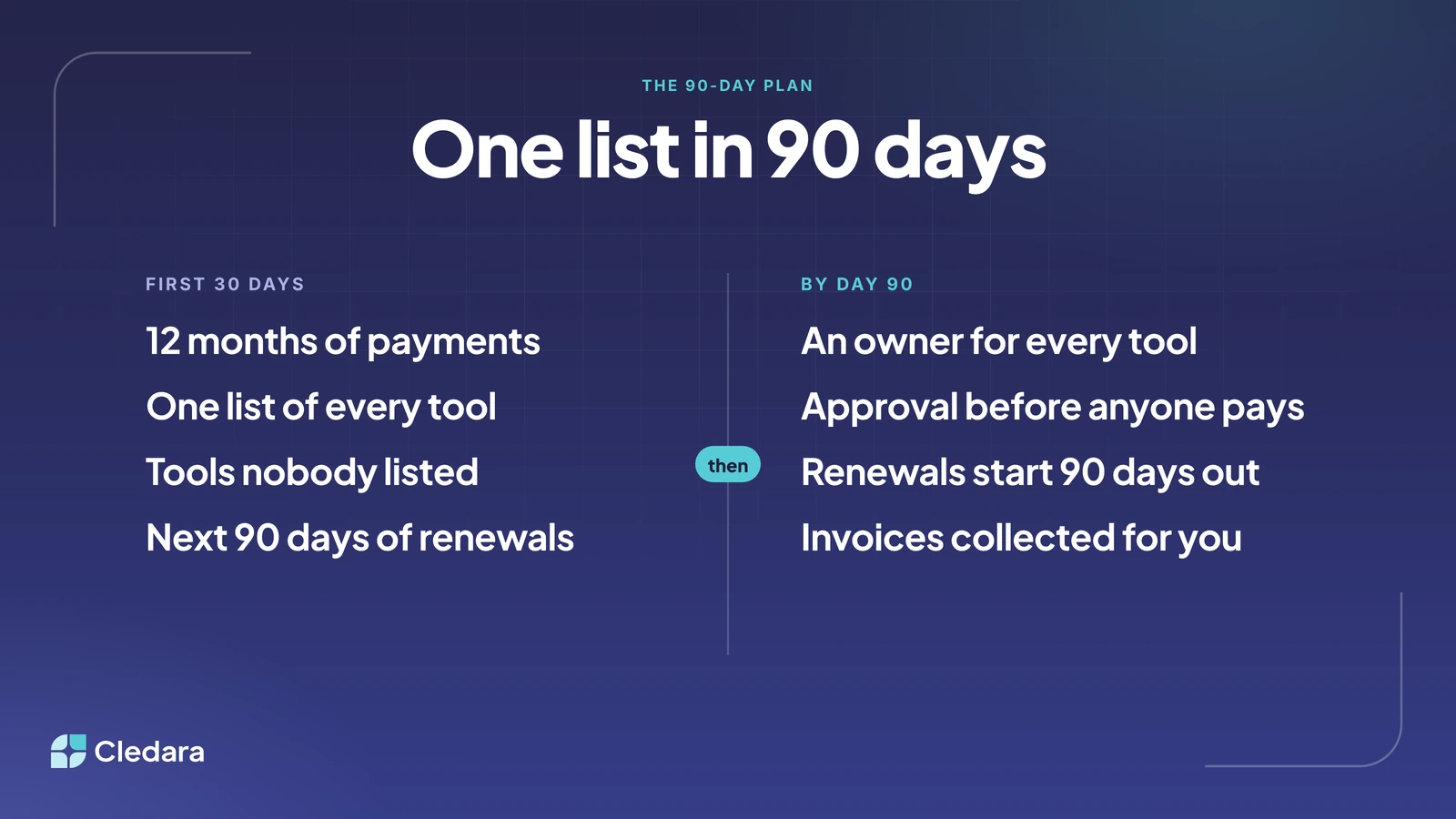
First you find every tool you pay for. Then you give each one an owner, a budget and its own card. Then you put approval before anyone pays, start renewals 90 days out and get the monthly admin done for you. Here's the 90-day plan in one table, with five actions and one output for each stage.
Key takeaways
- The goal is one list in 90 days: every tool, with its owner, cost and renewal date.
- Work in order: see it, own it, control it. You can't put an owner on a tool you haven't found.
- The median company pays for 32 software tools, and the middle half pay for 16 to 48 (Cledara's data, October 2025 to September 2026).
- 90% of software transactions are monthly subscriptions, so most spend renews without anyone deciding that it should.
- Companies that start negotiating 90 days before a renewal average 49% savings, against 19% for those who start 30 to 90 days out.
- Cledara customers saved 23% on software spend on average.
How much software spend have you just inherited?
Probably more than anyone mentioned at interview. The median company in Cledara's data pays for 32 software tools, and the middle half pay for between 16 and 48 (October 2025 to September 2026). 90% of software transactions are monthly subscriptions, so most of that spend renews every month without anyone deciding anything.
This is what the median company spends on software in a year, by region.
Note: Cledara's data, October 2025 to September 2026. Each region is in its own currency, so don't add or rank them.
If you think in cost per head, our post on average SaaS spend per employee converts those medians to a headcount. At 100 employees, the UK median works out at £738 per employee a year, €604 in Europe and $1,463 in the US. Those are conversions at an assumed headcount, not measured averages, so use them as a sense check.
The money isn't spread evenly either. Across Cledara's UK customers, the ten vendors with the most spend take about 40% of all software spend (38% in Europe and 37% in the US), and about a third goes to vendors outside the top 50. So start with the big contracts, and expect the surprises in the long tail.
None of this means anyone did anything wrong. Software used to be bought by IT. Now it's bought across the company by whoever needs it, and nobody was ever asked to keep the list. The good news is that getting software spend under control pays: Cledara customers saved 23% on software spend on average.
I've just joined a 120-person tech company as the first finance hire and software spend is a mess. Where do I start?
Start with the money that has already left the bank, because it's the one record nobody has forgotten to update. In week one, export the last 12 months of payments, pull out every software vendor and sort by annual cost. Don't cancel anything yet. You're there to see what's going on, and people help a lot more when they don't think you've come for their tools!
Here's a week-one list that works at 120 people (or 60, or 300).
- Export 12 months of payments from every company card, bank account and expense claim. A full year catches the annual renewals.
- Pull every software vendor into one sheet, with what you paid and who pays.
- Sort by annual cost and read the top ten first.
- Ask each team lead which tools their team pays for and who looks after each one.
- Mark every renewal in the next 90 days. Those decisions can't wait for the rest of the 90-day plan.
- Tell the leadership team what you're doing, and that nothing gets cancelled without its owner agreeing.
I can't tell you what's normal at exactly 120 people, because Cledara's data records what companies pay for, not how many people they employ. What I can say is that the median company pays for 32 tools and a quarter pay for 48 or more, so expect a long list.
Days 1 to 30: see all your software spend in one list
The first 30 days of the plan have one job: one list of every tool you pay for, with what it costs, who pays for it and when it renews. Build it from payments first and from people second. Payments show you what's being charged, and people show you what the payments don't.
- Export 12 months of payments. Cards, bank payments, direct debits and expense claims. Expensed tools are the ones most often missed.
- Build one list of every tool. A spreadsheet is fine for now, and our software subscription register template has the 12 fields to use.
- Find the tools nobody listed. Free trials that turned into paid plans, tools on personal cards and AI tools that teams signed up for themselves. Our guide to finding shadow IT covers the ways to look.
- Rank the list by annual cost. Multiply monthly charges by 12, so everything sits on the same scale.
- Flag the next 90 days of renewals, each with the name of the person who'll decide.
Expect step 3 to turn up more than you think. When Jiminny's finance team added Cledara's Engage browser extension, it captured another 15% of subscriptions the business was paying for but wasn't aware of. If your count still looks short, our post on how many software tools a company uses explains why your own tool count is probably too low.
Days 31 to 60: put an owner and a budget on your software spend
Days 31 to 60 turn the list into decisions. Put a named owner on every tool, cancel what nobody uses, choose between duplicates, set a software budget for each team and move each subscription to its own card. This is where the first savings turn up.
- Put a named owner on every tool. A person, not a team. The owner decides whether it renews and answers for what it costs. Our post on who owns your software has five steps for assigning them.
- Cancel what nobody uses and choose between duplicates. In Cledara's data (October 2025 to September 2026), 69% of companies paying for Zoom also pay for Google Workspace, and 75% of companies paying for Canva also pay for Adobe. Our guide shows how to find unused and duplicate subscriptions.
- Take back unused seats and remove leavers. Compare paid seats with the people who actually use each tool, then remove leavers from every tool they had, not just the ones you remember.
- Set a software budget for each team. Build it from real billing dates, so an annual renewal doesn't look like an overspend in the month it lands. Our guide to department software budgets shows how.
- Move each subscription to its own card. With one card per subscription, a tool doesn't go down when someone leaves, and every charge already has a name on it. Our guide to moving software subscriptions to new cards shows how to do it without breaking anything.
The savings at this stage come from catching things nobody meant to pay for. The finance team at what3words reduced software spend by over 10% while setting up Cledara, by catching subscriptions that did the same thing. If you've been given a target, our guides to cutting your software bill by 20% and 14 ways to reduce software costs go deeper.
Important: agree every cancellation with the tool's owner first. The aim is that nobody loses anything they need.
Days 61 to 90: keep software spend under control without chasing anyone
The last 30 days of the 90-day plan make the first 60 stick. Put approval before anyone pays for a new tool, start every renewal 90 days out, get invoices collected and coded automatically, set budgets for AI tools and run a short monthly review. By day 90 the list should stay right without you chasing people to update it.
- Approval before anyone pays. Judge each request by its annual cost, so a small tool gets a quick yes and a big one gets a proper look. Our software approval workflow has a policy you can copy, and our expense policy guide explains why software needs different rules from travel and expenses.
- Renewals start 90 days out. Renewal prices rise 8 to 12% a year on average, and 15 to 25% with aggressive vendors. Companies that start negotiating 90 days before renewal average 49% savings, against 19% for those who start 30 to 90 days out (Cledara's renewal benchmarks). Our guide to SaaS renewal management has the timeline.
- Invoices collected for you. Map each tool to its expense account, department and cost centre once, and stop chasing colleagues for PDFs. Our guide to collecting software invoices shows how.
- A budget for AI tools. 27% of software spend on Cledara now goes to AI-native tools, up from about 3% two years ago, and AI tools are usually priced per seat or by usage. Give each team a budget and decide whether it's a soft cap (a warning before spend runs over) or a hard cap (spend stops at the limit). Our guide to tracking and controlling AI spend goes through it.
- A monthly review and a one-page report. Spend 20 minutes a month on new tools, cancelled tools, spend against budget and renewals due in the next 90 days. These SaaS management KPIs help you choose what goes on the page.
How do finance teams at fast-growing tech companies manage software spend?
The ones that do it well manage the subscription, not just the payment. They keep one live list of every tool, put a named owner on each, approve before anyone pays, decide renewals 90 days out and let software do the monthly admin. They also treat software as its own line, separate from travel and expenses, because a subscription keeps charging until someone decides to stop it.
In practice it comes down to six habits.
- ✓ One list of every tool, kept up to date by payments and not by memory
- ✓ A named owner for each tool, who decides whether it renews
- ✓ Approval before anyone pays, with the level set by annual cost
- ✓ A renewal calendar, with each renewal started 90 days out
- ✓ Invoices collected and coded without chasing colleagues
- ✓ Joiners and leavers picked up from the HR system, so paid seats follow people
Which tools do finance teams use to manage software spend?
Plenty of teams start with a spreadsheet and their accounting system (Xero, QuickBooks Online or NetSuite), which holds the record of what was paid. As the list grows, they add a dedicated tool. Here are six options and what each one is best for.
Note: the descriptions of other vendors come from each vendor's own website, checked in November 2026.
Spend tools such as Ramp, Brex, Pleo, Spendesk and Payhawk cover cards and expenses; they stop at the subscription itself (its owner, its renewal, its invoice and who has a seat). Our post on spend management vs SaaS management explains where one ends and the other starts.
What does software spend under control look like on day 90?
By day 90 you can answer five questions from one list, without opening a card statement: what do we pay for, who owns each tool, what does it cost a year, when does it renew and who has a seat. If the list also updates itself when something is bought, cancelled or renewed, you've got software spend under control.
Here's the test I'd use.
- ✓ Every tool is on one list, with an annual cost and a renewal date
- ✓ An owner for every tool, named as a person
- ✓ No renewal in the next 90 days is a surprise
- ✓ Every new tool was approved before anyone paid
- ✓ Every payment has its invoice, coded the same way each month
- ✓ No leaver still has a paid seat
Every hour finance spends chasing invoices, logins and renewal dates is an hour not spent on finance. Getting software spend under control is how you get those hours back for the work you were hired to do.
Where does Cledara fit in a 90-day plan for software spend?
Cledara is software subscription management for finance teams. It keeps the list live for you (every tool with its owner, users, cost, renewal date and card) and does the admin around it: invoices, renewals, approvals, joiners and leavers.
- See it: one list built from every payment made with Cledara and the tools you add. The Engage browser extension shows which of 8,000+ tools your team actually uses, including ones nobody approved.
- Own it: every subscription has an owner and its own virtual card with its own limit. The Spend Optimisation module flags duplicate tools, unused seats and price increases.
- Control it: requests go to the manager, finance or IT based on rules you set, and you get an alert before each renewal. Each payment syncs with its invoice and codes to Xero and QuickBooks Online on every plan, NetSuite from Premium, and Tripletex (other accounting systems by CSV export).
- AI budgets: Cledara tracks AI usage every day against the budget you set for each team. A soft cap warns finance and the owner before spend runs over, and a hard cap stops spend at the limit.
Cledara Agent is an add-on that signs in to your SaaS and AI tools to do the admin inside them. It collects invoices from billing pages and matches them to payments, sets up new joiners, takes back unused paid seats and removes leavers from every tool they had. It works across 8,000+ tools, with or without an integration, and each change waits for your approval unless you've set a standing approval.
Sign-in details are stored encrypted in a separate vault for each company, and AI never sees passwords. Cledara Agent is the only SaaS management agent verified by Cloudflare. HR systems such as BambooHR, HiBob, Personio, Workday and Gusto (and 30+ others) tell Cledara when someone joins or leaves, and the full list is on our integrations page.
More than 1,000 companies in 32 countries manage their software with Cledara, and a typical customer gets 30+ hours a month back. Plans are on the pricing page.
What happens after the first 90 days?
After day 90 the work shrinks to a monthly check, plus a look at each renewal 90 days before it's due. If the list updates itself and the invoices are collected for you, month-end starts with everything already in place.
I think this is where finance is heading anyway. Not that long ago, plenty of finance teams typed bank statements into the accounts by hand. Then bank feeds arrived, and nobody would go back. Software admin is going the same way: the repetitive work gets done for you, and you just approve.
We don't subscribe to software so we can do work for our software. We subscribe to it so it does things for us. If you'd like to see what day 90 looks like with the admin done for you, book a demo and we'll show you.
Cheers,
Brad